Skip to content
Learn MikuMikuDance – MMD Tutorials – Free 3D Animation Software

Learn MikuMikuDance – MMD Tutorials – Free 3D Animation Software

Download Free Animation Software – Let's Learn How to Do Everything!

  • Step-by-Step MMD instructions
  • DOWNLOADS
  • Troubleshoot, Fix MMD
  • Site Contents
  • Reggie Replies Q&A
  • Homework!
  • What IS MMD?
    • Download MikuMikuDance Newest Latest Version of MMD
  • “HOW TO”
    • Raycast RAY-MMD Effect Tutorials
  • BONUS PAGES
    • Why convert PMD models to PMX?
  • HALL of CHAMPIONS
  • Tutorial Categories
  • About
    • Privacy Policy
  • Toggle search form
  • Haruka Nana is a wonderful MMD model ... with fun options!
    New LearnMMD Video Features Haruka Nana Dancing Modified Sample Dance "the making of" my video
  • Different Eye Textures in one model using PMXE JuneTarzan
  • VPVP MMD Training video offers MMD instructions videos.
    VPVP page offers basic MMD instructions videos MMD Basics
  • Here is the plan for the ball tossing motion in MikuMikuDance 7.39
    “Bonk goes the Miku” new video using Accessories created in SketchUp Google SketchUp and MMD
  • Tips for how to create complicated MMD dance motions.
    Making more complicated MMD dance motions – Some new notes… Making Smooth Motions
  • How to use Raycast MMD MME Shader Effect Advanced Shader Technique
  • Make a Music Video with MMD and Learn to Use MMD "the making of" my video
  • Fixing Missing Facial Manipulation Tabs in MikuMikuDance. Fixing Broken Models
LearnMMD.com: The Instruction Sheet you've been searching for!

Use Google SketchUp to make DirectX Accessories in MMD

Posted on October 30, 2011December 11, 2015 By Reggie_Dentmore 2 Comments on Use Google SketchUp to make DirectX Accessories in MMD

How do I make an accessory for MikuMikuDance? How can I use SketchUp to make Accessories in Miku Miku Dance? LearnMMD Google Sketchup Tutorial. How do I use Google Sketchup to make a DirectX model? How do I get a ball for MikuMikuDance?

Use Google SketchUp to make DirectX Accessories for MikuMikuDance.Make MMD Accessories using SketchUp to create DirectX .x files objects.

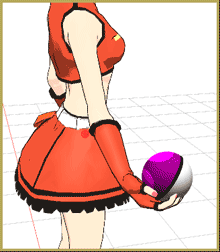
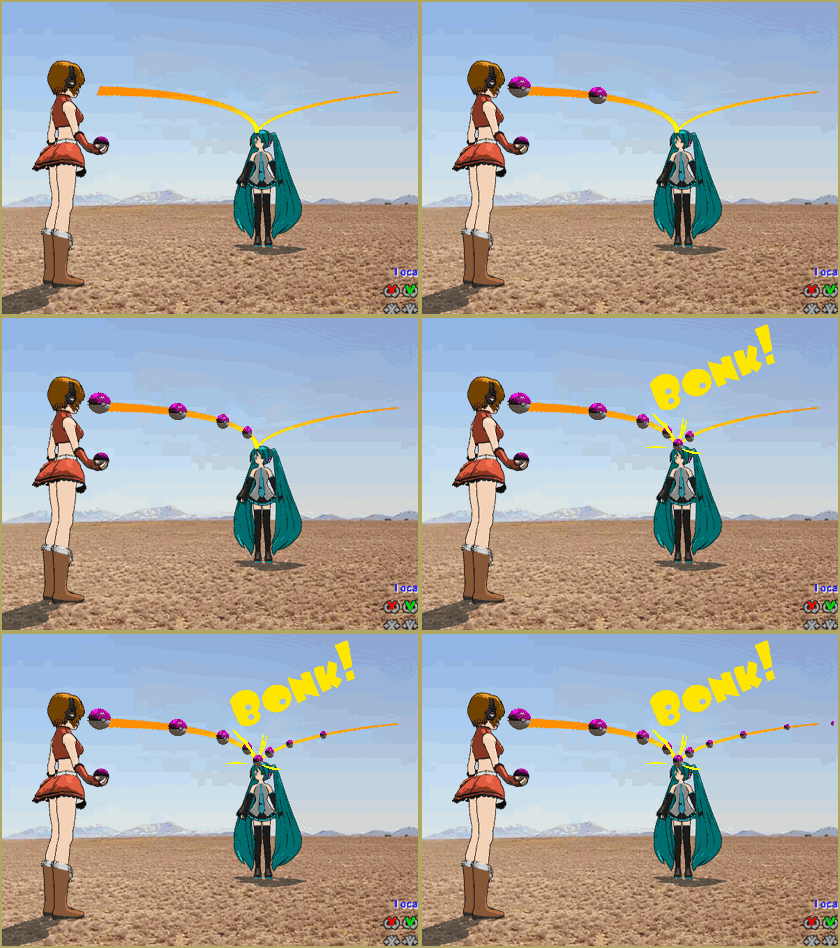
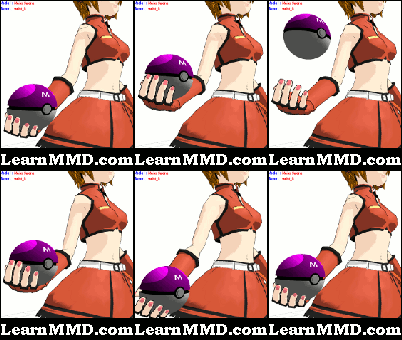
I created a “ball” accessory that I can toss around in my Miku Miku Dance animations.  Even better … it’s a PokeBall!

Full instructions and illustrations are available on my MikuBall page. It’s fun to use Google SketchUp to make DirectX accessories for MMD. There is a huge number of models available for free on SketchUp … and, even SketchUp is Free!

If you get started, you will also need the 3D-RAD plugin for SketchUp. It converts SketchUp models into DirectX files with the .x extension that MMD uses for accessories. Find the 3D-RAD plugging on the LearnMMD.com DOWNLOADS page. Please note: The 3D-RAD plugin I have for you on the Downloads Page is NOT an installable plugin… YOU have to manually install it yourself: Drop that .rbs file into the Plugins folder inside the actual Google/Sketchup folder inside your computer’s Programs folder:
My Computer>C:>Programs>Google>Sketchup>Plugins. After doing so, you can close everything, start Sketchup, and Sketchup will now see the plugin.

Once you start using SketchUp to make DirectX Accessories for MMD … your brain will be abuzz with the many possibilities  open to you.
Have fun!


– SEE BELOW for MORE MMD TUTORIALS…


— — —


– _ — –


Visit the LearnMMD.com Homepage! Plenty of Mikumikudance instruction and info!

More MMD Tutorials...

Create/Export .x files in Blender 3 using PMXE (Blender 2.8+)

There's no .x export in Blender 2.8/2.9/3.0... you cannot directly Export .x files in Blender ...read more

Build Accessories and Stages with PMXE Primitives

A New Table for SeeU... YES, YOU CAN BUILD MODELS WITH THE PMXeditor Build Accessories and Stages ...read more

Download Reggie's MMD DeckPanel when you just need a place to sit or stand!

How can I use Reggie's MMD Deckpanel accessory for my MikuMikudance animation? My motion starts ...read more

A better MMD followcam in PMXE with physics and IK bones

How can I control the camera in MMD? How can I make an MMD followcam?  ...read more

Delete Miku and Learn About the Sample Dance Stage Lights

How do I use the stage lights. Use Dummy Bones to move the stage lights. ...read more

Build Your Own Stage For MMD Using SketchUp

Build Your Own Stage For MMD Using SketchUp! Making stages for MMD is really easy using Trimble's ...read more

Dummy Bones, Google SketchUp and MMD, Make your own Accessories Tags:Google Sketchup, make accessories, Make Accessory, mikumikudance, new accessory

Post navigation

Previous Post: Make a Smooth Walking Motion in MikuMikuDance
Next Post: Ball Toss Motion Hits Miku: MikuMikuDance!

Related Posts

  • Delete Miku and Learn About the Sample Dance Stage Lights Dummy Bones
  • Build Accessories and Stages with PMXE Primitives Make your own Accessories
  • Download Table Lamp Accessory ON and OFF Downloading New Models
  • Download Reggie's collection of Rocking Chair Accessory for MMD7.39
    New MMD Rocking Chair Accessory Ready to Download Make your own Accessories
  • Download Reggie’s MMD DeckPanel when you just need a place to sit or stand! Make your own Accessories
  • Use Accessory Manipulation Panel Settings to Position Props Accessory Manipulation/Adjust

More Related Articles

Learn How to Dress the LearnMMD Stage – Instructions Dummy Bones
Dummy Bones allow you to customize your accessory manipulations! Using The Dummy Bone for MikuMikuDance Accessory Manipulation/Adjust
After lowering the stage -.2 on the Y axis, the floorlights.x work great! Easy Fix for the Auditorium Stage Accessory: Use a Dummy Bone Dummy Bones
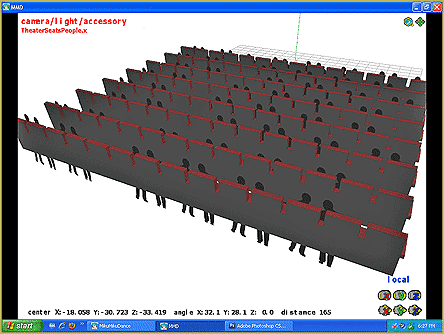
The New LearnMMD Theater Seats .x accessory looks Great when you place it on your stage. MMD 7.39 accessory. New MMD Theater Seats Accessory Download on LearnMMD.com Google SketchUp and MMD
Dummy Bones Hold Accessories in MikuMikuDance Dummy Bones
Painted Table Accessory Download Available Now Downloading New Models

Comments (2) on “Use Google SketchUp to make DirectX Accessories in MMD”

  1. Arizona says:
    July 6, 2012 at 3:23 pm

    From scratch! WOW! That’s hardcore. You could save yourself a nightmare and go to deviantart.com and download a model base and start from there. You would also need the PMD editor. YOu could get that here in the downloads section.
    But from the ground-up, you could use download and use Blender. That seems to be the most popular program.

    Reply
  2. benoit-1842 says:
    July 5, 2012 at 12:15 pm

    Does anyone knows how to do a model in PMD from scratch can we have a tutorial if it’s possible because i saw that people where making amazing model like spiderman etc….

    Reply

Leave a Reply Cancel reply

Your email address will not be published. Required fields are marked *

Download the latest version of MikuMikuDance!
See the MMD Step-by-Step instructions page!
Learn how to make your own MMD motions!
LearnMMD.com
  • Oomary’s guide to mastering MMD Hair Physics Fixing Broken Models
  • The MMD 7.39 FRAME MENU Options MENU Option Descriptions
  • MME effect Kamitachi – Night breeze silhouette shader of Kama Kamitachi - Silhouette
  • Find New MMD Models – MMD Resources Hunting! Downloading New Models
  • askY Dramatic Anime Style Sky Domes for MMD created by Meme "the making of" my video
  • Yukari's Gap Portal Style.
    The In’s and Out’s of Yukari’s Gap for MikuMikuDance. ARIZONA
  • Re-size PMD Models and Keep the Bones and Physics! Adjust PMD Model Size
  • Beamman’s MME SelfBurning Effect Sets your MMD models Ablaze! MME Effects Tutorials

Copyright © 2022 Learn MikuMikuDance – MMD Tutorials – Free 3D Animation Software and Instructions..

Powered by PressBook Premium theme

Go to mobile version