


 How can I make realistic hair? What should I look up for hair texture tutorials? Do I need a tablet to make pretty hair? Can I make MMD model hair textures without Blender?
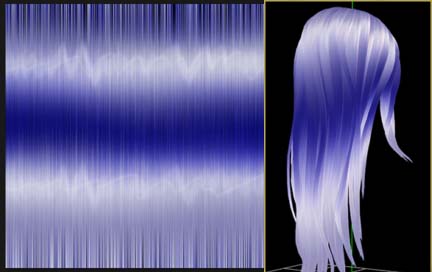
This article uses this beautiful hair by TehRainbowLlama.
How do you make MMD model hair textures?
There are many ways to make MMD model hair textures. Recently, I wrote an article on the very subject. However, I’m a bit too flighty! As soon as I realize there might be a better way to do something . . . I search up and down until I find it!
Because of that, this article isn’t about one way to do MMD model hair textures . . . or even two ways! Instead, it’s several ways to make your hair look nice and pretty. The common thread between each tutorial, however, is that they were all made for the program IMVU.
Note: All I know about IMVU is that it is a chat client that uses 3D avatars . . . and acquired FurAffinity in 2015.
In my tutorial series on model making, I noted that it is easier to find 3D modeling tutorials made for The Sims than to find one made for MMD. The same can be said for IMVU and MMD model hair textures. I searched up and down until I found a few different ways of doing hair that looked very cool!
What do I need?
If you read my tutorials often . . . you might notice that I am in love with Blender and will yell about how awesome it is at any given chance. However, you do not need Blender for these tutorials! If you’re willing to save over the original files, you don’t even need PMX Editor!
Note: It’s always a good idea to not save over the original files. If you are willing to use PMX Editor, you should save the files you create with a different name and change the texture in PMX Editor. If you can’t use PMX Editor, feel free to just save over the original texture!
The only things you truly need to play along at home is hair made for MMD (I got mine from here!) and image editing software. I use Photoshop just because I prefer Photoshop. If you use GIMP, you should be able to translate the tutorials pretty easily. However, you will have a pretty hard time if you decide to use Easy Paint Tool SAI.
What about transparency?
The part I am using for this tutorial uses transparency in the texture so that the tips of the hair look more realistic. However, IMVU uses “Opacity Maps”. That means that there’s never a reason to leave any transparent areas in IMVU hair textures. There are plenty of ways to try and add the transparency back in, but for this article . . . We’ll ignore transparency altogether.
On another note, it’s always a good idea to add toons. This hair I’m using comes with a very nice toon . . . but it was made for the original blonde hair. In the tests, I will remove the toon and the edge so that you can see the texture on its own.
So let’s get started!
poowulpi’s IMVU Hair Tutorial
This was the tutorial that inspired me to make this article! One of my biggest issues with hair tutorials is how “stringy” the output tends to be due to doing so much of it by using filters.
The biggest departure I will take from the tutorial, however, is simply starting with an image that is the same height and width as the texture I am replacing. For me, that means my image will be 640×640 as opposed to 256×256. Because both images are squares, it’s very likely that the difference in size wouldn’t matter. But I prefer working with larger images anyway!
After following the tutorial, I got this pretty texture:
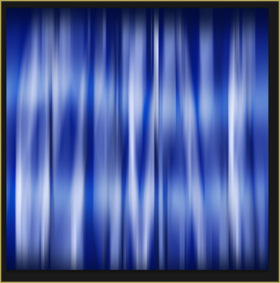
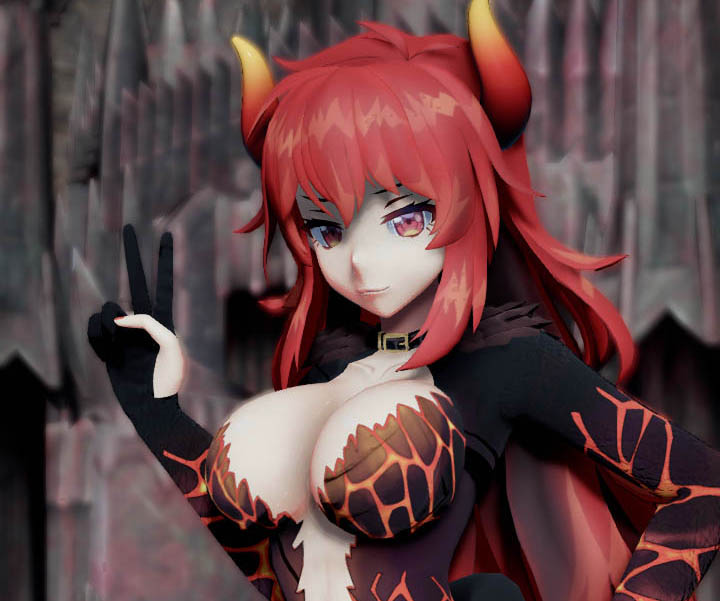
And when imported into MMD, I got some pretty stunning results!
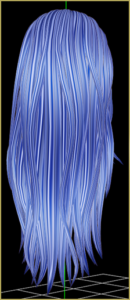
Now . . . The thing I love most about this method is just that it doesn’t look too stringy! One of the hardest things to wrap your mind around when you start drawing realistic hair is that it’s actually pretty difficult to find a balance between wanting to draw every hair and only drawing the most important areas of highlights and lowlights.
The biggest problem with this method, however, is all my own doing! I used way too light of colors while adding the up-and-down strands. Because of that, it almost looks like there’s parts that are transparent when put against a white background.
I’m pretty happy with this!
Glossy’s Photoshop Hair Texture Tutorial
When I saw the preview image for this tutorial, my jaw nearly dropped. It was stunning and, most of all, realistic!
After going through the tutorial . . . I got a little discouraged! I had picked, well, the wrong colors! And on top of that, making lines go up and down with a mouse is kinda hard! However, there was one tidbit at the end of the tutorial that saved everything in my mind . . . Feel free to use transform to stretch it out until it looks nice!
With all of that . . . I ended up with this:
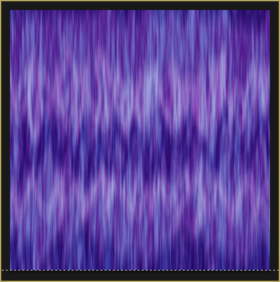
In MMD, it looks like this:
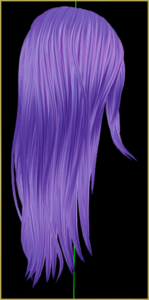
There are a few problems with it, of course . . . And I think half of them can be chalked up to me not following directions well! However, this is a really good method for MMD model hair textures because it puts a lot of freedom in the modeler’s hands.
Petroleum’s Hair Texture Tutorial
This tutorial is actually made for GIMP! I didn’t realize it until I saw that there is no such thing as “HSV Noise” in Photoshop. Because of that, Photoshop users will have to make some assumptions to get to the results as the author. However, GIMP users will be right at home!
Likely due to the differences in how GIMP and Photoshop work . . . I ended up with this:
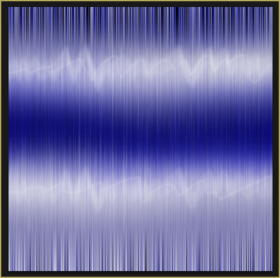
However . . . By some stroke of luck, I love how it looks in MMD!
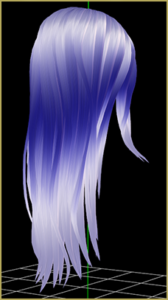
It is likely partially due to how MMD blurs textures – the individual “strands” created using the motion blur barely show up! Regardless, I am extremely happy with the results, even though I thought they’d be awful!
TheRealMrsMVP’s Video Tutorial
Alright, here’s the last tutorial of the day.
In this one, there were some strange issues. Perhaps between releases of Photoshop, something was changed with the filters she used . . . I didn’t get much of anything close to what she got! To make it look decent, I had to add to tweak a few filters and redo some of the filters over again . . .
But I finally got to something that looked pretty cool in Photoshop!
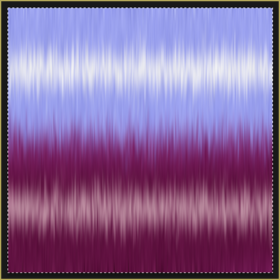
Of course, just because something looks good in Photoshop doesn’t mean it will look good in MMD . . . But this time . . . We were lucky!
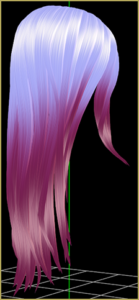
What have we learned?
When it comes to making MMD model hair textures, sometimes it’s good to step outside of your comfort zone! Just because a tutorial wasn’t made for MMD doesn’t mean you can’t use it for MMD!
Hopefully, this inspires some users to try out new ways of making hair textures . . . And as always, show off your creations in the comments!
Note: I am unable to distribute the hair with the textures. However, I am able to distribute the textures by themselves. Click here to download the textures created for this article.
– SEE BELOW for MORE MMD TUTORIALS…
— — —
– _ — –





The links to those referred tutorials are mostly down now. Could you please provide more details on how those tutorials worked?
Sorry the old links are not working. You are just going to have to dig deep to find your answers.