



What are MMD Mother Bones in MikuMikuDance? Where is the Mother Bone in my MMD model? How do I use the Mother Bone in Miku Miku Dance?
Mother Knows Best … MMD Motherbones!
You’ve downloaded MMD. Now what?
As you have guessed right now, MMD is a VERY bare bones program. All you get is a cast of characters and a default stage and not much else. None of the really cool stuff you see on YouTube. You now embark on literally DAYS of downloading models, stages, motion data, WAV files, accessories, effects etc. (NOTE: I highly recommend using WINRAR  or 7zip … See the Posts regarding fixing broken models by saving the original Japanese file names). Downloading from sites you may or may not be familiar with e.g.: DeviantArt, Youtube, Nico Nico Douga, Mediafire, BowlRoll, ad nauseum.
When you opened the first model you noticed  that the square bone (kinematic bones {IK bones}) between the model’s thighs was highlighted (the Center). You then went to the Bone Manipulation Menu clicked on Move and a hand and 2 arrows popped up on the Center. You then clicked and TORTURED THAT POOR DEFENSELESS MODEL! DIDN’T YOU! SHAME ON YOU! But I digress. Did you happen to notice that wherever you pulled the center, the model’s feet and ankles stayed drawn to the coordinate axis point.
Now what I really want to talk about: MMD Mother Bones. A model with a Mother Bone-also sometimes called a Master/Parent 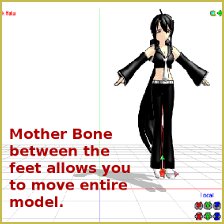 Bone will have a highlighted IK bone between the model’s feet and ankles. Models with (properly saved) Mother Bones allow you to move the entire model with one mouse click. So loading two or more models is a snap. To a noob like myself they are a great timesaver. Models with “improperly” saved Mother Bones allow you to move the bone … but the model doesn’t move with it … very frustrating!!
So look for models with Mother Bones. If you find a new model without an MB sometimes you can contact the original creator and ask them (nicely) to upload a modified model. They might … or, they won’t. Please respect the time, effort and vision of the artist. They ARE artists. Please respect and credit them for their work.
– SEE BELOW for MORE MMD TUTORIALS…
— — —
– _ — –


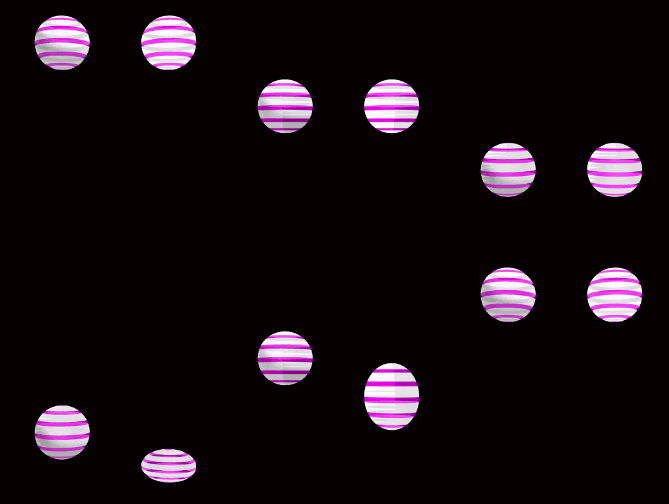
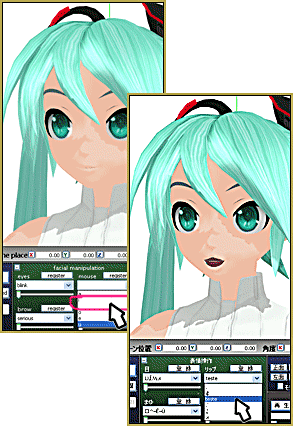

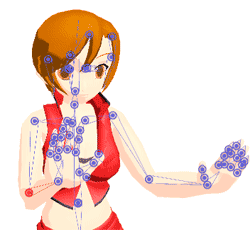
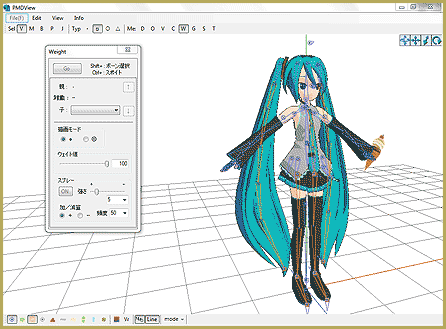
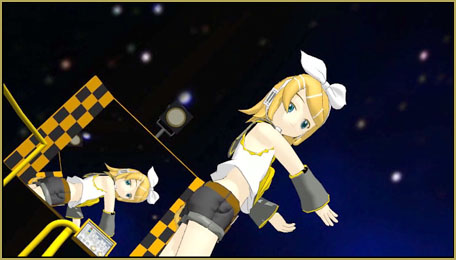
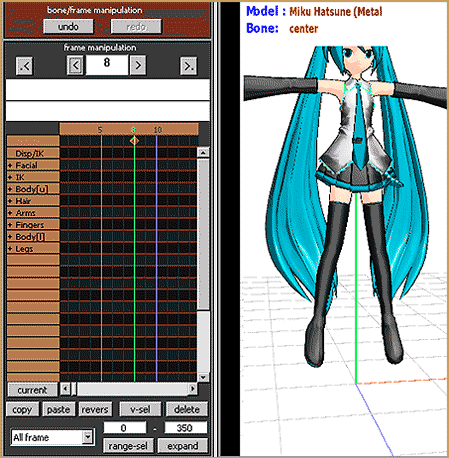

The actual function of the motherbone is to allow the user to custom define MMDs 3D world coordinate system for a given model.
Think of it this way: the default positional calculations used by MMD is based on a set of absolute coordinates. So if you move the model’s center bone 1 m (MMD uses the metric system) to the right the coordinates will be (x+10), y, z where y and z are unchanged from their default values.
Note that each square on the MMD axis grid is 50 cm x 50 cm, but represented as 0.5. So 1 m = 10 units.
Now, if you move the mother bone 0.5 on both the x and z axis, this tells MMD to calculate our center bones position as (x+10+(5)), y, (z+(5)).
But a word of caution. MMD’s calculations does not fully account for angles. So if you also rotate the mother bone 45 deg, most motion data will not be calculated to account for that change in angle. You may have to mess with the operational bias controls to account for those, but that system can still lead to bizarre results.
As for models with multiple mother bones, mostly this is because someone *bleeped* up. However, there are some situations where this can be useful. You might, for example want to use this type of set up to create a motion for the moon revolving around the earth which is revolving around the sun on an elliptical orbit.
Seriously though, the use of multiple mother bones on a single model is really strictly for nerds.
Is there a way in which I am able to turn the model with the Center Position Bias AFTER I added some movement? I am making my own and I wanted Miku to turn but when I go to move the model like you can at the beginning ( when you first upload it ), it won’t work. So, I tried taking one of the long bones to move everything ( and twist the feet ;=; ) and I don’t want to fix the feet every time! ( it gets tiring ) Help? And, sorry for so many questions.
Maybe you need to move the motherbone. It lets you move a model with its motion applied to it… moves the whole model as a unit.
https://learnmmd.com/http:/learnmmd.com/add-a-motherbone-for-easy-model-manipulation/
https://learnmmd.com/http:/learnmmd.com/category/af4-mother-bones/
A MMD model’s center and leg IK bones are inter-related. To turn a model in any direction, all 3 bones have to be moved.
See this tutorial to understand how to spin a model 360 degrees (it comes with a sample motion): http://fav.me/d5zlnim
I have seen that as well. I can only conjecture as to why a designer might do that. One “maybe” would be to help balance out their model for gravity settings or to make their model unique so as to catch any low-life-lazy-unfit-unscrupulous-crook taking their model recoloring it and releasing it as their own work. They also might have just forgotten they already had one. These are all just as likely as forgetting to save it properly. Really, your guess is just as good as mine.
I have also seen models that were sooo complicated that the center bone is pushed down so far down the model that it looks like a mother bone! In which case the model would twist just like you described, VocaMix2684.
It can be annoying and frustrating; it is also the nature of the beast. So plow through and get-er-done.
Interesting! I have seen models with what looks like a motherbone … but when you move it, only the bone moves … leaving the model where it was. I’ve not seen a model with two motherbones. Can you send me a picture/screen capture? LearnMMD@aol.com
That’s probably the view-cnt bone which is very specialized and effects primarily the physics calculations. However, it is poorly implemented and totally undocumented which is probably why it has fallen out of favor and not often included on models these days.
Plus the English label name for this bone is mistranslated. It should actually be: “center of operational bias bone”.
There are sometimes rare cases where models have two mother bones!! It’s a strange thing, but one of the mother bone would rotate the model, but the legs will still be in the same position; and it would result in the model twisting. While the other bone moves the entire model (like the ordinary Motherbone). But it gets tough sometimes when I choose the wrong bone and I have to undo it. I have some model with this problem, also these models tend to have a lot of unwanted bones as well.
Models can have multiple mother bones and they can actually serve a function, abet a rather specialized function. Generally, however, if a model has two mother bones, someone messed up…