
Skip to content
Learn MikuMikuDance – MMD Tutorials – Free 3D Animation Software

Learn MikuMikuDance – MMD Tutorials – Free 3D Animation Software

Download Free Animation Software – Let's Learn How to Do Everything!

  • Step-by-Step MMD instructions
  • DOWNLOADS
  • Troubleshoot, Fix MMD
  • Site Contents
  • Reggie Replies Q&A
  • Homework!
  • What IS MMD?
    • Download MikuMikuDance Newest Latest Version of MMD
  • “HOW TO”
    • Raycast RAY-MMD Effect Tutorials
  • BONUS PAGES
    • Why convert PMD models to PMX?
  • HALL of CHAMPIONS
  • Tutorial Categories
  • About
    • Privacy Policy
  • Toggle search form
  • Yukari's Gap Portal Style.
    The In’s and Out’s of Yukari’s Gap for MikuMikuDance. ARIZONA
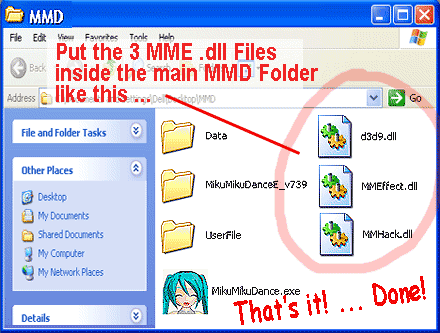
  • Move the 3 .dll files from the MME Download folder into the main MMD Folder.
    Download MME v037 in English MMEffects for MMD MikuMikuDance MMD Tutorials
  • Good MMD videos require Inspiration, Vision, Planning: The Lament of Okada’s Ghost MMD Basics
  • [MMM] MikuMikuMoving Text Engine Tutorial Video MMM Text Engine
  • Cycles materials for textures model and nodes
    Cycles Materials For Textures in Blender: Nice Textures for MMD Fast! Blender
  • Keep The Faith MMD
    Use proper MMD Etiquette when Downloading Models for MMD Intro to MikuMikuDance
  • The MMD Physics Engine keeps Skirts from going through legs! MMD Basics
  • Using BeamMan’s fluid2D Creates Fabulous MMD Under Water Scenes BeamMan's fluid2D

LearnMMD Stage Lit with AutoLuminous Lights

Posted on June 27, 2015December 4, 2015 By Reggie_Dentmore 5 Comments on LearnMMD Stage Lit with AutoLuminous Lights

Visit LearnMMD's Video Channel on YouTube.How do I light the Lights on the LearnMMD Stage? Where can I download the LearnMMD Stage? Where can I download the AutoLuminous effect?

“Lights… Camera… Action!”
Turn on the Lights on the LearnMMD Stage!
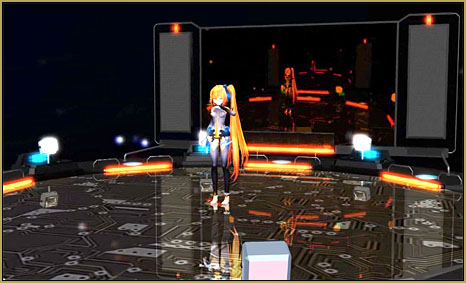
Download the LearnMMD Stage from our Downloads page!
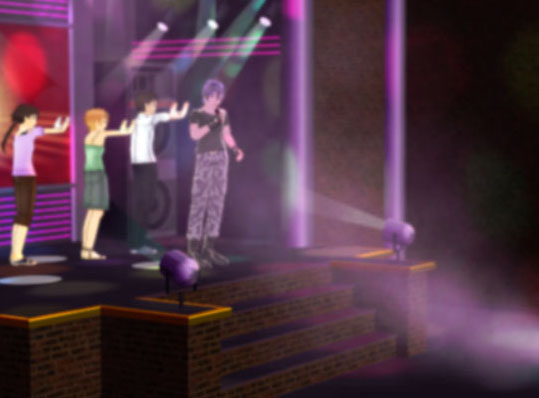
Deviant Art’s trackdancer created our beautiful LearnMMD Stage. He included many innovations that MMDers will love… including a mirrored dance-floor with a sub-floor circuit-board pattern, a futuristic modern design, a tinted projection screen, a beautiful skydome with distant color bursts, and a “Lighting System” triggered by the MME AutoLuminous Effect.

Just follow the instructions…

Download the Learn MMD Stage from our Downloads page. Inside the folder, you will find trackdancer’s illustrated instructions and some written instructions, too! You will load a couple of .x effects included in that folder, and then the .PMD Stage, itself, which loads as a model rather than as an accessory. As you load the mirror effect, be sure to rotate it as per the instructions so that the mirror sits flat on the dance-floor.

NOW you can turn on the lights!

Load your AutoLuminous effect through the AMP (the accessory manipulation panel) as Those AutoLuminous Lights are BRIGHT on the LearnMMD Stage!you would any other effect… and, watch the stage light up!  Don’t HAVE that effect? … download it here.
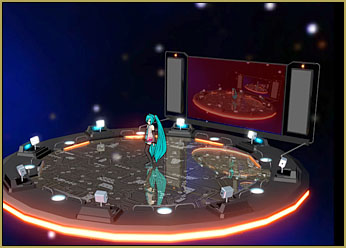
The AutoLuminous Effect brightness can be controlled using the Si setting in the AMP. A Si of 1.0 is the normal … make it brighter by using larger numbers. It can be set to be insanely bright!
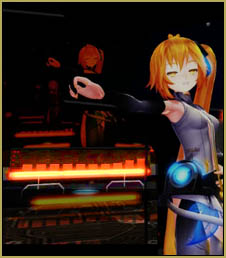
A VMD Spectrum Meter is included with your LearnMMD Stage. Instructions are included.Trackdancer also included with your stage a VMD Spectrum Display that can dance along with your soundtrack… you will need to create a motion file to drive it… read all about it here.

The LearnMMD Stage is a beauty… suitable for high-speed Rock n’ Roll explosions, or for quiet ballads, as well. It is a gorgeous background upon which to showcase your favorite models.

Get it from our Downloads page…

Enjoy the LearnMMD Stage!


– SEE BELOW for MORE MMD TUTORIALS…


— — —


– _ — –


Visit the LearnMMD.com Homepage! Plenty of Mikumikudance instruction and info!

More MMD Tutorials...

Enjoy the "camera Angles WEIRD in Anime" meme...

Enjoy the "camera Angles WEIRD in Anime" meme... This image is from The Slayers - NEXT, ...read more

Reader asks how to create MMD artwork... stuff like posing, camerawork?

A reader asks... Is there a tutorial on how to create MMD artwork, like those you ...read more

Learn MikuMikuDance in Small Steps! New LearnMMD Video Series

Learn MikuMikuDance in Small Steps. Where can I find easy-to-follow MMD instructions on YouTube? How ...read more

Apply Multiple Effects on an Entire MMD Model Using M4Layer Effect

How can I apply multiple effects to an MMD model? Can I use more than ...read more

MMD Plugin Manager... I Found a Treasure!

What sorts of MMD Plugins are there? MMD Plugin Manager? MMD Plugins. Plugin MMD. More ...read more

2025: Hatsune Miku is 18... but she is designed to be always 16 Years old, by design and in reality!

Finally, in 2023, Hatsune Miku is 16 years old! but in August of 2025, she ...read more

MMD Tutorials, New Stage Accessory, Working the Stage Lights

Post navigation

Previous Post: How to Use The VelocityMap Effect for MikuMikuDance.
Next Post: Beamman Effects Page MMD Newbies Guide

Related Posts

  • The MMD Pity Partry motion is free to download!
    MiyukiOhayashi’s Pity Party motion download includes WAV "the making of" my video
  • MikuMikuDance Links and Resources MMD Tutorials
  • MMD smoke clouds are easy to make with Beamman's Breath effect.
    MMD Smoke Clouds and a Smoke Filled Room… Beamman's Breath Effect
  • Recommended Software Library for MMDers Animation Shortcuts
  • Understanding MME Render Targets for Miku Miku Dance Effects Adult Shader effect
  • RAY-MMD: Spruce up your videos with Dynamic Lighting MMD Tutorials

More Related Articles

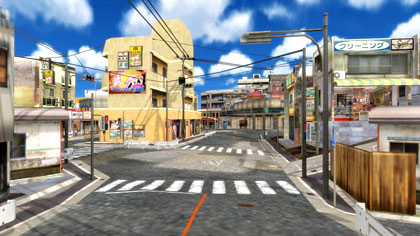
An MMD town stage: Making Kerorin Town Great Again – Part1 MMD Stages
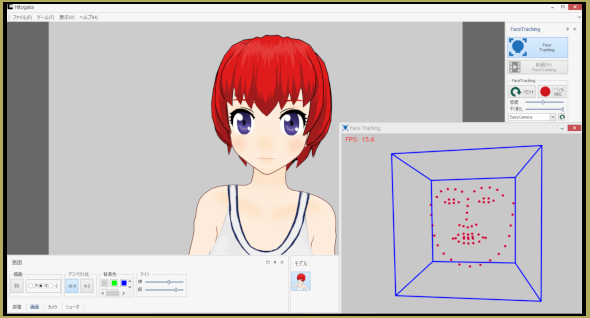
Hitogata Brings Face Tracking to MMD Animation Resource
Staging and the 12 Principles of Animation. Accessory Manipulation/Adjust
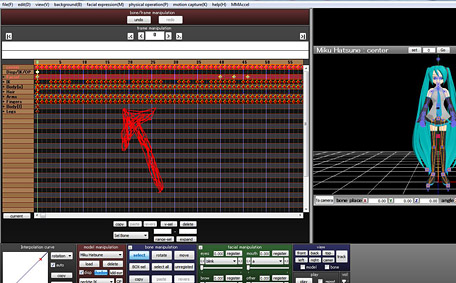
MMD AnimationSmoother Tool does just that! AnimationSmoother Tool
Kaitensora effect gives moving clouds background in your MMD scene Kaitensora Moving Clouds
Using Raycast MMD like a pro! "the making of" my video

Comments (5) on “LearnMMD Stage Lit with AutoLuminous Lights”

  1. comment person says:
    January 19, 2021 at 3:50 pm

    can yall stop redirecting me to a new tab everytime i click something

    Reply
    1. Reggie_Dentmore says:
      January 19, 2021 at 6:07 pm

      “Open in a new tab” is the way we are set-up. Sorry it bugs you.
      — Reggie

      Reply
  2. Alex says:
    October 25, 2015 at 6:52 am

    How do I make my own motion data on the models using vmd motion data?

    Reply
    1. Reggie_Dentmore says:
      October 25, 2015 at 1:13 pm

      Create your motion… select all the diamonds involved in that motion and COPY them… go to File tab and Save Motion Data…
      https://learnmmd.com/http:/learnmmd.com/the-file-menu-options/

      Reply
  3. Хэх says:
    June 30, 2015 at 6:08 am

    Круто!

    Reply

Leave a Reply Cancel reply

Your email address will not be published. Required fields are marked *

Download the latest version of MikuMikuDance!
See the MMD Step-by-Step instructions page!
Learn how to make your own MMD motions!
LearnMMD.com
  • Announcing The Momi Cup 4! ARIZONA
  • LearnMMD.com _ MikuMikuDance MMD Tutorials
    Almost Photo-realistic renders in MMD using Shaders and Effects Advanced Shader Technique
  • Download MMD Pokeball Accessory and Learn Accessory Manipulation Accessory Manipulation/Adjust
  • Understanding MME Render Targets for Miku Miku Dance Effects Adult Shader effect
  • How to Add Multiple Effects on a Model. Adult Shader effect
  • Re-size PMD Models and Keep the Bones and Physics! Adjust PMD Model Size
  • Recoloring MMD’s Control Panel GUI Interface Genbento
  • Updated LearnMMD Metronome Instructions for Use Metronome

Copyright © 2022 Learn MikuMikuDance – MMD Tutorials – Free 3D Animation Software and Instructions..

Powered by PressBook Premium theme

Go to mobile version