Skip to content
Learn MikuMikuDance – MMD Tutorials – Free 3D Animation Software

Learn MikuMikuDance – MMD Tutorials – Free 3D Animation Software

Download Free Animation Software – Let's Learn How to Do Everything!

  • Step-by-Step MMD instructions
  • DOWNLOADS
  • Troubleshoot, Fix MMD
  • Site Contents
  • Reggie Replies Q&A
  • Homework!
  • What IS MMD?
    • Download MikuMikuDance Newest Latest Version of MMD
  • “HOW TO”
    • Raycast RAY-MMD Effect Tutorials
  • BONUS PAGES
    • Why convert PMD models to PMX?
  • HALL of CHAMPIONS
  • Tutorial Categories
  • About
    • Privacy Policy
  • Toggle search form
  • pmothair Effect Makes Hair Actually Look like hair MMD Tutorials
  • THIS IS TARGET Meme by Zazi on LearnMMD.com MMD Memes
  • Intel Gen 12 Processor puts white screen over the MMD stage.
    Solved? White screen covers MMD stage Intel Gen 12 Processor blocks MMD stage MMD Tutorials
  • L_EdgeShader_Ver 1.00
    How to Use the L EdgeShader Effect for MikuMikuDance. ARIZONA
  • Graphic Design Skills enhance MMD Pictures MMD Basics
  • Create models from OBJ files using Blender and PMDE .OBJ Object Files
  • MMD Animating SAVE AS multiple versions as you go! MMD Basics
  • Using Texture Transparency hides MMD model problem areas MMD Tutorials
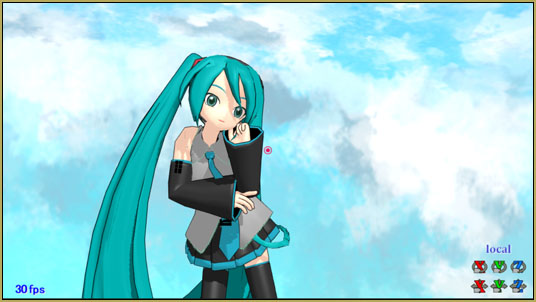
With some practice, Rin can dance the sample dance as well as Miku!

Let’s Play the Sample Dances and Learn About MikuMikuDance

Posted on October 23, 2014January 10, 2024 By Reggie_Dentmore 10 Comments on Let’s Play the Sample Dances and Learn About MikuMikuDance

What do I do first with MikuMikuDance? How do I play the sample dance in Miku Miku Dance? The MMD sample dance doesn’t play smoothly.Visit LearnMMD's Video Channel on YouTube: Videos by Reggie Dentmore.

Let’s Play the Sample Dances and
Learn About MikuMikuDance

When you first open Miku Miku Dance, you are faced with an intimidating number of buttons and drop-down menus … and then there’s that blank white coordinate grid filling the main screen.
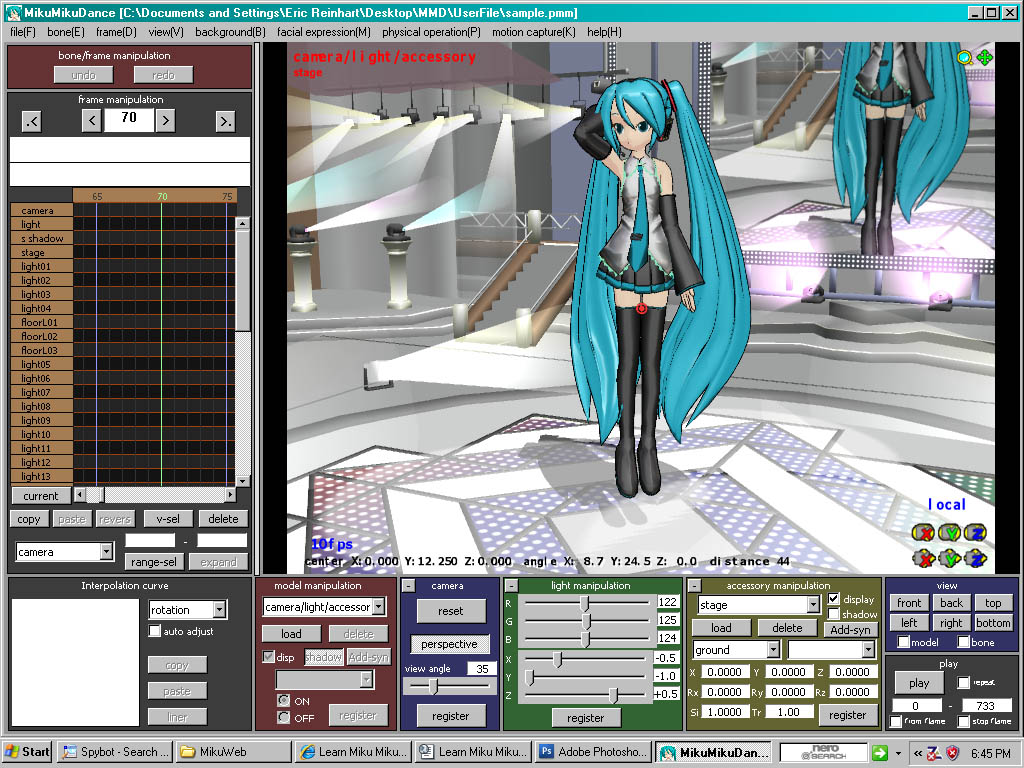
Let's play the Sample dance.
CLICK to view full size.

“Looks too complicated!” To make yourself feel better and to see the “power” of MMD, play the included Sample dance files.

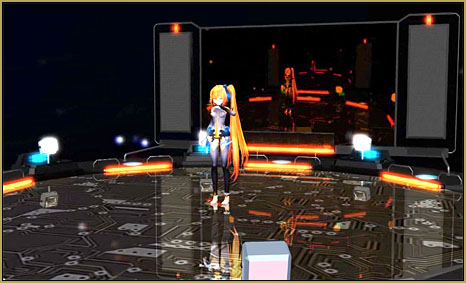
Click OPEN from the File tab at the top of the screen. Choose the one simply called “Sample”. After a pause the model, Miku, herself, appears on a darkened stage. Click PLAY … the lights rotate and brighten and Miku comes to life for a few seconds. Is that fun, or what? Her gyrations are almost antic as she romps around the stage with her hair flying and her belts and fabrics swinging franticly.

Play it several times. Try to see everything that’s going on. The apparent lights that change color and intensity … the way the “camera angle” changes … the “laser lights” and the other aspects of the stage … and, of course, Miku, herself! Watch her face, eyes and mouth as she performs her dance.

After the dance, take a moment to examine the control panel for MMD. Aside from the main stage screen, the next largest window is the brown Frame window. The Frame Counter above the window shows which frame you are viewing. Click the buttons next to the Frame Counter to advance the Frame window. Watch the Stage as you advance the animation one frame at a time. Click … Click … Click … Each click moves the animation one frame.
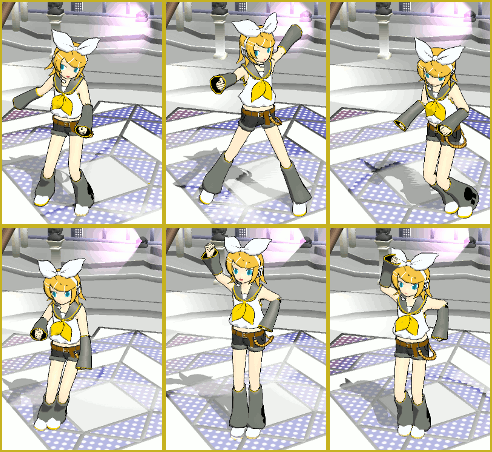
With some practice, Rin can dance the sample dance as well as Miku!See the Diamonds associated with each frame. Each of those diamonds is a “registered” position. I call any frame with a Diamond in it a “Key Frame”. Miku Miku Dance lets you, the Animator, create the Key Frames … and then it fills-in the “in-between” frames for a smooth motion between the Key Frames. MikuMikuDance occupies 100% of the attention of your CPU because MMD is always recalculating those “in-betweens” in real time. Other programs that may be open when you start MMD will run slowly or inhibit MMD from running smoothly because of MMD’s need for the entire CPU.

Now OPEN the other sample dance: Sample(All Star). You may be asked “Are you OK?” … That is MMD’s note to you that you have not saved your file. Click Yes to close the old dance and allow MMD to open the new one.

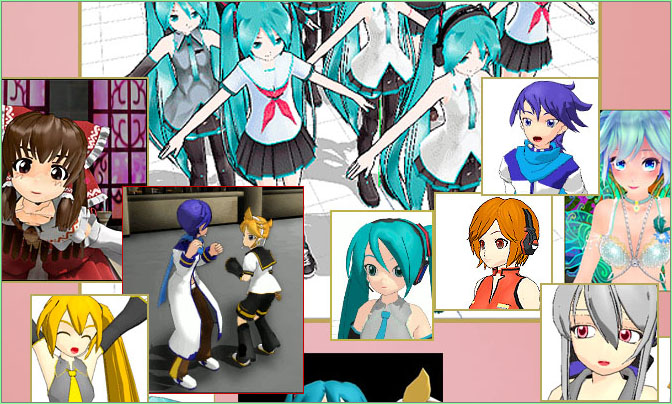
This Sample(All Star) dance is a monster! So many characters and so much action! I have seen it run poorly on some computers because the calculations required overpower the abilities of the machine!

ENJOY! … play with the buttons and see what you have “unleashed” upon your desktop!


– SEE BELOW for MORE MMD TUTORIALS…


— — —


– _ — –


Visit the LearnMMD.com Homepage! Plenty of Mikumikudance instruction and info!

More MMD Tutorials...

Introducing MMD model 1052C China Qipao Miku

Where can I download MMD model 1052C dancers? I want the 1052C China Qipao Miku ...read more

Download Jomomonogm's Snow Miku 2019 for MMD, a most unusual model!

Where can I download Jomomonogm's Snow Miku 2019? What is so unusual about this Snow ...read more

MMD animation made-from-scratch Forgotten Vocaloid Mew Rags on Reggie's MMD Videos

How do I make my own MMD animation from scratch? How do I start my ...read more

Rediscover your old MMD Animations: Love them again!

Rediscover your old MMD Animations: Love them again! https://youtu.be/P4b3todZMUI A labor of love... Remember how it was when ...read more

MMD Boobs too Big yields Too Funny Really Bad Boy video!

Can MMD boobs too big get in the way of a downloaded motion file? What ...read more

Download Hatsune Miku type N models from 2010... a set of 6!

Can I still download Hatsune Miku type N models? Where can I download a few ...read more

Intro to MikuMikuDance, Let's Play the Sample Dances, Reggie Dentmore

Post navigation

Previous Post: Using the Beamman’s Digital Ripple Effect
Next Post: Miku virtual idol starts our Brave New World

Related Posts

  • MMD animation from Scratch “The Wind-up and the Pitch!” "the making of" my video
  • LearnMMD.com is back online after SIX days off!
    LearnMMD.com is BACK ONLINE, again! Reggie Dentmore
  • MME fireintheskies effect
    MME FireintheSkiesEffect gives floating flame and embers! FireintheSkiesEffect
  • Sexiest MMD Model Dance Motion you can Download "the making of" my video
  • MikuMikuDance Home Page VPVP is worth a visit! Intro to MikuMikuDance
  • MMD Smooth Criminal video project download "the making of" my video

More Related Articles

Use Accessory Manipulation Panel Settings to Position Props Accessory Manipulation/Adjust
Translate Romaji for better English translations Navigating Japanese Pages
Next Level in MMD Video Evolution Post-Production Editing Yields Next Step in MMD Video Quality Making Videos - Rendering to AVI
Download Table Lamp Accessory ON and OFF Downloading New Models
Darkening the stage lighting makes the floorlight look very bright! MMD 7.39, LearnMMD.com MMD Camera Motions: The Camera’s Gotta Keep Moving! Camera Motion
MikuMikuDance Welcomes Luka Megurine to MMD 8.10! Download MikuMikuDance

Comments (10) on “Let’s Play the Sample Dances and Learn About MikuMikuDance”

  1. Astoria says:
    March 25, 2018 at 11:18 am

    When I open the sample.pmm , it says,
    Cannot open the model file:”f_f~[f{[f” Please select the same model.
    What does this mean and how do I fix it?
    Thanks

    Reply
    1. KillerBeer says:
      March 25, 2018 at 11:30 am

      When you open the Models folder, what file names do you see?

      Try to download a fresh copy of MikuMikuDance, and unpack it into a separate folder using Bandizip (with Japanese codepage selected!) instead of the archivator program you routinely use. Will you be able to load sample.pmm on that installation?

      Reply
  2. Sakura says:
    July 8, 2015 at 2:44 pm

    I pressed file and open and It took me to my documents and I don’t see any “Sample” My computer is a HP mini and it runs on windows 7. And I see everything that should be there but no sample dances. It worries me that the program wasn’t fully installed and it might not work. Any suggestions if anyone still runs this?

    Reply
    1. Reggie_Dentmore says:
      July 8, 2015 at 8:09 pm

      That Sample dance is inside the USERS folder inside your new MMD folder… got it? … File>Open> navigate to your Users folder inside your MMD folder…

      Reply
  3. Saffron says:
    March 26, 2015 at 2:35 am

    Erm….I can’t exactly..open any of the sample dances.
    It just says ‘Can’t load model’ or something…then I load up a model…and when I try again it says ‘ This file is not for Polygon Movie Maker!’

    I’ve tried loading it from file-open and the load model feature, but it doesn’t work…can you help please?
    Only if you still use this website that is…

    Reply
    1. Reggie_Dentmore says:
      March 26, 2015 at 3:27 pm

      We are alive and active! … LearnMMD.com … To play the Sample Dance, open MMD. In the File tab, click on Open … and then choose one of the sample.pmm files … it simply Must work … yes? You know that MMD does not “install”, right? You Un-Zip the downloaded folder … and MMD runs right from its folder … just double-click the MikuMikuDance.exe file. … and only load a model from the LOAD button in the brown area in the lower left of your screen.

      Reply
  4. Confusion says:
    January 8, 2015 at 10:39 pm

    It doesn’t have the sample option in the tabs for me what do I do?

    Reply
    1. Reggie_Dentmore says:
      January 8, 2015 at 11:42 pm

      In the far left top corner … the FILE tab … OPEN … Sample.pmm

      Reply
  5. KillerBeer says:
    November 22, 2014 at 11:34 pm

    Are you trying to open a .pmm file (the sample dance with all models, accessories, and motions) or .pmd one (the single model)? The latter should be opened through “load” button in the brown panel in the bottom.

    Reply
  6. GG says:
    November 22, 2014 at 1:24 pm

    when I try to open the sample dance, it says,” this file is not for Polygon Movie Maker!!” what does this mean? thanks!

    Reply

Leave a Reply Cancel reply

Your email address will not be published. Required fields are marked *

Download the latest version of MikuMikuDance!
See the MMD Step-by-Step instructions page!
Learn how to make your own MMD motions!
LearnMMD.com
  • Making MikuMikuDance Pictures Render to Picture File Tutorial Camera Motion
  • You can download new rio carnival models by shiro nekovocaloid
    Download new Rio Carnival models by shiro-nekovocaloid, Miku, Haku and Luka! "the making of" my video
  • Subset-Extracts make for some interesting effects!
    Using the Subset-Extract in MikuMikuEffects. ARIZONA
  • Smooth Walking Motion is getting easier! Make a Smooth Walking Motion
  • MME Lighting Effect, PanelLight by Soboro, is easy to use!
    Add MME Lighting Effect illuminates model against dark stages MMD Tutorials
  • MME Quartz Effect Refracts Reflections All Around! MMD Tutorials
  • I added laughter and applause tracks using Audacity software.
    Add Life to your MMD soundtrack with Laughter and Applause! VDE-3! Making Soundtracks
  • The UT Video Codec Suite works well with Render to AVI in MMD.
    UT Video Codec Suite v22.2.0 creates simple AVI video for MMD background AVI Reggie Dentmore

Copyright © 2022 Learn MikuMikuDance – MMD Tutorials – Free 3D Animation Software and Instructions..

Powered by PressBook Premium theme

Go to mobile version