Skip to content
Learn MikuMikuDance – MMD Tutorials – Free 3D Animation Software

Learn MikuMikuDance – MMD Tutorials – Free 3D Animation Software

Download Free Animation Software – Let's Learn How to Do Everything!

  • Step-by-Step MMD instructions
  • DOWNLOADS
  • Troubleshoot, Fix MMD
  • Site Contents
  • Reggie Replies Q&A
  • Homework!
  • What IS MMD?
    • Download MikuMikuDance Newest Latest Version of MMD
  • “HOW TO”
    • Raycast RAY-MMD Effect Tutorials
  • BONUS PAGES
    • Why convert PMD models to PMX?
  • HALL of CHAMPIONS
  • Tutorial Categories
  • About
    • Privacy Policy
  • Toggle search form
  • MMD Animation Project Where My Demons Hide "the making of" my video
  • Using Beamman Particle-styled MME effects Beamman's AuraParticle
  • Here is the plan for the ball tossing motion in MikuMikuDance 7.39
    “Bonk goes the Miku” new video using Accessories created in SketchUp Google SketchUp and MMD
  • MME Lighting Effect, PanelLight by Soboro, is easy to use!
    Add MME Lighting Effect illuminates model against dark stages MMD Tutorials
  • Why MMD cannot open the models in a saved PMM file Downloading New Models
  • Cycles materials for textures model and nodes
    Cycles Materials For Textures in Blender: Nice Textures for MMD Fast! Blender
  • Reggie's Adoration of FIVE MMD Models
    Reggie’s ADORATION of FIVE MMD Models -Downloads and Instructions "the making of" my video
  • Making MMD Textures with Blender Bandages

Fix Model Ambient Light Problems Using PMDE/PMXE

Posted on February 17, 2017April 5, 2017 By GloriaTheAnimator 4 Comments on Fix Model Ambient Light Problems Using PMDE/PMXE

A feature article by GloriaTheAnimator!Hey hey. I’m back again!

Why do parts of my model stay bright when I reduce the ambient light? How can I fix my model to make it look good in low-light scenes?

How to…
Fix an MMD Model’s Ambient Light Problems

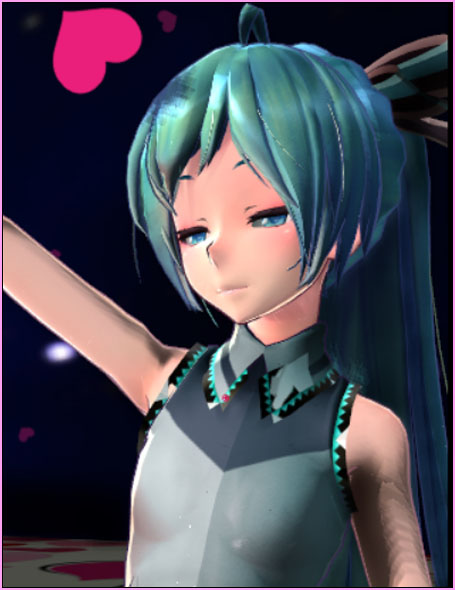
So… do you get this weird lighting, when you are trying to manipulate the lights for a darker scene?
…because: I do.

I get this alot on low quality models; some parts of the model stay “lit-up” while the rest of the scene goes dark as I turn down the lights.
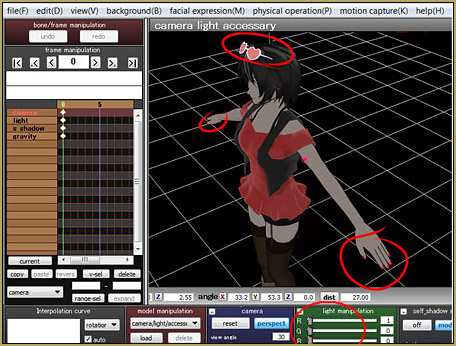
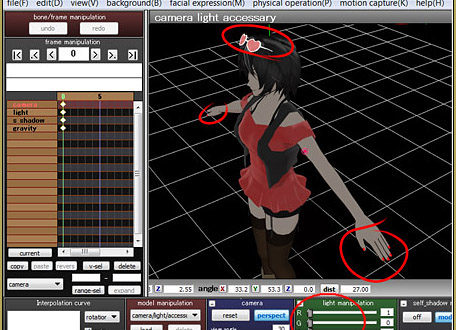
Reduced ambient light will often show a model's problems.... but you can fix it using PMDE!

Looks weird right??

Well this is one way to fix it…

You need to have  a PMD/PMX Editor. You can get it from the LearnMMD Downloads page.

You need to know your model’s type: PMD or PMX?

If you can run PMX Editor you can open both .pmd and .pmx models

if you have only PMD Editor you can open only .pmd models

This is how you do it in PMX Editor…

First: Save your model under a new name so the you can keep your original model safe.

Now, load your model into the Editor.

Go to the “MA” panel.

Now, you have to find the broken part.

It will usually look like this same color or you can find it by texture name.
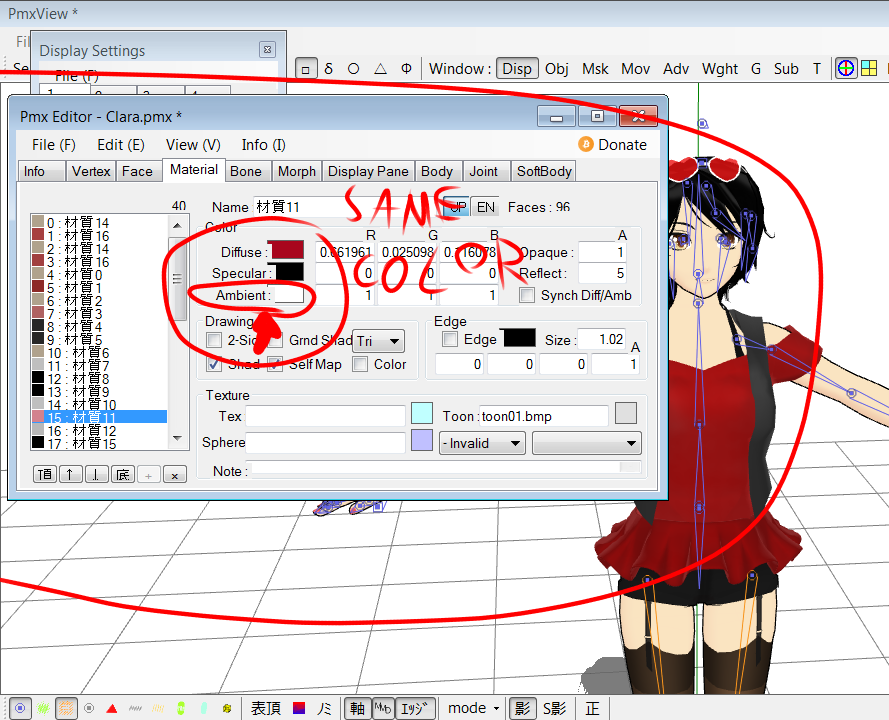
Fix a model's ambient light problems using PMDE.

All you have to do is make the “ambient” part darker by clicking on it and choosing a little darker color.
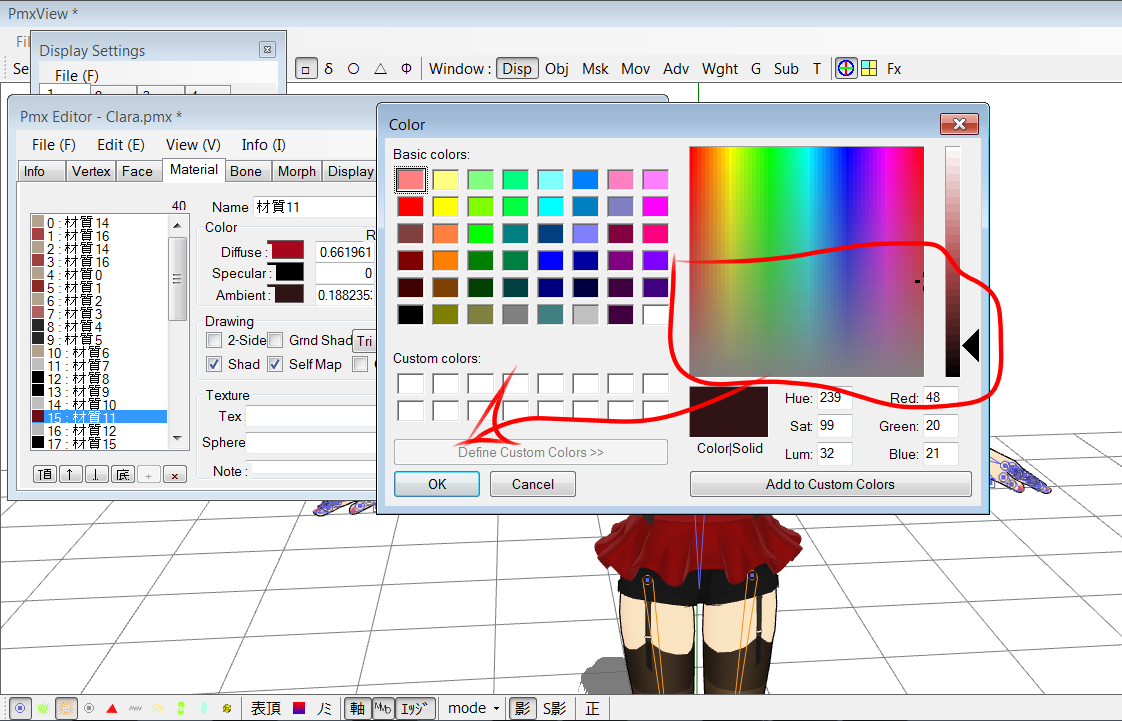
Choose a darker color for the affectd materials using PMDE.

Now, save your model.

Load the model in MMD to see how it looks… it should work!
Fixed! The model know looks nice under darker ambient light in a dark scene.

The process is the same for both PMD and PMX Editors.

Have fun with MikuMikuDance!


– SEE BELOW for MORE MMD TUTORIALS…


— — —


– _ — –


Visit the LearnMMD.com Homepage! Plenty of Mikumikudance instruction and info!

More MMD Tutorials...

Create MMD model color morphs using PMXE

How can I add my own color-changing morphs to an MMD model? How do I ...read more

ALMorphMaker Adds AutoLuminous Morphs to your Model!

What is the ALMorphMaker plugin? How can I put AutoLuminous morphs on a model? How can ...read more

Keep the Center-Bone when adding Mother-Bone to an older model

I added a mother bone to my model but where did the Center bone go? ...read more

PMXEditor PMXInfo Analyzing Optimizing MMD Models

Have you ever downloaded or made your own model and opened it up, only to ...read more

Quick-Start Basics of MMD to get you started!

I just got MMD, what do I do first? What are the basics of MMD? ...read more

PMXE 0254f a Newer PMXE in English - More Complete Translation - Tools Reconfigured

What's the deal with the new PMXE 0254f? I can no longer do this and ...read more

GloriaTheAnimator, PMDE/PMXE tutorials, PMX Editor, Working the Stage Lights

Post navigation

Previous Post: “The making of ” any of my videos starts with these considerations…
Next Post: Posing MMD Models Using Reference Images

Related Posts

  • A short animation of the Eared Robot blinking its eyes
    ALMorphMaker Adds AutoLuminous Morphs to your Model! ALMorphMaker
  • Create Bouncing Ball using MMD Physics Engine Making Models
  • Proper Computer DPI Scaling Setup Stops Text Cut Off in PMXE Mae Blythe
  • Create color morphs in MMD models using PMXE
    Create MMD model color morphs using PMXE Making Models
  • Using Texture Transparency hides MMD model problem areas MMD Tutorials
  • Use PMDE to make a Model for MMD almost from Scratch MMD Tutorials

More Related Articles

Add Facial Slider Options Using PMDE Enhance your MMD Models Modify Facial Sliders
Learn to resize PMD models How to resize PMD models (and what to do when they don’t) KillerBeer
Luka with Body Pane with Vignette Hair Falling through the Body in MMD Models and How to Fix It Fixing Broken Models
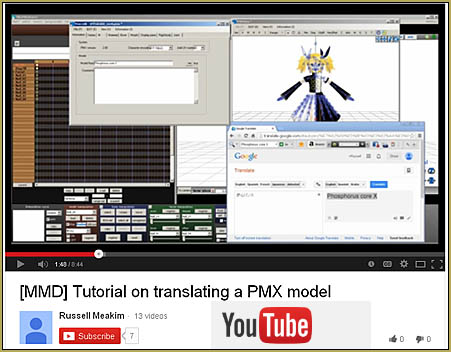
Translate PMX models to English using a PMX editor Fixing Broken Models
Creating Hand IK Bones with the IKMakerX PMXE plugin Bones
PMDE Q&A – Making clothes follow model motions Fixing Broken Models

Comments (4) on “Fix Model Ambient Light Problems Using PMDE/PMXE”

  1. Rainer says:
    February 26, 2021 at 9:49 am

    I Have a Question:

    I would like to use this stage, which you can see at the link:

    https://www.deviantart.com/dan1024/art/2020-Update-PDFT-Stargazer-Stage-Download-472563422

    This stage has great light, shadow and mirror effects, but they can’t be easily transferred to the model.
    How can the effects of a Pmx Stage be transferred to the model? So that light effects, shadow effects and mirror effects are also transferred to the model?

    many thanks for your help in advance
    Rainer

    Rainer

    Reply
    1. Reggie_Dentmore says:
      February 26, 2021 at 2:33 pm

      So… I downloaded that stage… read quickly through that page for instructions… and I quickly created this little video which I ZIPPED into a folder for you to download… 3MB file size.
      … What more do you want from that stage model?
      — Reggie

      Reply
    2. Reggie_Dentmore says:
      February 26, 2021 at 5:07 pm

      I see that I had misunderstood your question. Your real question was about how that stage is cooking-along but none of it is shining upon your dance model. … I think the answer is that: what you see on that stage is “fake”. All of those lights are not actually going to “shine light” onto your model. Autoluminous effect makes things look like “lights”, but that glow does not actually “shine” onto other models. You might try adding the DiscoLight effect which DOES shine on your model… with all of the other stuff going on on that stage, it might “do it” for you.

      … the bottom line is that you will need to add other effects to get the model to look like what you envision.

      … Ray-MMD has some nice lights that do shine brightly. LearnMMD has many tutorials about Ray-MMD/Raycast. … In MY video from last year, my VDE5 entry “Summer Swelter”, I added many lights using Ray-MMD. (that stage was pretty much dark, with the sign graphics and such just barely glowing… I added the many splashes of white light and that flashing white off-stage light. … you can see that the model casts shadows under that glow.)

      In my “Trick Bag” video, my stage is really active. I am moving floorlight accessories around on the floor and on the back wall. … I am moving light accessories so as to follow those floorlight circles. … I am shifting the main lights from white to yellow to pink to blue and back to white… Now, looking at it, I see that NOTHING but the main house lights was shining upon the models… but it sure looks like it.

      … “Figuring it out” is all part of the “fun”, right?

      Reply
    3. KillerBeer says:
      February 27, 2021 at 8:15 am

      I’m not sure I understand correctly what you intend, but I’d recommend you to look into Half-Lambert effect. Reggie is right – lights from other models and stage parts do not reflect on your model, and neither does shining from most of effects, unless an effect is specifically designed as a lighting system. With those that *are* lighting systems, though, you can *imitate* what you can’t have from stage “lights”. Just position light sources at same places where those lights are (attach them if necessary), and you’ll get what you want.

      How to Use the Half-Lambert Shader in MMD

      MMD Fill Lights Part 1 (Half-Lambert Shader)

      Reply

Leave a Reply Cancel reply

Your email address will not be published. Required fields are marked *

Download the latest version of MikuMikuDance!
See the MMD Step-by-Step instructions page!
Learn how to make your own MMD motions!
LearnMMD.com
  • Make your own stage for MikuMikuDance using SketchUp Models Google SketchUp and MMD
  • Change the Edge Line Color and Shadowing of your Models KibaSan
  • 3D For Cheapskates: Making stereo MMD videos without special equipment 3D Stereo Video MMD
  • Use Stage Changes in MMD to Make an Interesting Video Koneko the MMD Fairy
  • How to subtitle MMD videos MMD Tutorials
  • VDE-4 Champion: Lluiji Video Dojo Champions
  • MMAccel – Accelerate your MMD creation! Animation Shortcuts
  • Download ARROW Lip-Sync Soundtrack Zip Folder "the making of" my video

Copyright © 2022 Learn MikuMikuDance – MMD Tutorials – Free 3D Animation Software and Instructions..

Powered by PressBook Premium theme

Go to mobile version