

Skip to content
Learn MikuMikuDance – MMD Tutorials – Free 3D Animation Software

Learn MikuMikuDance – MMD Tutorials – Free 3D Animation Software

Download Free Animation Software – Let's Learn How to Do Everything!

  • Step-by-Step MMD instructions
  • DOWNLOADS
  • Troubleshoot, Fix MMD
  • Site Contents
  • Reggie Replies Q&A
  • Homework!
  • What IS MMD?
    • Download MikuMikuDance Newest Latest Version of MMD
  • “HOW TO”
    • Raycast RAY-MMD Effect Tutorials
  • BONUS PAGES
    • Why convert PMD models to PMX?
  • HALL of CHAMPIONS
  • Tutorial Categories
  • About
    • Privacy Policy
  • Toggle search form
  • MMD Download links – Some of my favorite MikuMikuDance Sites Download MikuMikuDance
  • Download Previous Versions of MikuMikuDance from LearnMMD.com! Download MikuMikuDance
  • The MMD 7.39 FRAME MENU Options MENU Option Descriptions
  • Create/Export .x files in Blender 3 using PMXE
    Create/Export .x files in Blender 3 using PMXE (Blender 2.8+) Blender
  • MME Collapse Effect requires PMDE model edit Collapse Effect
  • LearnMMD.com is back online after SIX days off!
    LearnMMD.com is BACK ONLINE, again! Reggie Dentmore
  • Have FUN with MikuMikuDance! Random Thoughts & Visions
  • How to Use the Squash and Stretch Effect for MMD. ARIZONA

Keyboard Shortcuts Aplenty in MikuMikuDance 7.39 by ClintImTired

Posted on June 14, 2012August 1, 2015 By Reggie_Dentmore No Comments on Keyboard Shortcuts Aplenty in MikuMikuDance 7.39 by ClintImTired

Keyboard Shortcuts in MMD 7.39 is a favorite topic of ClintImTired … a young fellow, new to MikuMikuDance 7.39, who reads the pages, here, and leaves great comments for all to read. THIS … his Latest comment … is too good to leave in the Comment Box. CLINTIMTIRED writes with excitement and a contagious enthusiasm that is full with the joy of life. It’s a fun read … 

ClintImTired’s list of keyboard shortcuts:

Hi it’s me again. I think I have some keyboard shortcuts that you don’t have already listed. So let’s do this!

1. “A” KEY =SELECT ALL “this saves lots of trips back and forth with the mouse. To the bone manipulation menu\box. Where the SELECT ALL button is. And your model so you can keep your mouse pointer on your model almost all the time.
2. “S” KEY= UNRGISTED “once again this saves lots of mouse time between your model and the bone manipulation. menu/box. I’ve never used UNRGISTED. And I don’t know what really it does. But I’m pretty sure this is the shortcut to it”
3. “Z” KEY= MOVE “this one’s a real timesaver! Once again it keeps your mouse on your work and not in the bone manipulation menu\box. When you select an IK bone. Just press the “Z.” KEY. And then left click and
drag with your mouse and move the IK bone without ever leaving it”.
4. “X” KEY=ROTATE this is another super timesaver, keeping your mouse on your work. And once again not in the bone manipulation box/menu.. this makes that circle thing. That rotates and moves only certain bones I called non-IK bones. Which I guess are all the other bones besides the IK bones. So you can move those non-bones without moving your pointer very far. (PS there’s a perspective thing to this. that helps a lots but I can’t explain it right now. It’s not complicated to do it’s just hard to find the words to describe it so I’ll get back to you on this part later) :)
5. “D” KEY= APPLIED CENTER POSITION. I know it’s in the frame drop-down menu. I don’t know much about this one it’s just a shortcut.
6. “TAB” KEY= SELECT NEXT OBJECT  “I think is one of the most awesome timesavers! It instantly moves you through all your different models on the screen. And into your camera/light/assessor menus.And any models you have load into your model manipulation menu/box. For example say you’re working with Rin Haku and you have Rin wave hello to Haku. So instead of going down to your model manipulation menu/box. and selecting Haku. Just press the “TAB” KEY and Haku will be selected. And then you work with Haku instantly”

“I’ve got some more but I’m tired of typing right now so goodnight”

– – –

SEE SIX MORE of ClintImTired’s Comments …

https://learnmmd.com/http:/learnmmd.com/move-the-whole-model-with-box-sel/

https://learnmmd.com/http:/learnmmd.com/mikumikudance-7-39-keyboard-shortcuts-mmd-7-39-beginners-guide/

https://learnmmd.com/http:/learnmmd.com/find-mmd-tempo-using-metronome-with-avi-video-background/


– SEE BELOW for MORE MMD TUTORIALS…


— — —


– _ — –


Visit the LearnMMD.com Homepage! Plenty of Mikumikudance instruction and info!

More MMD Tutorials...

Loading Background AVI Files into MMD (2021 Edition)

How do I load background AVI files into MMD?  What does it mean when MMD ...read more

Running MikuMikuDance in Linux using Wine and DXVK

How do I run MMD on Linux? Does MikuMikuDance run on Linux? How do I ...read more

How to subtitle MMD videos

How do I subtitle MMD videos? How do I make subtitles for my MMD videos? ...read more

Position stage near MMD coordinate axis center-line

How can I move the coordinate axis center-line into the part of the stage where ...read more

Using the right codec when Rendering to AVI in MMD

What codecs do I use for rendering a video in MMD? What codec gives me ...read more

YouTube serves video playback quality to best suit your viewing-screen

What happens to your video after you've uploaded one to YouTube? YouTube serves video playback quality ...read more

Accessory Manipulation/Adjust, Keyboard Shortcuts, Move the Model with Box-Sel, Nuts & Bolts Tags:keyboard shortcuts

Post navigation

Previous Post: Load Camera Motion Data VMD files using the File Menu in MMD
Next Post: Camera Motion Instructions 1 – MMD Basics

Related Posts

  • Use MMD Memes to get Motion and WAV Files for MikuMikuDance! Downloading New Models
  • Visit Krystal-Sakura on Deviant Art to get "Sparkly Eyes" for MMD 7.39
    Change a Model’s Eyes Using MMD Eye Packs in MikuMikuDance NOKO2
  • Keyboard Shortcuts to the Menus Functions-Copy-Paste-Expand
  • Download MMD Pokeball Accessory and Learn Accessory Manipulation Accessory Manipulation/Adjust
  • Physical Operations Tab in MikuMikuDance 7.39 Menu Options MENU Option Descriptions
  • MikuMikuDance Home Page VPVP is worth a visit! Intro to MikuMikuDance

More Related Articles

Running MikuMikuDance in Linux using Wine and DXVK Linux running MMD
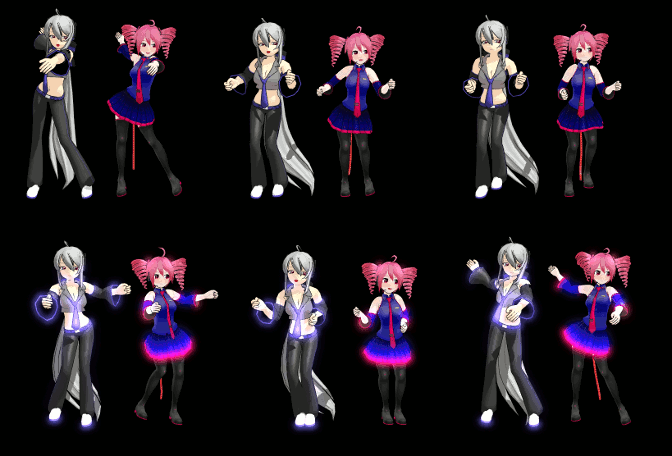
ObjectLuminous Haku and Teto Using The ObjectLuminous Effect in MikuMikuDance Accessory Manipulation/Adjust
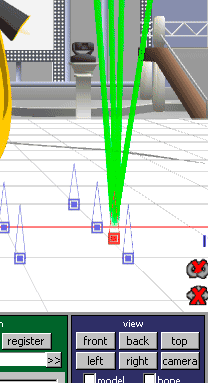
Dummy Bones Hold Accessories in MikuMikuDance Dummy Bones
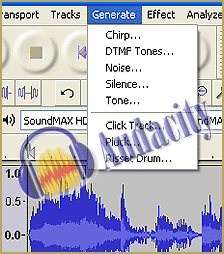
The Audacity Generate Menu lets you add silent breaks to you WAV file. WAV Files Make Your Music Play on MMD MikuMikuDance Music and WAV Files
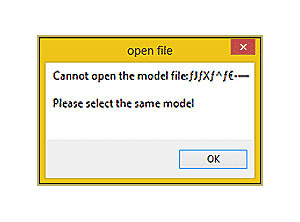
Why MMD cannot open the models in a saved PMM file Downloading New Models
Using the right codec when Rendering to AVI in MMD HD Videos in MMD

Leave a Reply Cancel reply

Your email address will not be published. Required fields are marked *

Download the latest version of MikuMikuDance!
See the MMD Step-by-Step instructions page!
Learn how to make your own MMD motions!
LearnMMD.com
  • Top Two (and a fraction) Probable Reasons Your MMD Doesn’t Run KillerBeer
  • “The making of ” any of my videos starts with these considerations… "the making of" my video
  • When MMD 7.39 crashes you lose any unsaved changes. Save Often!
    MMD Crashes when Rendering to AVI Making Videos - Rendering to AVI
  • Download Reggie Dentmore's "Hand Pose Collection" on LearnMMD.com
    MMD Hand Poses make Animation Easier Animation Shortcuts
  • MMD Bone Reference Charts make MMD Model-making Easier! Mae Blythe
  • YouTube thumbnail image is so important!
    Create your Most Attractive YouTube Thumbnail image "the making of" my video
  • Import models from Source engine based games (HL2, Portal, TF2 etc.) Blender
  • YouTube serves video playback quality to best suit your viewing-screen HD Videos in MMD

Copyright © 2022 Learn MikuMikuDance – MMD Tutorials – Free 3D Animation Software and Instructions..

Powered by PressBook Premium theme

Go to mobile version