Skip to content
Learn MikuMikuDance – MMD Tutorials – Free 3D Animation Software

Learn MikuMikuDance – MMD Tutorials – Free 3D Animation Software

Download Free Animation Software – Let's Learn How to Do Everything!

  • Step-by-Step MMD instructions
  • DOWNLOADS
  • Troubleshoot, Fix MMD
  • Site Contents
  • Reggie Replies Q&A
  • Homework!
  • What IS MMD?
    • Download MikuMikuDance Newest Latest Version of MMD
  • “HOW TO”
    • Raycast RAY-MMD Effect Tutorials
  • BONUS PAGES
    • Why convert PMD models to PMX?
  • HALL of CHAMPIONS
  • Tutorial Categories
  • About
    • Privacy Policy
  • Toggle search form
  • Make successful MMD YouTube videos MMD Basics
  • Click to see Reggise Dentmore's MMD Folk Guitar images Full Size!
    Download Reggie Dentmore’s MMD Folk Guitar Accessory!! Google SketchUp and MMD
  • Customize the MMD interface: Change the colors of the GUI Fia Phoenix
  • How To Add Depth and Emotion in an MMD Picture Advanced Shader Technique
  • FFMPEG – Final Frontier For Video and Audio File Processing Background AVI
  • Using Subset-Extract to Customize Your Models. ARIZONA
  • Make Smooth Animation Using Interpolation Curves Making Smooth Motions
  • Learn to translate models from Japanese with LearnMMD.com!
    Translate Japanese Models to English in PMDE… with Excel! Fixing Broken Models

MMD Project “I WANNA PARTY!” features great motion files by o Savvy o

Posted on August 28, 2020April 11, 2022 By Reggie_Dentmore No Comments on MMD Project “I WANNA PARTY!” features great motion files by o Savvy o

MMD Project “I WANNA PARTY!”…
… features great motion files by o Savvy o

I realize that I am late to the party… this motion set has been around for quite some time… and there are MANY videos of it on YouTube… Check them out… so many videos and so many “looks” and “moods”…

I saw THIS animation  by o Savvy o and thought it might be a PERFECT MMD project to feature on LearnMMD!

I WANNA PARTY!
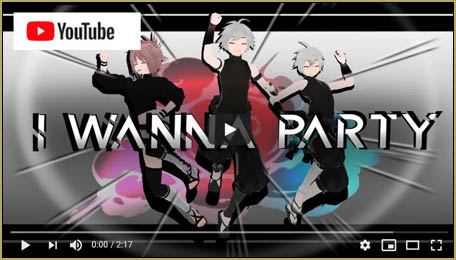
MMD Project "I WANNA PARTY!" features great motion files by o Savvy oYou can download the  ZIP folder containing the motions for three models and the camera… and it includes the WAV file…. from the o Savvy o video.

(Be sure to leave a comment there to thank o Savvy o for that download!)
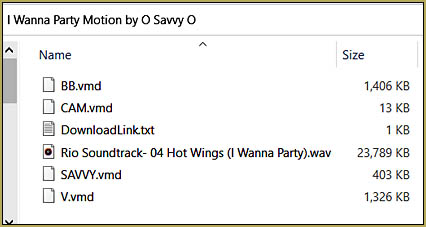
Contents of the I WANNA PARTY! ZIP folder... Take a look at the files inside the folder…

BB is for the main man (Len)

Savvy is for the back-up (Rin)

and V is for the third model (that’d be Miku in my version)

… and CAM, of course, is for the Camera motion.

The models might need EDITING!

The models you choose will need to have a mother-bone (All Parent bone) … MOST newer PMX models DO have that bone. I am using the old Animasa .PMD models and, as downloaded, they do not have a motherbone. I added a motherbone in PMXE… it’s easy to do… be sure to save each modified model under a new name, like, Miku-with-Motherbone.

o Savvy o tells us that the models should have a waist-bone… I went ahead and used my models, anyway… and they look good!

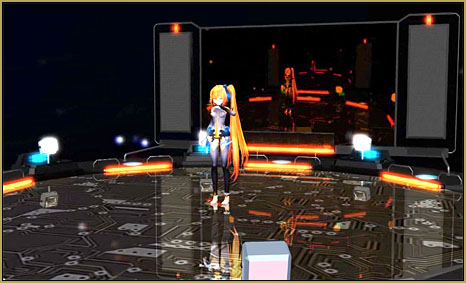
The LearnMMD Stage by Trackdancer!

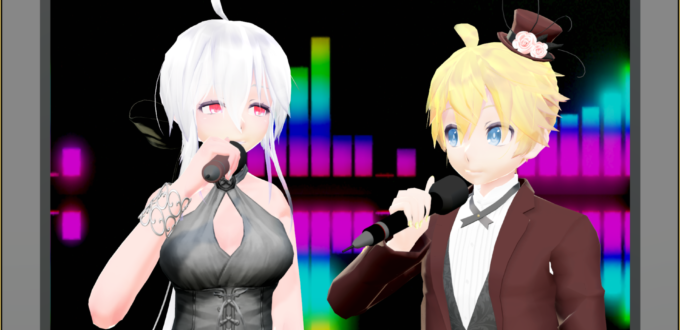
My test video has a HUGE amount of COLOR thanks to Trackdancer’s LearnMMD Stage. Be sure to read all of the instructions that come with the stage… you will also want to add the Autoluminous MME effect so as to “turn on the lights” of that beautiful stage.

Load your models… load your motions!

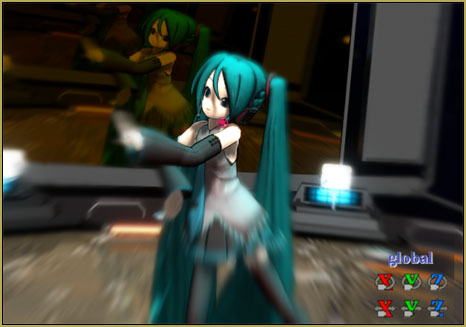
My version of the project just about “fell into place.” I loaded the Stage…  I loaded the WAV… I loaded the Camera motion, I loaded a model and then added a motion file to it… loaded a model and added a motion file to it… loaded a model and added a motion file to it… I set the animation length as 0 to 4050 frames… and I pushed PLAY… FUN… Looks great!
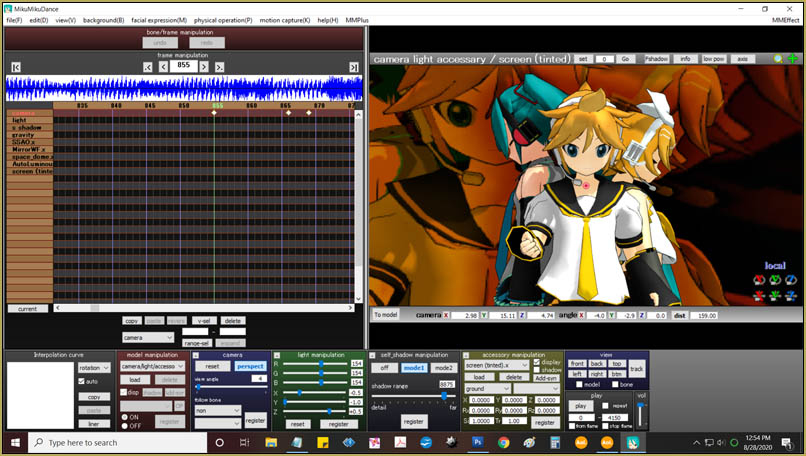
MMD Project "I WANNA PARTY!" looks great on the MMD GUI!

Motion Collisions between Models and model-parts…

Each MMD model is an individual… each with it’s own dimensions… so only rarely will you find a .VMD motion file that is one-size-fits-all… you must adjust the downloaded motion files to fit your particular models.

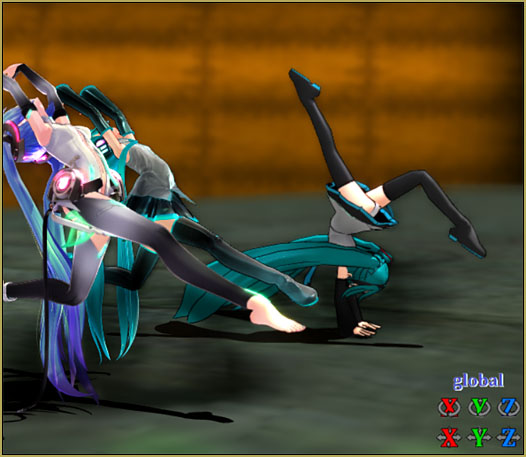
As mentioned, o Savvy o recommends that your models have a waist-bone… and all of the models must have a mother-bone. … and then, even so… the models will have collisions on-stage until you work to modify the motion data to avoid those collisions.  Watch for instance of one model passing through another… and watch for moments when a model’s arm might pass through his own face or chest.

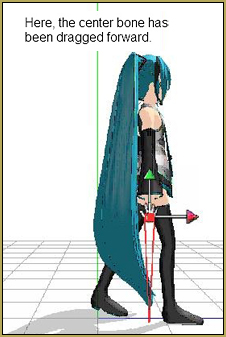
As in THIS instance where you will want to either adjust the mother-bones so as to keep the models apart or move the Center-bone to get the job done.
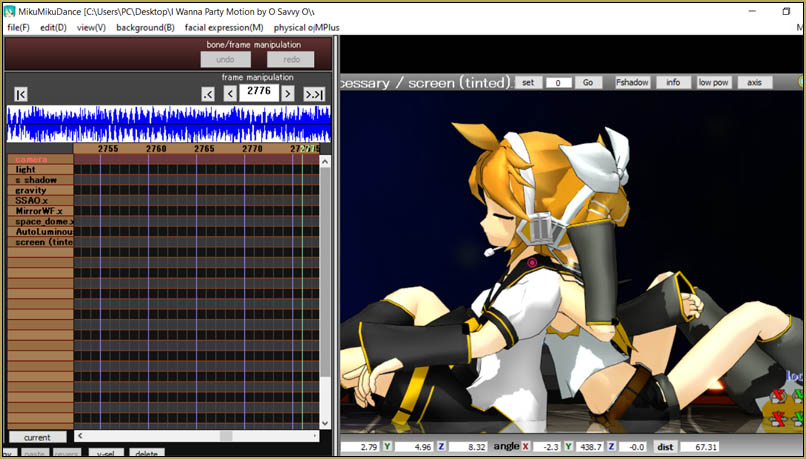
The secret for a good-looking video… KEEP AT IT!

There will be MANY adjustments needed… even the Camera motion will need to be adjusted so as to fit the height of your models… some models are short… others are tall… one camera-motion probably will not fit ALL models.

After you get the motions looking good… consider the camera… then consider what EFFECTS you might add…

If you upload a video to YouTube, Give it a good title that includes MMD and “I Wanna Party!”… KEEP THE FAITH-MMD!… leave full credits for o Savvy o and that original video with the Download link. Leave credits for your models and stage… and the effects you use.

More than anything else…
Have FUN with MikuMikuDance!


– SEE BELOW for MORE MMD TUTORIALS…


— — —


– _ — –


Visit the LearnMMD.com Homepage! Plenty of Mikumikudance instruction and info!

More MMD Tutorials...

Download MMD CyberMiku Black ver1.5 with Glowing Wings and an attitude!

Download MMD CyberMiku Black ver1.5 with Glowing Wings and an attitude to match! A treasure... Yesterday I ...read more

Create your Most Attractive YouTube Thumbnail image

Is a custom YouTube thumbnail important? How do I get my MMD video to be ...read more

Download the beautiful LUKA MEGURINE HIPSTERBLACK by PS-2002

Where can I download LUKA MEGURINE HIPSTERBLACK by PS-2002? How can I get a new ...read more

Use YouTube Video Analytics Attract Maintain Viewers

How can I use YouTube Video Analytics to learn how to make popular MMD videos? ...read more

Create 450-Frame MMD animation from scratch!

How do I create a 450-Frame MMD animation from scratch? How do I start making ...read more

Rio Carnival Miku is my latest MMD Model Adoration Slideshow video

Where can I download the Rio Carnival Miku MMD model? How can I make an ...read more

"the making of" my video, MMD Tutorials, Reggie Dentmore

Post navigation

Previous Post: Fix the “Post Effect cannot be specified” error
Next Post: Culling unseen MMD model parts optimises computer assets (PART 2)

Related Posts

  • Starting-out Using MMD starts you on a learning path.
    Starting-out Using MMD Reader discovers missing elements. MMD Basics
  • MMD Lip-sync is fun to do... just do it!
    MMD Lip-sync is fun to do… just do it! Animation Shortcuts
  • Making MMD Models Complicated Task with much to know! Making Models
  • With some practice, Rin can dance the sample dance as well as Miku!
    Let’s Play the Sample Dances and Learn About MikuMikuDance Intro to MikuMikuDance
  • PMDE Q&A – Making clothes follow model motions Fixing Broken Models
  • MMD Camera Work makes motions fit the song.
    MMD Camera Work made the motion fit the song! "the making of" my video

More Related Articles

When you add background AVI files, you can motion trace! Loading Background AVI Files into MMD (2021 Edition) Add Background Pictures and AVI
Easily Create Walk-in-Place Motion in MMD Animation Shortcuts
Creating MMD Diva Performance Animations – An Overview "the making of" my video
Using the OP function in an animation MMD Tutorials
YouTube thumbnail image is so important! Create your Most Attractive YouTube Thumbnail image "the making of" my video
Use the Half-Lambert Shader effect for point-source lighting. MME Half-Lambert Shader Point-Source Lighting Effects Half-Lambert Shader

Leave a Reply Cancel reply

Your email address will not be published. Required fields are marked *

Download the latest version of MikuMikuDance!
See the MMD Step-by-Step instructions page!
Learn how to make your own MMD motions!
LearnMMD.com
  • Chrysanthemums are lovely with the Fireworks effect!
    Using the Fireworks Effect In MikuMikuDance ARIZONA
  • Ray-MMD environment controls create MMD dreamscape MMD Tutorials
  • MMD Starry Winds Effect Makes Amazing Night Time Scenes! MMD Tutorials
  • Learn How to Dress the LearnMMD Stage – Instructions Dummy Bones
  • New Getting Started with MMD Video on YouTube! Intro to MikuMikuDance
  • Reduce MMD video file size by using HandBrake.
    Reduce MMD Video File Size using FREE HandBrake video converter HandBrake video conversion
  • MME PowerShader effect rivals Ray-MMD Raycast image enhancements MMD Tutorials
  • Fixing Missing Facial Manipulation Tabs in MikuMikuDance. Fixing Broken Models

Copyright © 2022 Learn MikuMikuDance – MMD Tutorials – Free 3D Animation Software and Instructions..

Powered by PressBook Premium theme

Go to mobile version