

Skip to content
Learn MikuMikuDance – MMD Tutorials – Free 3D Animation Software

Learn MikuMikuDance – MMD Tutorials – Free 3D Animation Software

Download Free Animation Software – Let's Learn How to Do Everything!

  • Step-by-Step MMD instructions
  • DOWNLOADS
  • Troubleshoot, Fix MMD
  • Site Contents
  • Reggie Replies Q&A
  • Homework!
  • What IS MMD?
    • Download MikuMikuDance Newest Latest Version of MMD
  • “HOW TO”
    • Raycast RAY-MMD Effect Tutorials
  • BONUS PAGES
    • Why convert PMD models to PMX?
  • HALL of CHAMPIONS
  • Tutorial Categories
  • About
    • Privacy Policy
  • Toggle search form
  • Darkening the stage lighting makes the floorlight look very bright! MMD 7.39, LearnMMD.com
    MMD Camera Motions: The Camera’s Gotta Keep Moving! Camera Motion
  • Making a Long Video Animation in MMD 7.39 Can Be Done! CONTESTS
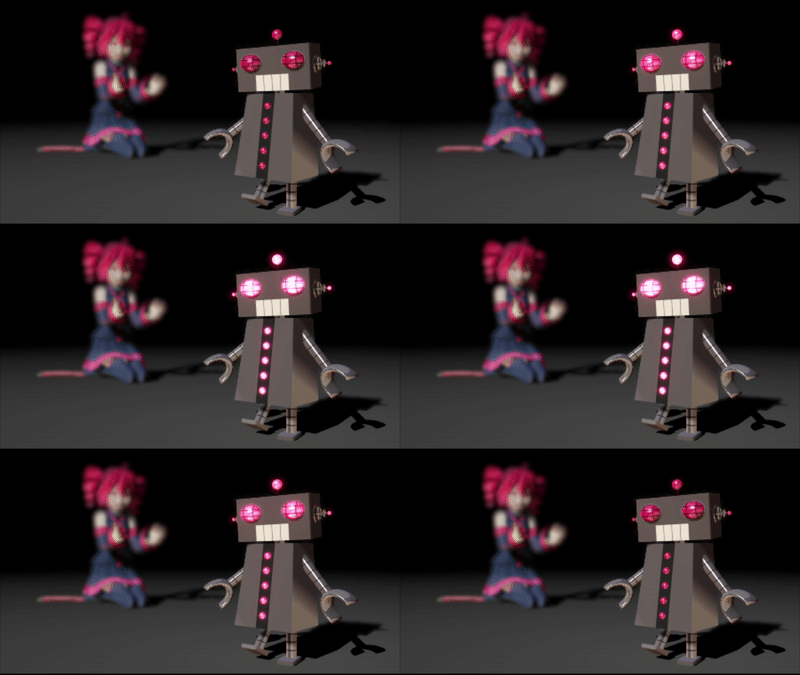
  • A short animation of the Eared Robot blinking its eyes
    ALMorphMaker Adds AutoLuminous Morphs to your Model! ALMorphMaker
  • Finding Inspiration for your Animation MMD Basics
  • Total Success Running MMD on Win 10 64-bit! MikuMikuDance Random Thoughts & Visions
  • Download and Configure the OldTV MME Effect for MikuMikuDance Customize MME effects
  • Introduction to Vocaloid: a short tutorial NOKO2
  • MMD Animation Project Resource Ushimitsu Toki Animation Resource

Select the Center Bone if your MMD Model Doesn’t Feel the Floor

Posted on July 1, 2012August 1, 2015 By Reggie_Dentmore 2 Comments on Select the Center Bone if your MMD Model Doesn’t Feel the Floor

Why does my MikuMikuDance model go through the floor. Why does it seem that my model can’t feel the floor. I move the center bone but her legs don’t bend, she goes down through the floor.A Feature Article by Reggie Dentmore on LearnMMD.com

Why does my MMD model not bend at the knees when I move the center bone?

This is one of those questions that bugged me for the longest time. Some models Some models don't feel the floor, don't bend at the knees ... if you're doing it wrong!I would download did not bend at the knees … and, instead, would sink through the floor. They were Japanese models and I could not read the bone list. I just figured that the top entry on the bone list was the Center bone. I’d highlight that bone on the list and move the Y roller, only to see her pass through the floor rather than bend at the knees.
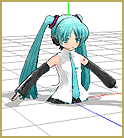
I tried registering the Leg IK bones at floor level and … no difference.

You’ve been grabbin’ the wrong bone!

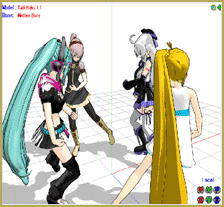
It turns out that it was the The Center Bone is in the middle of the bone list on some models.Mother Bone that was being selected, not the center bone. If you select the mother bone, you will move the whole model … that’s what that bone does.
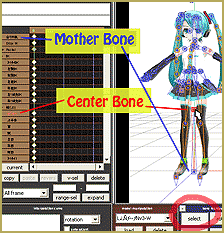
Be sure to select the Center bone … Click then SELECT button and the click on the center bone that you see between the legs near the waist; not the one near the floor. It is that easy!


— SEE BELOW for MORE MMD TUTORIALS…

–


– SEE BELOW for MORE MMD TUTORIALS…


— — —


– _ — –


Visit the LearnMMD.com Homepage! Plenty of Mikumikudance instruction and info!

More MMD Tutorials...

Loading Background AVI Files into MMD (2021 Edition)

How do I load background AVI files into MMD?  What does it mean when MMD ...read more

Running MikuMikuDance in Linux using Wine and DXVK

How do I run MMD on Linux? Does MikuMikuDance run on Linux? How do I ...read more

How to subtitle MMD videos

How do I subtitle MMD videos? How do I make subtitles for my MMD videos? ...read more

Using the right codec when Rendering to AVI in MMD

What codecs do I use for rendering a video in MMD? What codec gives me ...read more

Creating Hand IK Bones with the IKMakerX PMXE plugin

Can I have IK bones in hands? What is the IKMakerX plugin? Hand IK bones are ...read more

YouTube serves video playback quality to best suit your viewing-screen

What happens to your video after you've uploaded one to YouTube? YouTube serves video playback quality ...read more

Bones, Mother Bones, Nuts & Bolts Tags:center bone, mikumikudance, MMD bones

Post navigation

Previous Post: BOX-sel lets you select an entire model in MikuMikuDance
Next Post: Change a Model’s Eyes Using MMD Eye Packs in MikuMikuDance

Related Posts

  • Rin is excited about the MomiCup
    How to enter The MomiCup and other YouTube MMD Contests and Parties. ARIZONA
  • Keyboard Shortcuts Aplenty in MikuMikuDance 7.39 by ClintImTired Accessory Manipulation/Adjust
  • Add interest to you choreography by moving/rotating models with Mother Bones.
    Add Interest: Place Multiple Models Onstage Using Mother Bones ARIZONA
  • MMD Dance Motions start with making your own motions.
    How to make smooth motions in MikuMikuDance animations Animation Shortcuts
  • Download and Install MikuMikuEffect (MME) To Use Special Effects Nameplate effect
  • MikuMikuDance Keyboard Shortcuts MMD Beginners Guide Intro to MikuMikuDance

More Related Articles

Using the AdultShader Effect In MikuMikuDance Adult Shader effect
Running MikuMikuDance in Linux using Wine and DXVK Linux running MMD
Download your free Metronome PMM dance file with accessories. Find MMD Tempo using Metronome with AVI Video Background Metronome
Visit Krystal-Sakura on Deviant Art to get "Sparkly Eyes" for MMD 7.39 Change a Model’s Eyes Using MMD Eye Packs in MikuMikuDance NOKO2
Getting Started with MMD MikuMikuDance Intro to MikuMikuDance
How do I use MikuMikuDance Make A Music Video with MMD Intro to MikuMikuDance

Comments (2) on “Select the Center Bone if your MMD Model Doesn’t Feel the Floor”

  1. Ghostie says:
    September 28, 2017 at 3:56 am

    What if it actually is the center bone I’m grabbing? I have a model that does exactly this when I use the center bone or groove bone. It acts just like the mother bone and the structure is correct as far as I can tell.

    Reply
    1. KillerBeer says:
      September 28, 2017 at 4:58 am

      You have to check your model’s rigging, namely bone chain structure. Normally, if the model has the motherbone, it is #0, and center bone (#1) has 0 in its Parent field. Any other bone can be traced, from parent to parent, to the center bone, except leg_IK bones, which should be parented directly by the motherbone. If there’s no motherbone in the model, both center and leg_IK bones are parented by “-1” (though you’d do well to add it).

      If you’re absolutely positive that the bone structure is correct – well, try to upload your model somewhere so we might take a look at it.

      Reply

Leave a Reply Cancel reply

Your email address will not be published. Required fields are marked *

Download the latest version of MikuMikuDance!
See the MMD Step-by-Step instructions page!
Learn how to make your own MMD motions!
LearnMMD.com
  • About changing models skirts using PMD Editor PMXE KillerBeer
  • MMD Model Hair Textures Made With . . . IMVU Tutorials?! Mae Blythe
  • Let your MMD model breathe and move while standing still! Creating Motions
  • MMD Stages Source Featured
    Great MMD Stages Source: Deviant Art MMD Basics
  • Otome, CannonParticle, and Heaven Effects in all their glory!
    Using Some Cool Effects in MikuMikuDance. CannonParticle
  • Darkening the stage lighting makes the floorlight look very bright! MMD 7.39, LearnMMD.com
    MMD Camera Motions: The Camera’s Gotta Keep Moving! Camera Motion
  • You Are My Senpai MMD Meme Project Download MMD Memes
  • MMDers Audacity Tutorial Video is on YouTube! Making Soundtracks

Copyright © 2022 Learn MikuMikuDance – MMD Tutorials – Free 3D Animation Software and Instructions..

Powered by PressBook Premium theme

Go to mobile version