



Skip to content
Learn MikuMikuDance – MMD Tutorials – Free 3D Animation Software

Learn MikuMikuDance – MMD Tutorials – Free 3D Animation Software

Download Free Animation Software – Let's Learn How to Do Everything!

  • Step-by-Step MMD instructions
  • DOWNLOADS
  • Troubleshoot, Fix MMD
  • Site Contents
  • Reggie Replies Q&A
  • Homework!
  • What IS MMD?
    • Download MikuMikuDance Newest Latest Version of MMD
  • “HOW TO”
    • Raycast RAY-MMD Effect Tutorials
  • BONUS PAGES
    • Why convert PMD models to PMX?
  • HALL of CHAMPIONS
  • Tutorial Categories
  • About
    • Privacy Policy
  • Toggle search form
  • Sweet MMD Meme “Hello_How Are You” MMD Memes
  • GaussianVariable MME Effect Blurs your entire scene! GaussianVariable
  • MME Plastic Effect Featured
    MME Plastic Effect adds plastic realism to MMD model parts MMD Tutorials
  • Public Domain and Ethical Release for MMD Bandages
  • create easy dance motions in MikuMikuDance... beginner tutorial
    Create MMD Dance Motion from Scratch – a beginners guide Creating Motions
  • The VDE-5 Champions are chosen!
    The CHAMPIONS of Video Dojo Expo FIVE Video Dojo Competition
  • MMD Theme Video “Let’s Dance NOW!” Describes Why We Love MMD Intro to MikuMikuDance
  • PMXE weight painting tools and deformation types for new MMD models Bandages

Select the Center Bone if your MMD Model Doesn’t Feel the Floor

Posted on July 1, 2012August 1, 2015 By Reggie_Dentmore 2 Comments on Select the Center Bone if your MMD Model Doesn’t Feel the Floor

Why does my MikuMikuDance model go through the floor. Why does it seem that my model can’t feel the floor. I move the center bone but her legs don’t bend, she goes down through the floor.A Feature Article by Reggie Dentmore on LearnMMD.com

Why does my MMD model not bend at the knees when I move the center bone?

This is one of those questions that bugged me for the longest time. Some models Some models don't feel the floor, don't bend at the knees ... if you're doing it wrong!I would download did not bend at the knees … and, instead, would sink through the floor. They were Japanese models and I could not read the bone list. I just figured that the top entry on the bone list was the Center bone. I’d highlight that bone on the list and move the Y roller, only to see her pass through the floor rather than bend at the knees.
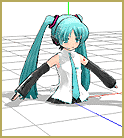
I tried registering the Leg IK bones at floor level and … no difference.

You’ve been grabbin’ the wrong bone!

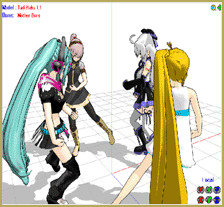
It turns out that it was the The Center Bone is in the middle of the bone list on some models.Mother Bone that was being selected, not the center bone. If you select the mother bone, you will move the whole model … that’s what that bone does.
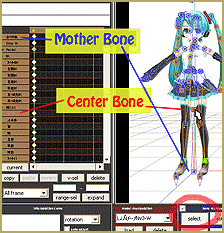
Be sure to select the Center bone … Click then SELECT button and the click on the center bone that you see between the legs near the waist; not the one near the floor. It is that easy!


— SEE BELOW for MORE MMD TUTORIALS…

–


– SEE BELOW for MORE MMD TUTORIALS…


— — —


– _ — –


Visit the LearnMMD.com Homepage! Plenty of Mikumikudance instruction and info!

More MMD Tutorials...

Loading Background AVI Files into MMD (2021 Edition)

How do I load background AVI files into MMD?  What does it mean when MMD ...read more

Running MikuMikuDance in Linux using Wine and DXVK

How do I run MMD on Linux? Does MikuMikuDance run on Linux? How do I ...read more

How to subtitle MMD videos

How do I subtitle MMD videos? How do I make subtitles for my MMD videos? ...read more

Using the right codec when Rendering to AVI in MMD

What codecs do I use for rendering a video in MMD? What codec gives me ...read more

Creating Hand IK Bones with the IKMakerX PMXE plugin

Can I have IK bones in hands? What is the IKMakerX plugin? Hand IK bones are ...read more

YouTube serves video playback quality to best suit your viewing-screen

What happens to your video after you've uploaded one to YouTube? YouTube serves video playback quality ...read more

Bones, Mother Bones, Nuts & Bolts Tags:center bone, mikumikudance, MMD bones

Post navigation

Previous Post: BOX-sel lets you select an entire model in MikuMikuDance
Next Post: Change a Model’s Eyes Using MMD Eye Packs in MikuMikuDance

Related Posts

  • When MMD 7.39 crashes you lose any unsaved changes. Save Often!
    MMD Crashes when Rendering to AVI Making Videos - Rendering to AVI
  • The SSAO effect adds depth of color and shadows for greater realism! MME MMD 7.39
    Playing with MME – Using MORE cool MikuMikuEffects! Nuts & Bolts
  • Keyboard Shortcuts and Easy Moves Keyboard Shortcuts
  • A MikuMikuDance Beginner’s Easy First Dance Intro to MikuMikuDance
  • How to subtitle MMD videos MMD Tutorials
  • Next Level in MMD Video Evolution
    Post-Production Editing Yields Next Step in MMD Video Quality Making Videos - Rendering to AVI

More Related Articles

Magician Miku pulls a magic trick and reverses her motion data! How to Reverse Motion Data in MikuMikuDance ARIZONA
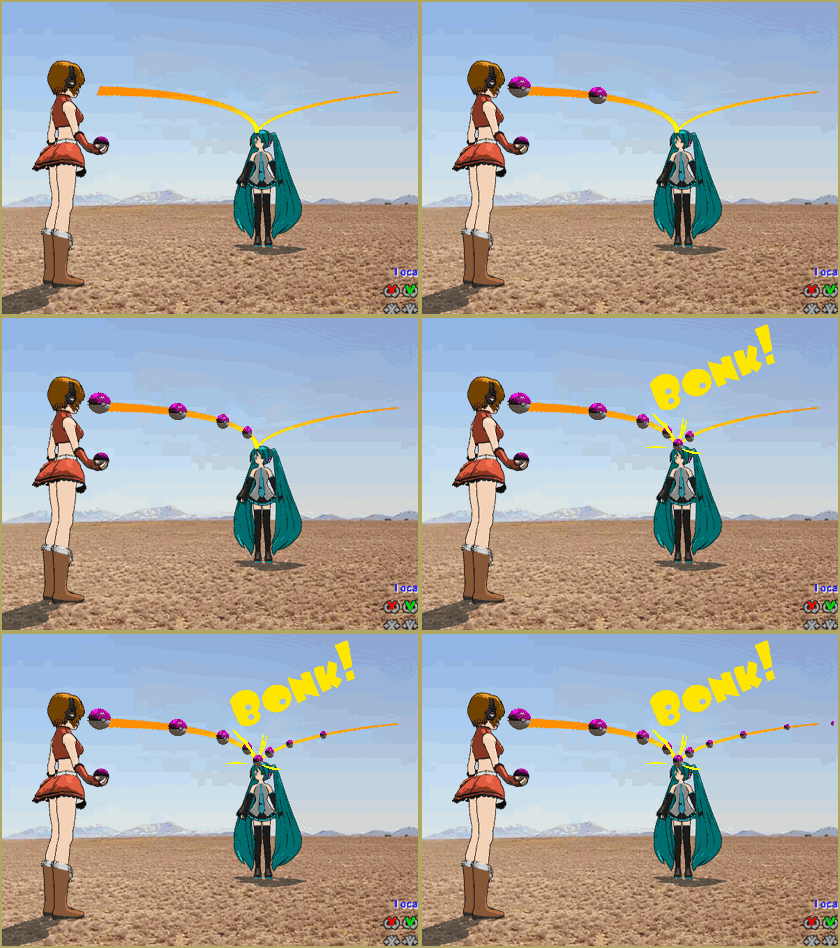
Here is the plan for the ball tossing motion in MikuMikuDance 7.39 “Bonk goes the Miku” new video using Accessories created in SketchUp Google SketchUp and MMD
Dummy Bones allow you to customize your accessory manipulations! Using The Dummy Bone for MikuMikuDance Accessory Manipulation/Adjust
Metronome successfully marks the beat in Dueling Banjos MMD Metronome
Add a Motherbone for Easy Model Manipulation in MMD 7.39 Mother Bones
Let the model itself help you to align its bones! Rig a Model: Adding and weighting bones with PMDE Bones

Comments (2) on “Select the Center Bone if your MMD Model Doesn’t Feel the Floor”

  1. Ghostie says:
    September 28, 2017 at 3:56 am

    What if it actually is the center bone I’m grabbing? I have a model that does exactly this when I use the center bone or groove bone. It acts just like the mother bone and the structure is correct as far as I can tell.

    Reply
    1. KillerBeer says:
      September 28, 2017 at 4:58 am

      You have to check your model’s rigging, namely bone chain structure. Normally, if the model has the motherbone, it is #0, and center bone (#1) has 0 in its Parent field. Any other bone can be traced, from parent to parent, to the center bone, except leg_IK bones, which should be parented directly by the motherbone. If there’s no motherbone in the model, both center and leg_IK bones are parented by “-1” (though you’d do well to add it).

      If you’re absolutely positive that the bone structure is correct – well, try to upload your model somewhere so we might take a look at it.

      Reply

Leave a Reply Cancel reply

Your email address will not be published. Required fields are marked *

Download the latest version of MikuMikuDance!
See the MMD Step-by-Step instructions page!
Learn how to make your own MMD motions!
LearnMMD.com
  • Use the Silhouette Effect to create White Silhouettes!
    Creating White Silhouette Models in MikuMikuEffects ARIZONA
  • Position Model Parts in PMDE using a placeholder .x Model image Making Models
  • No Diamonds Appear in Frame Chart in MMD and How to Fix It Mae Blythe
  • Create color morphs in MMD models using PMXE
    Create MMD model color morphs using PMXE Making Models
  • Save to the Desktop with ALL FILES selected.
    Opening Japanese Models in MikuMikuDance – Sometimes they don’t work! Applocale / 7-Zip
  • Getting Started with MMD MikuMikuDance Intro to MikuMikuDance
  • Miku wishes for a peaceful birthday!
    Happy Birthday Miku! ARIZONA
  • Exporting VSQX to VSQ for MMD! Kazuki Matsuoka

Copyright © 2022 Learn MikuMikuDance – MMD Tutorials – Free 3D Animation Software and Instructions..

Powered by PressBook Premium theme

Go to mobile version