
Skip to content
Learn MikuMikuDance – MMD Tutorials – Free 3D Animation Software

Learn MikuMikuDance – MMD Tutorials – Free 3D Animation Software

Download Free Animation Software – Let's Learn How to Do Everything!

  • Step-by-Step MMD instructions
  • DOWNLOADS
  • Troubleshoot, Fix MMD
  • Site Contents
  • Reggie Replies Q&A
  • Homework!
  • What IS MMD?
    • Download MikuMikuDance Newest Latest Version of MMD
  • “HOW TO”
    • Raycast RAY-MMD Effect Tutorials
  • BONUS PAGES
    • Why convert PMD models to PMX?
  • HALL of CHAMPIONS
  • Tutorial Categories
  • About
    • Privacy Policy
  • Toggle search form
  • Sweet Home 3D Creates Custom MMD Interiors as .x or .pmd MMD Tutorials
  • VDE-FIVE Honorable Mention: Jonah Snyder Video Dojo Champions
  • Anticipation is the Second Principle of Animation. Anticipation
  • Free Download MikuMikuDance MMD
    Free Download MikuMikuDance 3D animation software Intro to MikuMikuDance
  • Total Success Running MMD on Win 10 64-bit! MikuMikuDance Random Thoughts & Visions
  • Make a “Dream Fighter” MMD Music Video "the making of" my video
  • LearnMMDClub is OPEN on Deviant Art! Intro to MikuMikuDance
  • MMD NyaReimu dances to Miku’s “The World is Mine” "the making of" my video

Graphic Design Skills enhance MMD Pictures

Posted on May 4, 2015July 24, 2015 By Zazi No Comments on Graphic Design Skills enhance MMD Pictures

See all the articles written by Zazi on LearnMMD.comOkay… so you want to learn how to use MMD to create  stunning 3D graphic designs?

Yes?…

Graphic Design Skills enhance MMD Pictures

Follow Steps A-G for a perfect Render!

A. Load Model Into MMD
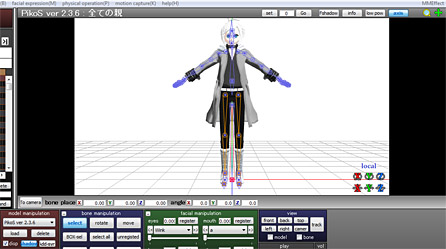
TUT1

B. Add background picture

TUT2

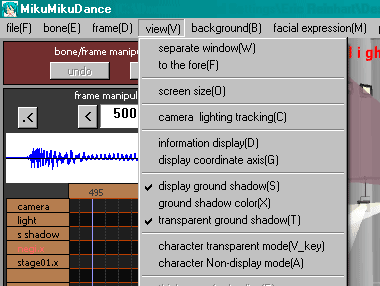
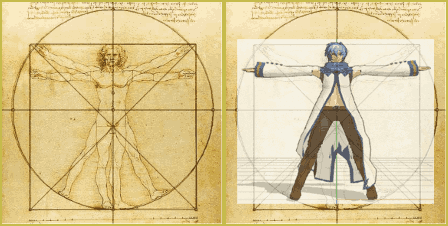
C. Adjust  lighting  and camera angel to match

Note: sometimes this will mean aligning the axis with the ground.

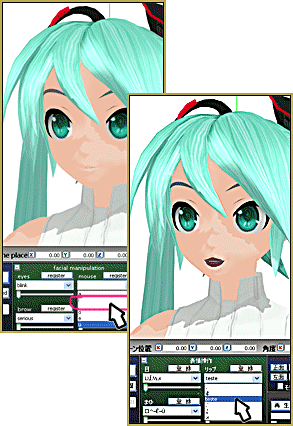
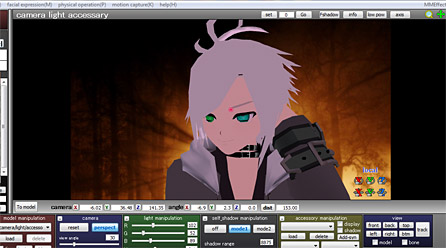
D. Edit facials and pose of model
TUT3

Note: make sure to have your Facial Skills mastered and your Basic Poses down … practice, practice, practice.

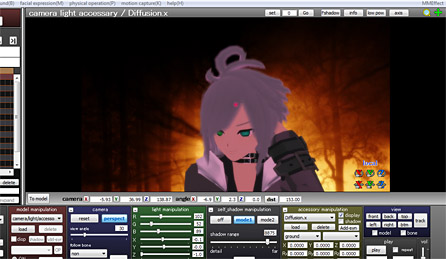
E. Add Pre effects With MME
TUT4

Note: If you don’t Have MMD or need help, please refer to the copious amount of tutorials on our home page.

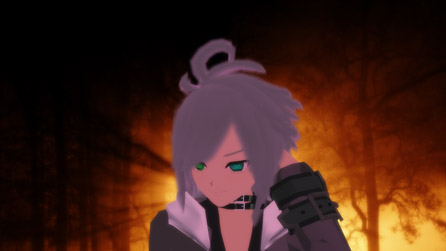
F. Render in 1280-720 into JPG
TUT5

Note: Why 1280-720?… cause its the best for all formats

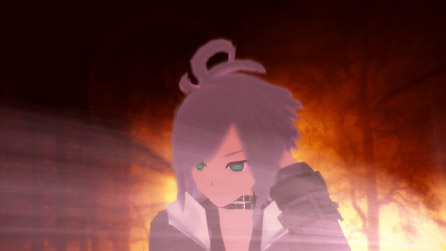
G.  Edit Photo With Any Kind of Photo Editor

Note: here’s a free great one online  http://www.gimp.org/
TUT7

And… “Voila!”
A semi Decent Photo… though this one was rushed!

With time and patience they can look like this in the end:
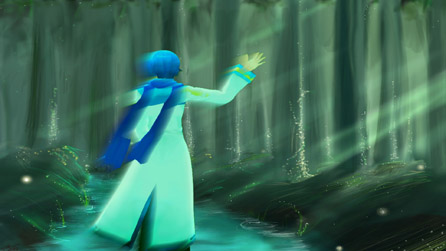
SwampKaito

Have fun with MikuMikuDance!


– SEE BELOW for MORE MMD TUTORIALS…


— — —


– _ — –


Visit the LearnMMD.com Homepage! Plenty of Mikumikudance instruction and info!

More MMD Tutorials...

Enjoy the "camera Angles WEIRD in Anime" meme...

Enjoy the "camera Angles WEIRD in Anime" meme... This image is from The Slayers - NEXT, ...read more

Reader asks how to create MMD artwork... stuff like posing, camerawork?

A reader asks... Is there a tutorial on how to create MMD artwork, like those you ...read more

Learn MikuMikuDance in Small Steps! New LearnMMD Video Series

Learn MikuMikuDance in Small Steps. Where can I find easy-to-follow MMD instructions on YouTube? How ...read more

Apply Multiple Effects on an Entire MMD Model Using M4Layer Effect

How can I apply multiple effects to an MMD model? Can I use more than ...read more

MMD Plugin Manager... I Found a Treasure!

What sorts of MMD Plugins are there? MMD Plugin Manager? MMD Plugins. Plugin MMD. More ...read more

2025: Hatsune Miku is 18... but she is designed to be always 16 Years old, by design and in reality!

Finally, in 2023, Hatsune Miku is 16 years old! but in August of 2025, she ...read more

MMD Basics, MMD Tutorials, Zazi

Post navigation

Previous Post: Professionally made models FOUND!
Next Post: Assemble your stages from .x type components

Related Posts

  • MMD First Steps Make your own motions from scratch Making Smooth Motions
  • Create Motion Data – So you think you can’t dance? Creating Motions
  • Storyboards organize your MMD animation Intro to MikuMikuDance
  • Using BeamMan’s fluid2D Creates Fabulous MMD Under Water Scenes BeamMan's fluid2D
  • Beamman’s MME DropShadow effect for MikuMikuDance Beamman's DropShadow effect
  • Removing Double Vertices to Create Continuous UV Maps Mae Blythe

More Related Articles

Easily Create Walk-in-Place Motion in MMD Animation Shortcuts
No Diamonds Appear in Frame Chart in MMD and How to Fix It Mae Blythe
o_ShaderCustomSet_v0_3 effect applies gentle color modification MMD Tutorials
Position Model Parts in PMDE using a placeholder .x Model image Making Models
MMD Cell Phone Screen Video MMD Cell Phone Screen Video Creation… just for that vertical screen! Cell-Phone Video
Creating MMD Diva Performance Animations – An Overview "the making of" my video

Leave a Reply Cancel reply

Your email address will not be published. Required fields are marked *

Download the latest version of MikuMikuDance!
See the MMD Step-by-Step instructions page!
Learn how to make your own MMD motions!
LearnMMD.com
  • First Steps for the Beginner MMD MikuMikuDance artist Welcome to LearnMMD.Com!
  • Print a hard copy! Art is fleeting… especially NOW! MMD Tutorials
  • Most important MikuMikuDance instruction: Track your sources! Keep the Faith-MMD Credits/Sharing
  • Re-size PMD Models and Keep the Bones and Physics! Adjust PMD Model Size
  • Make WAV files for MikuMikuDance Using Your Music Files Music and WAV Files
  • Free Download MikuMikuDance MMD
    Reader writes: i don’t know how to do mmd :( MMD Tutorials
  • Get the K-Lite Codec for MMD
    The K-Lite Codec Pack: How To Install, and Current Problems K Lite Mega Codec Pack 995
  • Understanding Normals Bandages

Copyright © 2022 Learn MikuMikuDance – MMD Tutorials – Free 3D Animation Software and Instructions..

Powered by PressBook Premium theme

Go to mobile version