

Skip to content
Learn MikuMikuDance – MMD Tutorials – Free 3D Animation Software

Learn MikuMikuDance – MMD Tutorials – Free 3D Animation Software

Download Free Animation Software – Let's Learn How to Do Everything!

  • Step-by-Step MMD instructions
  • DOWNLOADS
  • Troubleshoot, Fix MMD
  • Site Contents
  • Reggie Replies Q&A
  • Homework!
  • What IS MMD?
    • Download MikuMikuDance Newest Latest Version of MMD
  • “HOW TO”
    • Raycast RAY-MMD Effect Tutorials
  • BONUS PAGES
    • Why convert PMD models to PMX?
  • HALL of CHAMPIONS
  • Tutorial Categories
  • About
    • Privacy Policy
  • Toggle search form
  • More Motion Interpolation Curve Instruction for MMDers Creating Motions
  • ‘PROJECT: MikuMiku Movie!’ part 01: prepare the first scene! Fia Phoenix
  • Dummy Bones Hold Accessories in MikuMikuDance Dummy Bones
  • Understanding MME Render Targets for Miku Miku Dance Effects Adult Shader effect
  • Adding Sound Effects to existing MMD animations Making Soundtracks
  • LearnMMD.com: The Instruction Sheet you've been searching for!
    Use Google SketchUp to make DirectX Accessories in MMD Dummy Bones
  • Half-Lambert Shader.
    How to Use the Half-Lambert Shader in MMD Half-Lambert Shader
  • MMD EVERGLOW – Adios【Motion by Ureshiiiiii】- Free Download Motion and WAV "the making of" my video
Get the LearnMMDMmetronome. It is a real help!

LearnMMD’s METRONOME is Ready to Download!

Posted on December 9, 2011July 2, 2024 By Reggie_Dentmore 1 Comment on LearnMMD’s METRONOME is Ready to Download!

How do I find the beat in my MikuMikuDance songs? How do I time my motions to the music in Miku Miku Dance 7.39? Is there a metronome for MMD 7.39?

LearnMMD’s METRONOME is Ready to Download!

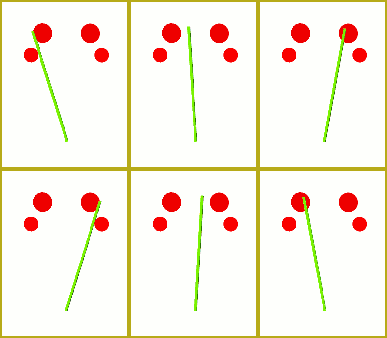
As I started my Dueling Banjos project, I knew I was in Get the LearnMMDMmetronome. It is a real help!for trouble! The tempo of that piece is constantly changing … faster and faster! I decided to make a metronome that I could tick-tock to the beat. It works!
Download your LearnMMD.com Metronome.

Read the Instructions Here!

The download includes a couple of accessory items: the dots and the baton. The wider-spaced dots are OK for slower music … and the upper dots work well when your computer can’t run MMD fast enough … when it lags … as you are trying to work.

Running this metronome would be the first step of a new project. Start NEW, load your WAV file. OPEN this LearnMMDmetronome.pmm dance file. Animate the metronome in time with your music.

You create this “dance” first … then add your models. After you have enough of your action in place, you can delete the metronome from your project. Download your free Metronome PMM dance file with accessories.
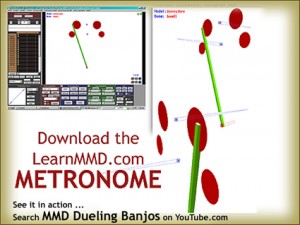
If you already have a dance that you want to refine … create the metronome dance on a NEW stage using the same WAV file … andsave it. Then copy all of the bone data to your existing dance.

The metronome uses Dummy Bones 1,2, and 3. You might have to reassign the bones to uses numbers not used in your existing dance.

OR … What I did on my Dueling Banjos project … I filmed a live action video of my grandpa clapping his hands to the ever-changing beat. I set that video as a background AVI … and then matched the metronome to the clapping while keeping an eye on the “scope” to better hit the beat.  It works. That will be a future post, here, on LearnMMD.com!

See my Dueling Banjo project on LearnMMD.com … check it out!


– SEE BELOW for MORE MMD TUTORIALS…


— — —


– _ — –


Visit the LearnMMD.com Homepage! Plenty of Mikumikudance instruction and info!

More MMD Tutorials...

Loading Background AVI Files into MMD (2021 Edition)

How do I load background AVI files into MMD?  What does it mean when MMD ...read more

Running MikuMikuDance in Linux using Wine and DXVK

How do I run MMD on Linux? Does MikuMikuDance run on Linux? How do I ...read more

How to subtitle MMD videos

How do I subtitle MMD videos? How do I make subtitles for my MMD videos? ...read more

Using the right codec when Rendering to AVI in MMD

What codecs do I use for rendering a video in MMD? What codec gives me ...read more

YouTube serves video playback quality to best suit your viewing-screen

What happens to your video after you've uploaded one to YouTube? YouTube serves video playback quality ...read more

Learn MMD Basics before jumping into a big project!

Learn MMD Basics before jumping into a big project! A reader wrote a comment... I tried to make ...read more

Animation Lag, Dummy Bones, Metronome, Nuts & Bolts Tags:make WAV files, metronome, music for MMD, rhythm, WAV files

Post navigation

Previous Post: LearnMMD’s MikuMikuDance Animated GIFs Now Collected as a Bonus Page!
Next Post: Find MMD Tempo using Metronome with AVI Video Background

Related Posts

  • Running MikuMikuDance in Linux using Wine and DXVK Linux running MMD
  • LearnMMD.com _ MikuMikuDance MMD Tutorials
    Learn MMD Basics before jumping into a big project! MMD Basics
  • A better MMD followcam in PMXE with physics and IK bones Animation Shortcuts
  • Keep The Faith MMD
    Use proper MMD Etiquette when Downloading Models for MMD Intro to MikuMikuDance
  • The new Getting Started with MMD video spends some time on the Sample Dances.
    Use Tricks to Study the MikuMikudance Sample Dance Functions-Copy-Paste-Expand
  • Set MMD Widescreen Screen Size balance Size VS Quality MMD Basics

More Related Articles

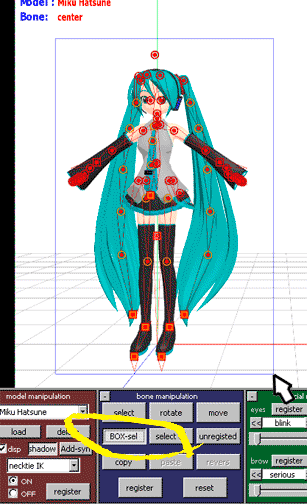
You cannot use Box-Sel to select a portion of a model. You must selectthe entire MMD model. BOX-sel lets you select an entire model in MikuMikuDance ARIZONA
Smooth Walking Motion is getting easier! Make a Smooth Walking Motion
Using the AdultShader Effect In MikuMikuDance Adult Shader effect
The MMD 7.39 BONE MENU Options MENU Option Descriptions
PMD Editor Basics, now in English – Modify Your MMD Models! Nuts & Bolts
Download and Install MikuMikuEffect (MME) To Use Special Effects Nameplate effect

Leave a Reply Cancel reply

Your email address will not be published. Required fields are marked *

Download the latest version of MikuMikuDance!
See the MMD Step-by-Step instructions page!
Learn how to make your own MMD motions!
LearnMMD.com
  • Intersecting Physics Bodies Cause Glitchy MMD Models Mae Blythe
  • What kind of laptop should I buy for running MMD? Random Thoughts & Visions
  • More Motion Interpolation Curve Instruction for MMDers Creating Motions
  • LearnMMD Stage Lit with AutoLuminous Lights MMD Tutorials
  • Use Stage Changes in MMD to Make an Interesting Video Koneko the MMD Fairy
  • Finding Inspiration for your Animation MMD Basics
  • Hatsune Miku is 16 years old in 2023!
    2025: Hatsune Miku is 18… but she is designed to be always 16 Years. Old by design and in reality! MMD Tutorials
  • Make a Smooth Walking Motion in MikuMikuDance Make a Smooth Walking Motion

Copyright © 2022 Learn MikuMikuDance – MMD Tutorials – Free 3D Animation Software and Instructions..

Powered by PressBook Premium theme

Go to mobile version