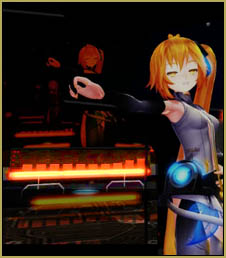



 Len is
one tough little guy!

My new Action Video was fun to make!
This all started yesterday when I wanted to throw a punch at someone! … and Kaito is always my favorite dude to smack around! … and so it was!
I started with Len. I spent quite a while working to get his starting-stance just right. I used myself as my pose model … jumping up to assume the pose and then sitting down to adjust the model. Once I had it, I copied the pose to Kaito … and had to make a few adjustments because Kaito is taller than Len.
Now I made my opening Camera moves. I wanted “ACTION” in my action video so I started-off with whirling the camera around my combatants. and then closing-in to show their trash-talking … and Kaito’s smart-mouth look. Then I backed-off the camera so we could see the fight!
I copied some lip-flapping motions from another of my animations and so had both models dishing dirt at each other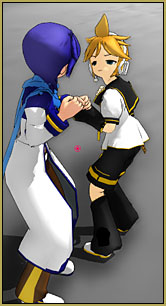 in no time! That Kaito is such a smart-mouth … Len was just fuming!
All I knew when I started to create the animation was that I wanted to throw a punch. I kind of worked both ends against the middle as I made my motions … moving Kaito a bit … and moving Len a bit … until I decided it was time to throw the punch. I placed Kaito into the “Just got hit” pose and then placed Len’s fist against his face … then backed-up a little to create Len’s full animation up to that point … and then sent Kaito spinning … and then created Len’s follow-through and spinning-around motion … all while trying to keep track of the Leg IK bones for both models. There was kind of a pause in the animation before I could get Kaito to fall down … so I animated Len’s left hand to give Kaito a push … the final coup de grâce!
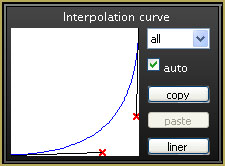 After it was mostly all together, I went back through the animation to adjust the speed of the action-motions using interpolation curves. The speed of Len’s arm uses that curve in the picture. It’s a bit excessive, really … the arm moves so quick you can hardly see it! … I also use it in Len’s triumphant arm gesture and in his left-leg-lift during that gesture … and I made a similar curve as Kaito accelerates to the floor! (Did you notice that I made Kaito bounce once? “:o)
I kept working on the camera position … gotta keep it moving in my action video … no boring long-shots! I was about three hours-in at this point. I adjusted the ground shadow color to a dark gray. I began to work on Len’s body-rotating motion and Kaito’s stance as he was about to fall down … and I wound-up totally messing-up my animation … body parts passing through other parts and those crazy feet not cooperating! … time to watch that bad “Thursday Night Football” game (Falcons creamed the Buccaneers, 56-zero when I turned it off … not even fun to watch.)
Today I spent another couple of hours fixing what I had messed-up yesterday … and I made the soundtrack. I downloaded an mp3 clip of Gustav Holst’s “Mars, bringer of war” from his The Planets suite. I edited it down to include just the short passage of music that I thought would work … and it worked FINE … except I needed to insert 2-seconds of silence in between the “Punch” and the “Face-plant” … which was no problem since I was using that Audacity audio-editing software.
I added Kaito’s hand-flexing/unflexing motion to add a little life to the action. I also added those, what 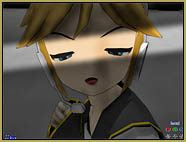 I am calling “evil eye” shadow screens … you’ll know ’em when you see ’em! That is a new MME effect I am working on … and I will soon make it available from the LearnMMD Downloads page when it’s perfected “:o). … I added SSAO_Lite for an added depth of color. That effect does make for some weird shadows around the fighters and anything with a hard-edge … but I like the look of it.
I added some “dwell time” to the finger-poke so that Len’s finger stayed in contact with Kaito’s back for a few frames … looking like a “push” rather than a “tap” … and I added dwell-time to the bottom of the fist-pump action so that it wasn’t a simple cranking-action.
Finally … I added almost 180 frames to the end of the video. I wanted us to get to “settle-down” a bit before the video was done … so I slowly pulled back the camera and let Len’s head swivel from the downed-Kaito to look at us as the animation comes to an end.
Watch my new Action Video on YouTube!
– SEE BELOW for MORE MMD TUTORIALS…
— — —
– _ — –