Skip to content
Learn MikuMikuDance – MMD Tutorials – Free 3D Animation Software

Learn MikuMikuDance – MMD Tutorials – Free 3D Animation Software

Download Free Animation Software – Let's Learn How to Do Everything!

  • Step-by-Step MMD instructions
  • DOWNLOADS
  • Troubleshoot, Fix MMD
  • Site Contents
  • Reggie Replies Q&A
  • Homework!
  • What IS MMD?
    • Download MikuMikuDance Newest Latest Version of MMD
  • “HOW TO”
    • Raycast RAY-MMD Effect Tutorials
  • BONUS PAGES
    • Why convert PMD models to PMX?
  • HALL of CHAMPIONS
  • Tutorial Categories
  • About
    • Privacy Policy
  • Toggle search form
  • Using Subset-Extract to Customize Your Models. ARIZONA
  • Take full control of MME Effects by editing .fx files Beamman's Burner effect
  • Learn How to Make Transparent Parts Work: Visit YouTube to watch this video. LearnMMD MMD 7.39
    Make Window Glass and Transparent Parts Work Correctly MMD 7.39 Accessory Manipulation/Adjust
  • Beautiful CyberMiku Black ver1.5 has wings!
    Download MMD CyberMiku Black ver1.5 with Glowing Wings and an attitude! "the making of" my video
  • Using the Beamman’s Digital Ripple Effect Digital Ripple
  • MMD Light Manipulation Panel helps set the mood Global Lighting
  • My First MMD Video – After Struggling with Blender, MMD was Easy "the making of" my video
  • Let your MMD model breathe and move while standing still! Creating Motions

MMD EVERGLOW – Adios【Motion by Ureshiiiiii】- Free Download Motion and WAV

Posted on May 19, 2022July 1, 2024 By Reggie_Dentmore No Comments on MMD EVERGLOW – Adios【Motion by Ureshiiiiii】- Free Download Motion and WAV

A Feature Article by Reggie Dentmore on LearnMMD.comWhere can I download an MMD EVERGLOW Adios motion file? How can I get the motion file and the WAV at the same time? How do I make an MMD video?

EVERGLOW – Adios motion and WAV download【Motion by Ureshiiiiii】

Ureshiiiiii creates beautiful MMD motions and makes them available for download. You can get THIS motion and WAV set from Ureshiiiiii’s original video. BE SURE TO READ THE README.txt file… Ureshiiiiii has very specific rules for the use of his files. Basically: no modifications unless necessary to avoid collisions. Read the Readme.

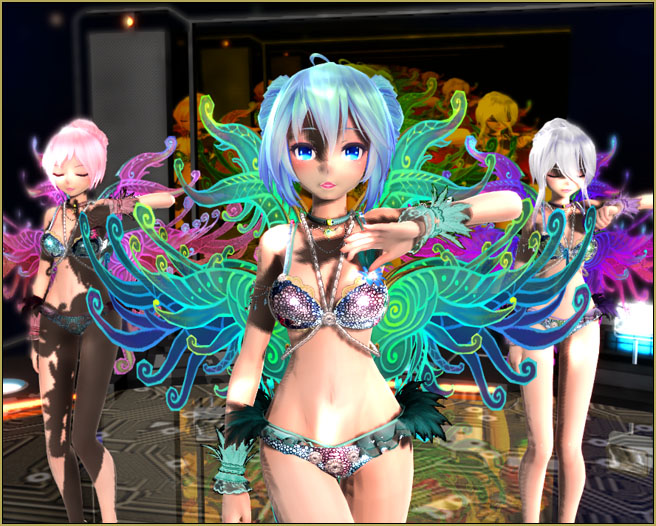
Seeing that this was a really nice dance routine for three dancers, I immediately thought of the beautiful set of Rio Carnival TDA models by shiro-nekovocaloid. Read the README.txt file when you have your download.

The models are beautiful… the motion files are beautiful… Wow! .. a great beginning for my project!
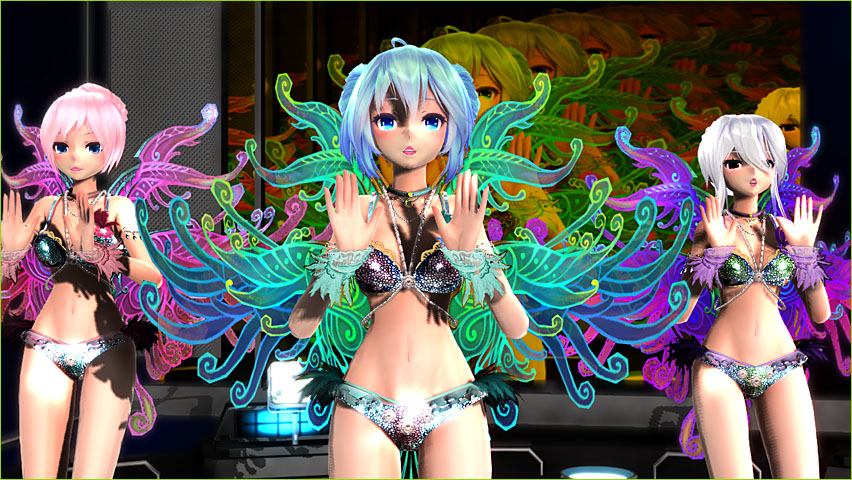
MMD EVERGLOW - Adios【Motion by Ureshiiiiii】- Free Download Motion and WAV

The making of my video…

I downloaded my files. I opened MMD… loaded my three models and their motion files… added the WAV… Pushed play… and everything worked wonderfully. Always amazing how simple it is to get started on a project when you download the ready-to-go production files!

To make it my OWN…

You know… when you are using downloaded files, as in this Everglow – Adios animation, what makes your animation different from anyone else’s, aside form your own models and your own stage, is the care and creativity that you can bring to that finished video.

I decided that I would pour-on a pile of effects and go for as much depth of color as I could squeeze into my animation.

First step, I used the beautiful LearnMMD stage created for us by Trackdancer. With it’s orange-tinted screen, those amazing autoluminous lights, the reflective floor and that beautiful sky-dome, this stage gives you an instant BURST of color!

I added SSAO-Lite to give a nice depth of color to those pale-skinned models. SSAO works wonders! … again, instantly more color…

Awhile back I had experimented with Real Figure Shader and Real Material Shader. Those effects yield almost photographic reality to your models. For each of the three models, I used Real Figure on the face and skin… and I used Real Material Shader to the jewelry and bikini parts through Subset-Extract… fantastic results!
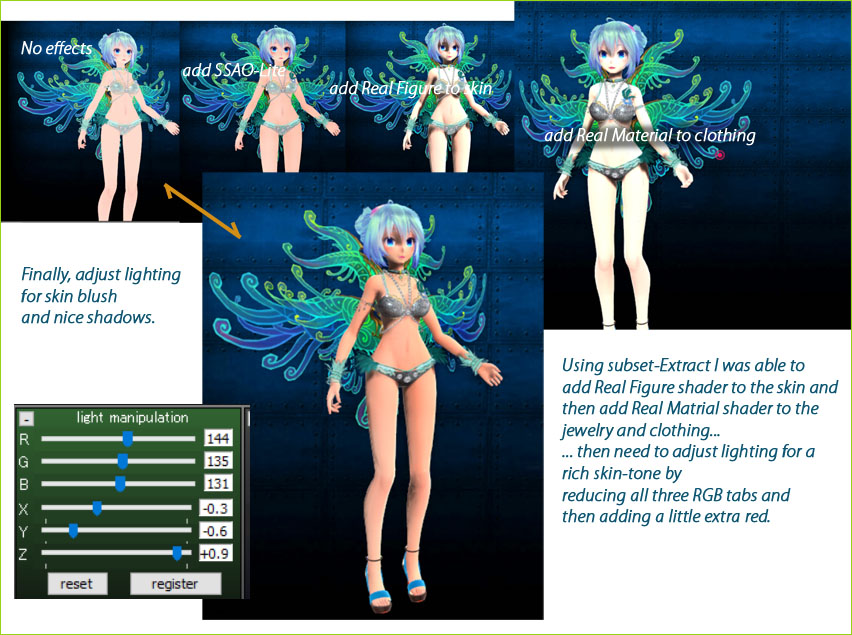
Sequence of adding SSAO-Lite... and Real Figure and Real Materials shaders... and then adjusting lighting

I wanted MORE!

My Everglow – Adios animation was looking awesome by this point but… not done yet! I decided to add True Camera which adds a depth of focus based upon whatever model’s bone you select. TrueCamera includes motion-blur, too… Si size adjusts the depth of focus and Tr adjusts the blur amount… I set them with values of 1.3 and 0.8, respectively and attached them to Miku’s “shoulder” bone (she is not fully translated!).

I decided to add the DiscoLight effect because I wanted to add some life to the stage and surroundings. The effect is subtle the way I set it up… I think I liked it.

Finally, I added my ol’ favorite BlackOut3 to get a fade-from-black at the start and ending with a fade-TO-black. The motion and WAV files are pre-set in this animation so I had only a short window for both fades… but it worked-out well.

One effect I didn’t mention was that mirrored-floor effect that’s part of Trackdancer’s LearnMMD stage.
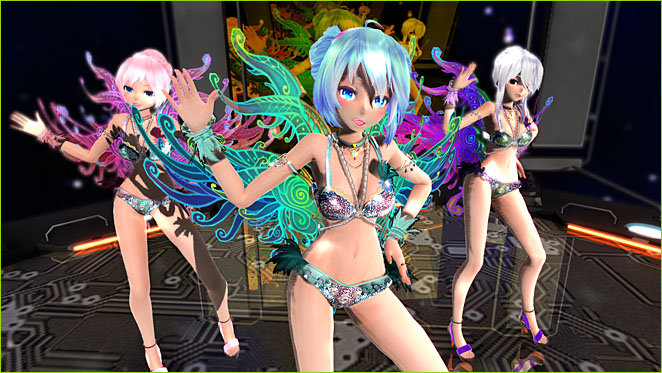
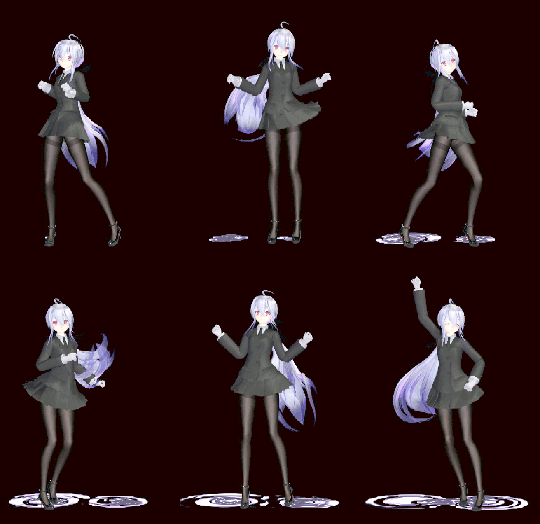
This Everglow - Adios animation has so many nice poses built into it!

It was tough goin’… !

Those Rio Carnival models are heavy-hitters… complicated and detailed… each one is a huge data-hog… and with THREE of them on stage, my computer was running slow… and then add that LearnMMD stage, and add all of those effects into place… … Wow! … I saw a frame-rate of 2 fps… and once I saw “Less than 1 FPS”. My screen was almost locked-up as I worked on this animation. LUCKILY, the motions were all complete before I started: Ureshiiiiii had said not to modify anything… but, still, as I added effects and scrolled to find a look at various places, it was “click” to advance a frame… wait… “click” to advance a frame… or else enter a number in the frame-chart and then jump to that new frame. I actually resorted to RENDER to AVI as a way to see what I was doing, how things were going.
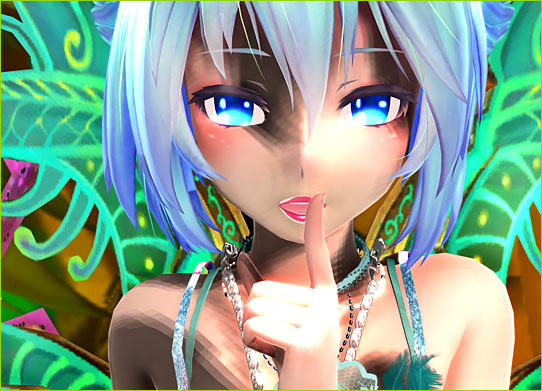
Isn't she beautiful... ? Rio Carnival TDA model edits by shiro-nekovocaloid


Have fun with MikuMikuDance…

MMD IS fun! … don’t get bogged-down in the details… try out one of these projects and don’t sweat the small stuff.

Little things DID come-up as I created my animation. Like I was unable to scroll through my animation because the frame-rate was down to 1 or 2 fps… so MMD was almost locked-up as I used it. I made videos just to see what I was doing.

I decided to use BlackOut3 for a dark intro and a dark exit… but then I added DiscoLight effect and saw that it was unaffected by BlackOut3… so I had to adjust the brightness of the DiscoLight from zero up to full value at the start of the animation and then do the opposite at the close of it… not a biggie, but just one more of “those things”.

Have fun with MikuMikuDance!

POSTSCRIPT: …

JUST FOR FUN… I tried the motion files on the Anamasa models included with the MMD download… Miku ver 2, Luka 1.1 and Rin act 2… except I DID add a motherbone to each model. These guys did surprisingly well with that motion file set! … stupid fun!

That’s the Harner Productions “MMD inside of school” stage. And the starry sky is from the Skydome Pack from mmdanimatio357 on Deviant Art.

— Reggie


– SEE BELOW for MORE MMD TUTORIALS…


— — —


– _ — –


Visit the LearnMMD.com Homepage! Plenty of Mikumikudance instruction and info!

More MMD Tutorials...

Download MMD CyberMiku Black ver1.5 with Glowing Wings and an attitude!

Download MMD CyberMiku Black ver1.5 with Glowing Wings and an attitude to match! A treasure... Yesterday I ...read more

Create your Most Attractive YouTube Thumbnail image

Is a custom YouTube thumbnail important? How do I get my MMD video to be ...read more

Download the beautiful LUKA MEGURINE HIPSTERBLACK by PS-2002

Where can I download LUKA MEGURINE HIPSTERBLACK by PS-2002? How can I get a new ...read more

Use YouTube Video Analytics Attract Maintain Viewers

How can I use YouTube Video Analytics to learn how to make popular MMD videos? ...read more

Create 450-Frame MMD animation from scratch!

How do I create a 450-Frame MMD animation from scratch? How do I start making ...read more

Rio Carnival Miku is my latest MMD Model Adoration Slideshow video

Where can I download the Rio Carnival Miku MMD model? How can I make an ...read more

"the making of" my video, MMD Tutorials, Reggie Dentmore

Post navigation

Previous Post: ureshiiiiii “HAND CLAP” Free Motion & WAV Download – Awesome!
Next Post: Reggie’s ADORATION of FIVE MMD Models -Downloads and Instructions

Related Posts

  • MMD Camerawork makes your video exciting!
    No more boring MMD Camerawork – Keep it moving! Camera Motion
  • MME DiscoLightEX v003 effect now hosted by LearnMMD.com! Disco Lighting Effect
  • How to make AutoLuminous work on a PMX Model AutoLuminous MME / PMDE
  • ShapeMosaic effect distorts naughty bits and faces.
    MME ShapeMosaic effect counters Wardrobe-malfunctions and more! MMD Tutorials
  • Learn How to Dress the LearnMMD Stage – Instructions Dummy Bones
  • Make a Music Video with MMD and Learn to Use MMD "the making of" my video

More Related Articles

Create 450-Frame MMD Animation from scratch! Zero-to-450.com: REALLY Learn MikuMikuDance! "the making of" my video
Update previous MMD to MMD 9.32 with no tears … Download MikuMikuDance
Make Smooth Motions using Multiple Keyframes Animation Shortcuts
create credible characters for your projects How to create credible characters for your projects. MMD Tutorials
Download ARROW Lip-Sync Soundtrack Zip Folder "the making of" my video
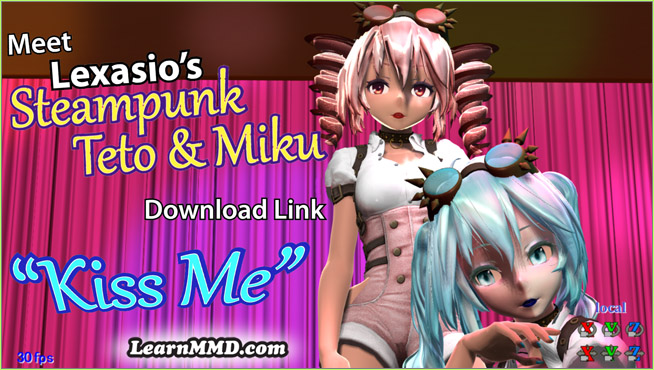
Lexasio's Steampunk Teto & Miku star in "Kiss me" MMD video! Lexasio’s Steampunk Teto & Miku star in MMD “Kiss Me” animation "the making of" my video

Leave a Reply Cancel reply

Your email address will not be published. Required fields are marked *

Download the latest version of MikuMikuDance!
See the MMD Step-by-Step instructions page!
Learn how to make your own MMD motions!
LearnMMD.com
  • Written Credits aid YouTube MMDer search results Keep the Faith-MMD Credits/Sharing
  • Announcing The 2013 Momi Cup Celebration. ARIZONA
  • LearnMMD Auditorium Stage now includes 19 Colors of Drapes! Dummy Bones
  • Formatting Captions With MMM MikuMikuMoving Bullwood
  • Gotta Sing... Gotta Dance! LearnMMD's Video Dojo Expo-3!
    Gotta SING… Gotta DANCE! LearnMMD’s Video Dojo Expo-3! CONTESTS
  • MMD rotating 3D objects 360-degrees
    MMD Rotating objects 360-degrees -Miku’s Guide to the Galaxy (Part One) Making Smooth Motions
  • 3D For Cheapskates: Making stereo MMD videos without special equipment 3D Stereo Video MMD
  • I added laughter and applause tracks using Audacity software.
    Add Life to your MMD soundtrack with Laughter and Applause! VDE-3! Making Soundtracks

Copyright © 2022 Learn MikuMikuDance – MMD Tutorials – Free 3D Animation Software and Instructions..

Powered by PressBook Premium theme

Go to mobile version