Skip to content
Learn MikuMikuDance – MMD Tutorials – Free 3D Animation Software

Learn MikuMikuDance – MMD Tutorials – Free 3D Animation Software

Download Free Animation Software – Let's Learn How to Do Everything!

  • Step-by-Step MMD instructions
  • DOWNLOADS
  • Troubleshoot, Fix MMD
  • Site Contents
  • Reggie Replies Q&A
  • Homework!
  • What IS MMD?
    • Download MikuMikuDance Newest Latest Version of MMD
  • “HOW TO”
    • Raycast RAY-MMD Effect Tutorials
  • BONUS PAGES
    • Why convert PMD models to PMX?
  • HALL of CHAMPIONS
  • Tutorial Categories
  • About
    • Privacy Policy
  • Toggle search form
  • Learnmmd.com hosts MMD Panel at San Japan 8 bit. ARIZONA
  • Here is the plan for the ball tossing motion in MikuMikuDance 7.39
    Ball Toss Motion Hits Miku: MikuMikuDance! Dummy Bones
  • My First MMD Video – After Struggling with Blender, MMD was Easy "the making of" my video
  • MMD Download Japanese Models for MikuMikuDance Downloading New Models
  • Download Table Lamp Accessory ON and OFF Downloading New Models
  • Teto replies!
    Fixing white models and accessories that don’t follow in PMXE Bandages
  • MikuMikuDance 15th Anniversary Celebration Video is on NicoNico!
    MikuMikuDance 15th Anniversary celebration video posted on NicoNico! MMD Basics
  • MMD uses your computer to the max! Intro to MikuMikuDance
The New LearnMMD Stage "in action"!

LearnMMD Auditorium Stage Announced Ready for Download

Posted on December 11, 2011July 2, 2024 By Reggie_Dentmore 4 Comments on LearnMMD Auditorium Stage Announced Ready for Download

Stage for MikuMikuDance. I need a new stage for Miku Miku Dance? Where can I download a new stage for MMD?

Download the LearnMMD Auditorium Stage for MMD

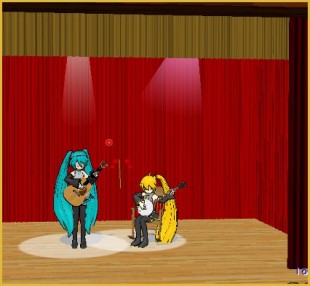
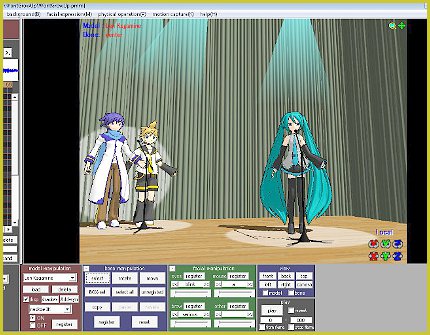
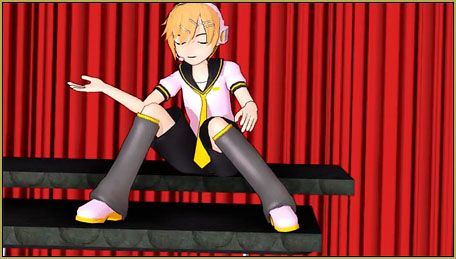
I wanted a school-auditorium-style of stage for my “Dueling Banjos” project … and I could not find one. So … I went into Google Sketchup The New LearnMMD Stage "in action"!and made one! I was trying to remember some ancient history … my elementary school days … as I designed the elements of this stage The new LearnMMD stage accessory as seen from overhead.for this MMD accessory.
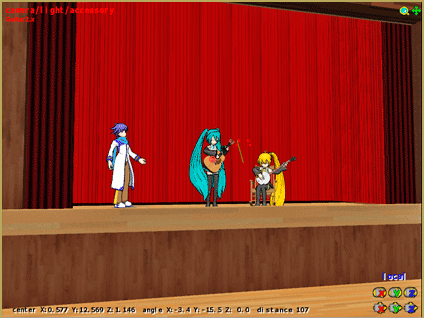
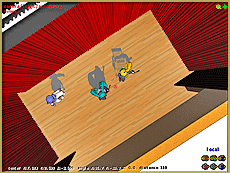
See the instructions for using the LearnMMD Auditorium Stage.

I built the model “from scratch” except for the curtains which I found in the SketchUp Warehouse … bright red! (I saved my new model to the Warehouse and gave credit, there, to the modelers who made my drapes.)

Go to the DOWNLOADS page, click the button, there, to get your own copy of the LearnMMDStage1.zip . Drop the zip folder into your Accessories folder, open it, and Extract ALL. This accessory is made up of a bunch of small files … so keep ’em all together inside the same folder.The Drapes tend to be VERY bright red ... adjust the lights to darken them.
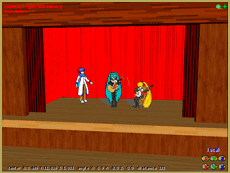
You will want to turn off the View Coordinate Grid in the View Menu. Note how bright those curtains are … BRIGHT red! You will want to adjust the lighting to bring some shadows onto the drapes. Also be sure to use the BlackSet the Background to Black so that a bright white does not show overhead. Background setting so that the overhead looks dark rather than white.
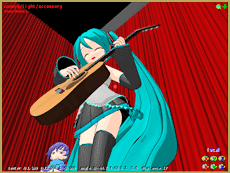
 

This model is also inside the Sketchup Warehouse. Search the Warehouse for Simple Stage or Stage MMD or Reggie Dentmore and you will find it. Go ahead and make changes to it … adjust the size, change the colors, add
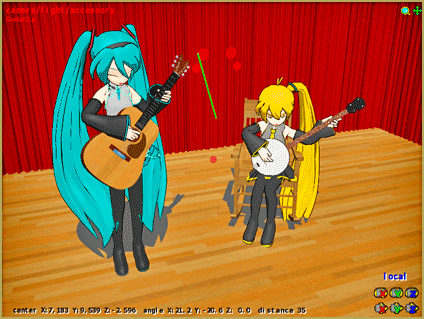
Miku and the gang get a nice stage for rehearsals!

things … give it your own name and upload your version back into the Warehouse. Save it as a DirectX model using the 3D-RAD plugin. Please CREDIT LearnMMD.com as the inspiration for your model. Thanks!

Have fun with it! … It’s SHOW TIME!


– SEE BELOW for MORE MMD TUTORIALS…


— — —


– _ — –


Visit the LearnMMD.com Homepage! Plenty of Mikumikudance instruction and info!

More MMD Tutorials...

Introducing MMD model 1052C China Qipao Miku

Where can I download MMD model 1052C dancers? I want the 1052C China Qipao Miku ...read more

MMD Boobs too Big yields Too Funny Really Bad Boy video!

Can MMD boobs too big get in the way of a downloaded motion file? What ...read more

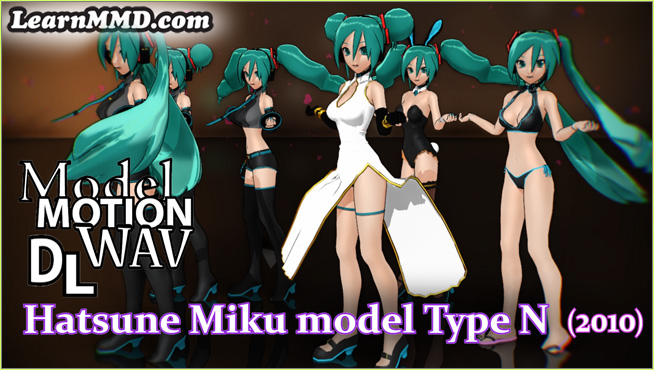
Download Hatsune Miku type N models from 2010... a set of 6!

Can I still download Hatsune Miku type N models? Where can I download a few ...read more

Download Early Miku 1052C-Re0710 MMD Models from 2010!

Download these 1052C-Re0710 MMD Models from 2010! These 1052C-Re0710 MMD models were created in 2010. I ...read more

Download MMD CyberMiku Black ver1.5 with Glowing Wings and an attitude!

Download MMD CyberMiku Black ver1.5 with Glowing Wings and an attitude to match! A treasure... Yesterday I ...read more

Download the beautiful LUKA MEGURINE HIPSTERBLACK by PS-2002

Where can I download LUKA MEGURINE HIPSTERBLACK by PS-2002? How can I get a new ...read more

Downloading New Models, Google SketchUp and MMD, Make your own Accessories, New Stage Accessory, Nuts & Bolts Tags:download, dueling banjos, make accessories, Make Accessory, mikumikudance, new accessory, stage accessory

Post navigation

Previous Post: Metronome successfully marks the beat in Dueling Banjos MMD
Next Post: House Curtains now included in the Auditorium Stage Download

Related Posts

  • Find New MMD Models – MMD Resources Hunting! Downloading New Models
  • Haku and Fireworks 02
    Add Background Pictures and AVI’s to MikuMikudance MMD Add Background Pictures and AVI
  • Smooth Walking Motion is getting easier! Make a Smooth Walking Motion
  • Bandizip® keeps Japanese file names intact when Extracting ZIP folders Bandizip
  • Learn How to Dress the LearnMMD Stage – Instructions Dummy Bones
  • Click to see FULL SIZE my original model setup for my "Dueling Banjos".
    Planning a MikuMikuDance 7.39 Dueling Banjos Animation Google SketchUp and MMD

More Related Articles

MikuMikuDance Welcomes Luka Megurine to MMD 8.10! Download MikuMikuDance
Learn How to Navigate Japanese MikuMikuDance Pages Downloading New Models
MMD Model Noodle smiles while carrying the weight of the modern world on her shoulders! Download MMD Model NOODLE by vasilnatalie Downloading New Models
Click to see Reggise Dentmore's MMD Folk Guitar images Full Size! Download Reggie Dentmore’s MMD Folk Guitar Accessory!! Google SketchUp and MMD
Download Table Lamp Accessory ON and OFF Downloading New Models
Adding & Working the Stage Lights with Dummy Bones MMD MikuMikuDance Dummy Bones

Comments (4) on “LearnMMD Auditorium Stage Announced Ready for Download”

  1. emily says:
    February 16, 2016 at 8:42 pm

    i have had the same problem i wish i could help u but i have worked out why its not working watch a youtube video about that might give u some answers

    Reply
  2. Question says:
    July 6, 2014 at 12:52 pm

    How do I open the folder in mmd. it says its not an x_file, and that I should put it in English font.

    Reply
    1. Miku says:
      May 6, 2016 at 3:16 pm

      Same for me sorry I’m probably no help

      Reply
      1. Reggie Dentmore says:
        May 8, 2016 at 8:45 pm

        I don’t see the problem. I downloaded the zip folder… unzipped it… opened MMD… loaded the stage.x file using the Load button in the Accessory Panel on the bottom right of your screen… it worked Perfecto!
        Please send me an email if you have trouble and I will help you. reggiedentmore@aol.com

        Reply

Leave a Reply Cancel reply

Your email address will not be published. Required fields are marked *

Download the latest version of MikuMikuDance!
See the MMD Step-by-Step instructions page!
Learn how to make your own MMD motions!
LearnMMD.com
  • Make Smooth Animation Using Interpolation Curves Making Smooth Motions
  • Inspired by MMD, Draw Miku blending 2D and 3D Art! MMD Fine Art
  • How to sign up and Upload to Piapro! HollyLawliet
  • Exporting VSQX to VSQ for MMD! Kazuki Matsuoka
  • Posing MMD Models Using Reference Images Animation Shortcuts
  • MMD animation from Scratch “The Wind-up and the Pitch!” "the making of" my video
  • Sketchup Orbit view on MMD: Right Click and Drag! Keyboard Shortcuts
  • The FILE Menu Options MENU Option Descriptions

Copyright © 2022 Learn MikuMikuDance – MMD Tutorials – Free 3D Animation Software and Instructions..

Powered by PressBook Premium theme

Go to mobile version