
Skip to content
Learn MikuMikuDance – MMD Tutorials – Free 3D Animation Software

Learn MikuMikuDance – MMD Tutorials – Free 3D Animation Software

Download Free Animation Software – Let's Learn How to Do Everything!

  • Step-by-Step MMD instructions
  • DOWNLOADS
  • Troubleshoot, Fix MMD
  • Site Contents
  • Reggie Replies Q&A
  • Homework!
  • What IS MMD?
    • Download MikuMikuDance Newest Latest Version of MMD
  • “HOW TO”
    • Raycast RAY-MMD Effect Tutorials
  • BONUS PAGES
    • Why convert PMD models to PMX?
  • HALL of CHAMPIONS
  • Tutorial Categories
  • About
    • Privacy Policy
  • Toggle search form
  • Load Camera Motion Data VMD files using the File Menu in MMD ARIZONA
  • Make a Music Video with MMD and Learn to Use MMD "the making of" my video
  • Introducing MikuMikuMoving … MMM! Kazuki Matsuoka
  • When you add background AVI files, you can motion trace!
    Loading Background AVI Files into MMD (2021 Edition) Add Background Pictures and AVI
  • Mahlazer’s Walking Motion vmd file download for MMD Make a Smooth Walking Motion
  • See LearnMMD’s New Crop-Transition Panel Video Google SketchUp and MMD
  • Kaito and the SpotLight Effect.
    Using the SpotLight Effect in MikuMikuEffects ARIZONA
  • MME PowerShader effect rivals Ray-MMD Raycast image enhancements MMD Tutorials

Metronome successfully marks the beat in Dueling Banjos MMD

Posted on December 9, 2011July 2, 2024 By Reggie_Dentmore No Comments on Metronome successfully marks the beat in Dueling Banjos MMD

How do I mark the tempo in Mikumikudance 7.39? Find the beat in Miku Miku Dance 7.39.  MMD metronome.

My metronome successfully tracks the beat in my “Dueling Banjos” project.

My “Dueling Banjos” MikuMikuDance 7.39 project presents an extra challenge because the tempo of the piece is constantly changing! The “scope” shows the music file but the Guitar/banjo chatter is so violent that the beat is hidden most of the time.

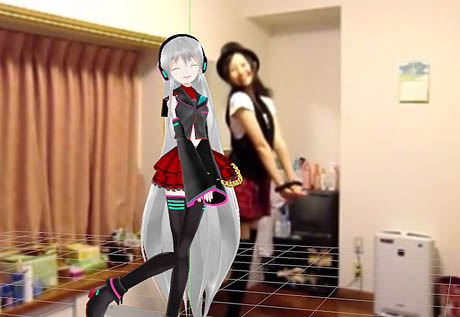
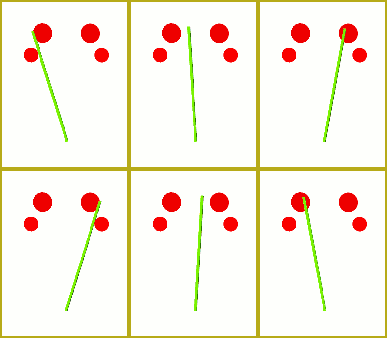
So, I filmed my ol’ grampa clapping to the beat and then animated the LearnMMD Metronome over the top of it in MikuMikuDance.

After I removed the AVI background, I was delighted to see that the new metronome stayed in time with the WAV file music! This video shows my successful result:

GET YOUR METRONOME and

See my Dueling Banjo project on LearnMMD.com … check it out!


– SEE BELOW for MORE MMD TUTORIALS…


— — —


– _ — –


Visit the LearnMMD.com Homepage! Plenty of Mikumikudance instruction and info!

More MMD Tutorials...

Loading Background AVI Files into MMD (2021 Edition)

How do I load background AVI files into MMD?  What does it mean when MMD ...read more

Running MikuMikuDance in Linux using Wine and DXVK

How do I run MMD on Linux? Does MikuMikuDance run on Linux? How do I ...read more

How to subtitle MMD videos

How do I subtitle MMD videos? How do I make subtitles for my MMD videos? ...read more

Using the right codec when Rendering to AVI in MMD

What codecs do I use for rendering a video in MMD? What codec gives me ...read more

YouTube serves video playback quality to best suit your viewing-screen

What happens to your video after you've uploaded one to YouTube? YouTube serves video playback quality ...read more

Learn MMD Basics before jumping into a big project!

Learn MMD Basics before jumping into a big project! A reader wrote a comment... I tried to make ...read more

Metronome, Nuts & Bolts

Post navigation

Previous Post: Dueling Banjos w Metronome MMD Inspiration Video on YouTube
Next Post: LearnMMD Auditorium Stage Announced Ready for Download

Related Posts

  • How do I use MikuMikuDance Make A Music Video with MMD Intro to MikuMikuDance
  • Adding & Working the Stage Lights with Dummy Bones MMD MikuMikuDance Dummy Bones
  • The MMD 7.39 FRAME MENU Options MENU Option Descriptions
  • Select the Center Bone if your MMD Model Doesn’t Feel the Floor Bones
  • Create and save a sexy, natural pose for your MikuMikuDance 7.39 models.
    Create, Save a Natural, Sexy Pose you can load in MikuMikuDance Functions-Copy-Paste-Expand
  • Keyboard Shortcuts and Easy Moves Keyboard Shortcuts

More Related Articles

How to Switch Models and Stages in MikuMikuDance Accessory Manipulation/Adjust
MikuMikuDance Home Page VPVP is worth a visit! Intro to MikuMikuDance
The MMD 7.39 VIEW MENU Options MENU Option Descriptions
The MMD Physics Engine keeps Skirts from going through legs! MMD Basics
Next Level in MMD Video Evolution Post-Production Editing Yields Next Step in MMD Video Quality Making Videos - Rendering to AVI
Why MMD cannot open the models in a saved PMM file Downloading New Models

Leave a Reply Cancel reply

Your email address will not be published. Required fields are marked *

Download the latest version of MikuMikuDance!
See the MMD Step-by-Step instructions page!
Learn how to make your own MMD motions!
LearnMMD.com
  • Learn How to Make Transparent Parts Work: Visit YouTube to watch this video. LearnMMD MMD 7.39
    Make Window Glass and Transparent Parts Work Correctly MMD 7.39 Accessory Manipulation/Adjust
  • You Are My Senpai MMD Meme Project Download MMD Memes
  • Reader asks how to create MMD artwork… stuff like posing, camerawork? MMD Basics
  • Import models from Source engine based games (HL2, Portal, TF2 etc.) Blender
  • Announcing The 2013 Momi Cup Celebration. ARIZONA
  • VDE-3 Champion: Katherine Duncan Video Dojo Champions
  • Make Smooth Motions using Multiple Keyframes Animation Shortcuts
  • DropShadow_dual Creates Two DropShadow Effects at Once! Chestnutscoop

Copyright © 2022 Learn MikuMikuDance – MMD Tutorials – Free 3D Animation Software and Instructions..

Powered by PressBook Premium theme

Go to mobile version