



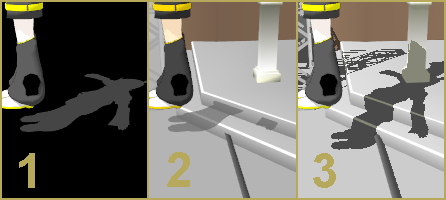

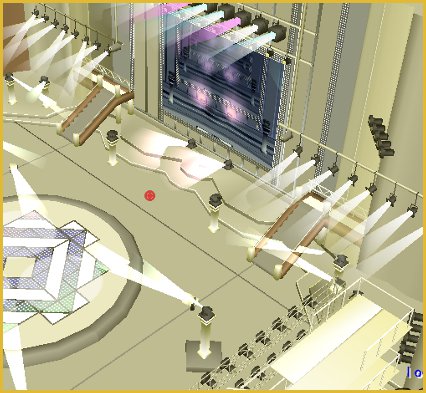
How do you use the Manga Shader Effect in MMD? LearnMMD MME Tutorials. What  is the Manga Shader Effect for MikuMikuDance? Where do you get the Manga Shader Effect?
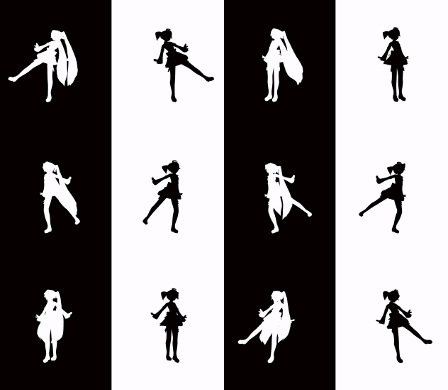
The Manga Shader Effect creates Awesome B&W Effects
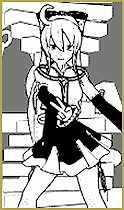
MMDer: “Hey ‘Zona what does the Manga Shader do?”
Me: “It turns everything black, white and grey so that it all looks like a manga.”
MMDer: (Hesitant pause) “Why do that? We have color.”
Me: “Maybe because it adds a slight elegance…It’s unique…It’s a cool effect. That’s why.”
MMDer: “But we have color!”
Me: (Internally screaming with disbelief) “Just try it out.”
The Manga Shader Effect is not given enough respect. It is one of those effects that you download; maybe tryout a couple of times and then forget you have it. I’d like for you to give it a chance. If you already have it then pull it out; dust it off and play with it. If you don’t have it, you can download the Manga Shader Effect here: http://harigane.at.webry.info/201010/article_1.html . It is from VocaloidAnime1924’s YouTube channel. It has links to other wicked cool effects as well.
How to load the Manga Shader Effect.
Before you load any effects make sure you have MME correctly installed in MikuMikuDance. (See Noko2’s installing MME article https://learnmmd.com/http:/learnmmd.com/download-mme-install-mikimikueffects-add-effects-mmd-7-39/ ) After you’ve loaded all your models, motion, and .wav files; click on the 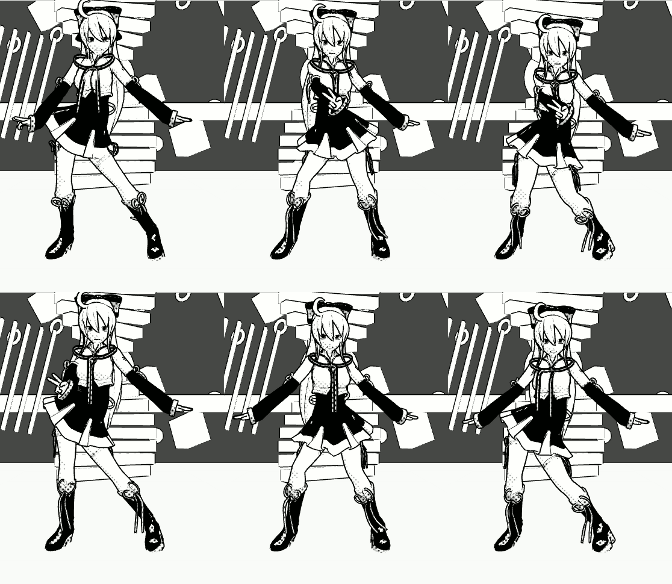 MMEffect button at the top right of your screen. Then select Effect Mapping. Another window will pop up with a listing of everything you have loaded. Now select what part, or parts, of your animation you want affected by the Manga Shader Effect. Then click the Set Effects button and go to your Effects folder and click Manga Shader Effect. Then click the OK button. This would be the time to check the model’s thickness of edge line. You will find that in the main menu under the view tab and make any adjustments.
Seeing Things in Black and White.
Off the top of my head, let me list some uses for the Manga Shader Effect. One use would be to create your own manga (See Konoko’s article about making MMD comics https://learnmmd.com/http:/learnmmd.com/making-mmd-comics-using-ms-paint/ ). Another way to use the Manga Shader is to recreate a famous scene from a black and white movie (Casablanca comes to mind). You might create a story where your main character 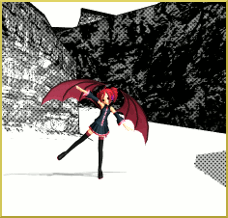 (protagonist) is in a dream world and everything is black and white except them (or vice versa).
I really like black and white mangas, movies, and photography. When you remove color then everything becomes more about texture and shading giving you a different perspective. This is exactly why so many Art and Photography classes start off with black and white assignments. Understanding this will make you a better artist and animator.
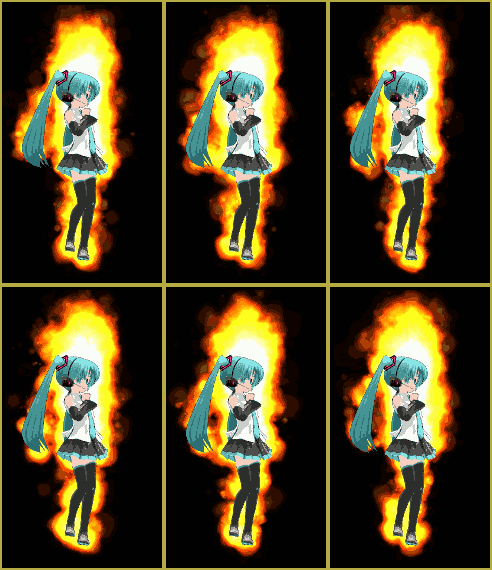
I made a Manga Shader Experiment video for our YouTube channel. Check it out at:
Have fun with this.
Sources:
Models:
Tadi Haku by Tadeshi.
Teto Kasane_Q2upgrade Chimera by MayumiChan.
Motion Data:
Lambda Driver by KDRD.
Popipopipo Motion Data by Unknown.
Stages:
Batokin Island by Batokin.
Breeze Stage by Chibideko314
Post Note:
MangaShader ver0.0.2 has some compatability problems with the newer versions of MMD. Make sure you download the latest version of MangaShader.
– SEE BELOW for MORE MMD TUTORIALS…
— — —
– _ — –




Hi, I want to download this, but when I click the video link that has the download link, YouTube says the video is unavailable. Do you have any other links?
I found the source page: http://harigane.at.webry.info/201010/article_1.html
I have made the change in that tutorial. … There are MANY effects on that page. MangaShader is not too far down from the top… I used control-f to find it.
Heya! I’m making take on me, and the hatching effect that came with the windows 100% DX didn’t really look great on the models I’m using, but when I try to load this effect I get the error
“Failed to load file effect
(directory of shader)
Error: some techniques cannot run on this hardware: EdgeTec”
What can I do to fix this? My computer is fully updated (windows 7 professional). If I can’t fix it, are there any similar effects?
Thanks so much for all the tutorials here! They’re super helpful.
Hi Emily,
I’m not sure which exact effect you’re having trouble with. If you can share it, I could take a look at it and see what’s going wrong.
That error is less likely to be due to any deficiencies in your computer than it is due to problems with the code.
Hello! I have a question, I’ve use the effect many times before But I cannot seem to be able to set it on some frames only. I am trying to make a video for Echo and want to apply it only to some scene. Can you help me?
To my knowledge, effects applied directly to a model can’t be turned on and off. What you can do is to have two instances of the same model, one with an effect and another without. Instead of turning off the effect, you switch models’ visibility.
I have a question, please reply.
Manga Shader works perfectly, but here’s the problem.
If I play, the video everything turns white.
But when just taking photos, Manga Shader does what it’s supposed to do, except when I try to play the video…
Any solutions?
We replied via email … I hope we had the answer for you!
The 0.0.6 version of MangaShader can be found here: http://harigane.at.webry.info/201010/article_1.html (with a bunch of other interesting effects, sadly, without descriptions)
Excuse me, youtube and deviantart do not work on my computer, could you send me a direct link to the download?
I sent you the link page via email … hope it works for you!
I already to make a dance to a model, when i click “Play” the movement instead of running, but starting from the first…
Thank you for that link!! Superbly done video! 8D
I agree, I’d like to see some MMD-noir type stuff.
There’s just no respect.
I’d say the same can apply to Monochrome, right?
I don’t think I’ve ever really seen anyone use it, other than in this video: http://youtu.be/bPKSgNgjrV4 which I made myself.
I kind of like the idea of using subset extract on a model to leave some parts in color while the rest is black and white (like the eyes). It has a really striking effect, which is one of the reasons why this is still one of my favorite videos I’ve made.