Skip to content
Learn MikuMikuDance – MMD Tutorials – Free 3D Animation Software

Learn MikuMikuDance – MMD Tutorials – Free 3D Animation Software

Download Free Animation Software – Let's Learn How to Do Everything!

  • Step-by-Step MMD instructions
  • DOWNLOADS
  • Troubleshoot, Fix MMD
  • Site Contents
  • Reggie Replies Q&A
  • Homework!
  • What IS MMD?
    • Download MikuMikuDance Newest Latest Version of MMD
  • “HOW TO”
    • Raycast RAY-MMD Effect Tutorials
  • BONUS PAGES
    • Why convert PMD models to PMX?
  • HALL of CHAMPIONS
  • Tutorial Categories
  • About
    • Privacy Policy
  • Toggle search form
  • MMD MME Rhinestone effect adds sparkle to your models! MMD Tutorials
  • San Japan bow
    LearnMMD Hosts a Panel at San Japan! ARIZONA
  • Beamman Effects Page MMD Newbies Guide MMD Tutorials
  • Reduce MMD video file size by using HandBrake.
    Reduce MMD Video File Size using FREE HandBrake video converter HandBrake video conversion
  • Learn to Edit MMD Effects by Editing Raycast Materials Bandages
  • The SSAO effect adds depth of color and shadows for greater realism! MME MMD 7.39
    Playing with MME – Using MORE cool MikuMikuEffects! Nuts & Bolts
  • Video Dojo Expo 2 Champion: blazeraptor Video Dojo Champions
  • Make your own MMD Accessory Objects in Google Sketchup Google SketchUp and MMD

MME effect Kamitachi – Night breeze silhouette shader of Kama

Posted on March 3, 2021March 5, 2021 By Reggie_Dentmore No Comments on MME effect Kamitachi – Night breeze silhouette shader of Kama

A Feature Article by Reggie Dentmore on LearnMMD.comHow do I make a transparent silhouette of my model? Where can I download the Kamitachi effect for MikuMikuDance? What can I do with the Kamitachi effect?
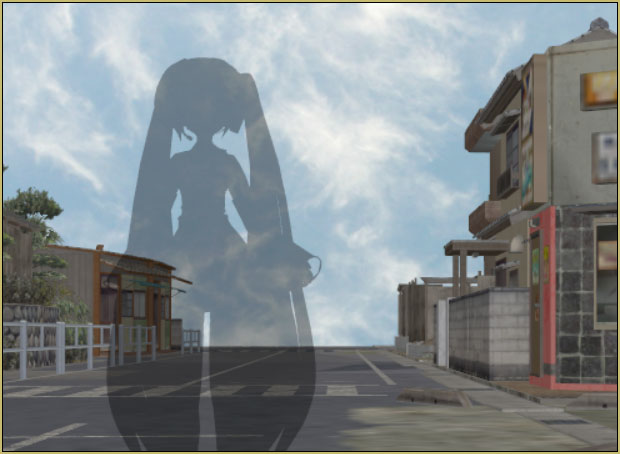
The Kamitachi effect is an MME that gives you a transparent silhouette of your selected model.

MME effect Kamitachi
… Night breeze silhouette shader of Kama

Super simple and easy to modify…

The Kamitachi effect, by Soboro, gives you a transparent silhouette of your selected model.

You can download Kamitachi from THIS page. … NOTE: There are many effects on that page… you can return there for OTHER effects when you are ready for something new to play with!

There is no .x file… only the one .fx file.

Load your model… go to Effect Mapping in the MME window, select your model from that list and Set Effect… navigate to your effect folder, choose that .fx file and… you are done!

Purple??

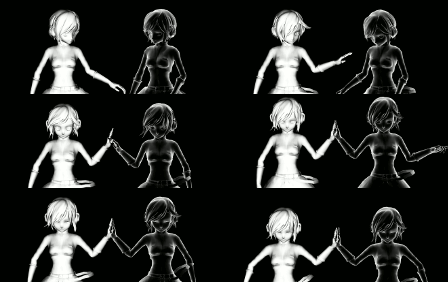
YOUR MODEL will now be a transparent purple “ghost”… The default color is purple…
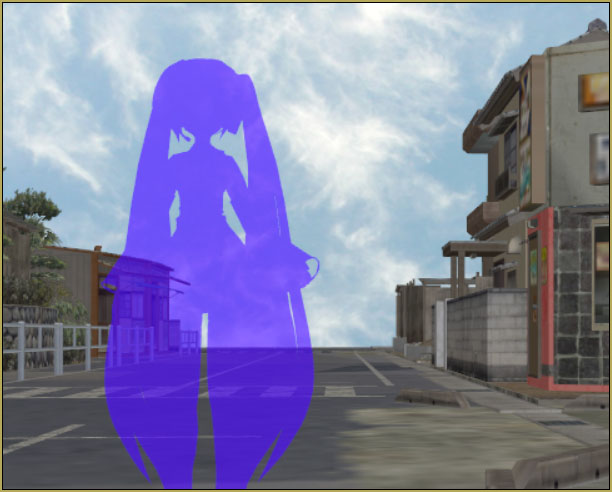
ADJUSTMENTS… COLOR and TRANSPARENCY

Here is the adjustable part of the FX file… Just open the .FX file in Notepad++ or any text editor. YOU can edit and change the Color and Transparency…
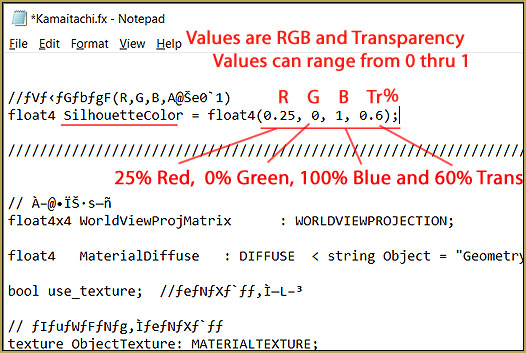
You can do it “LIVE!”

I found that you can have MMD open on your screen and then open that FX file in Notepad++… and adjust and save that FX file…. when you SAVE, MMD will now show you the new color you just made… so: no guessing… adjust colors WHILE watching the result “live” on your MMD stage.
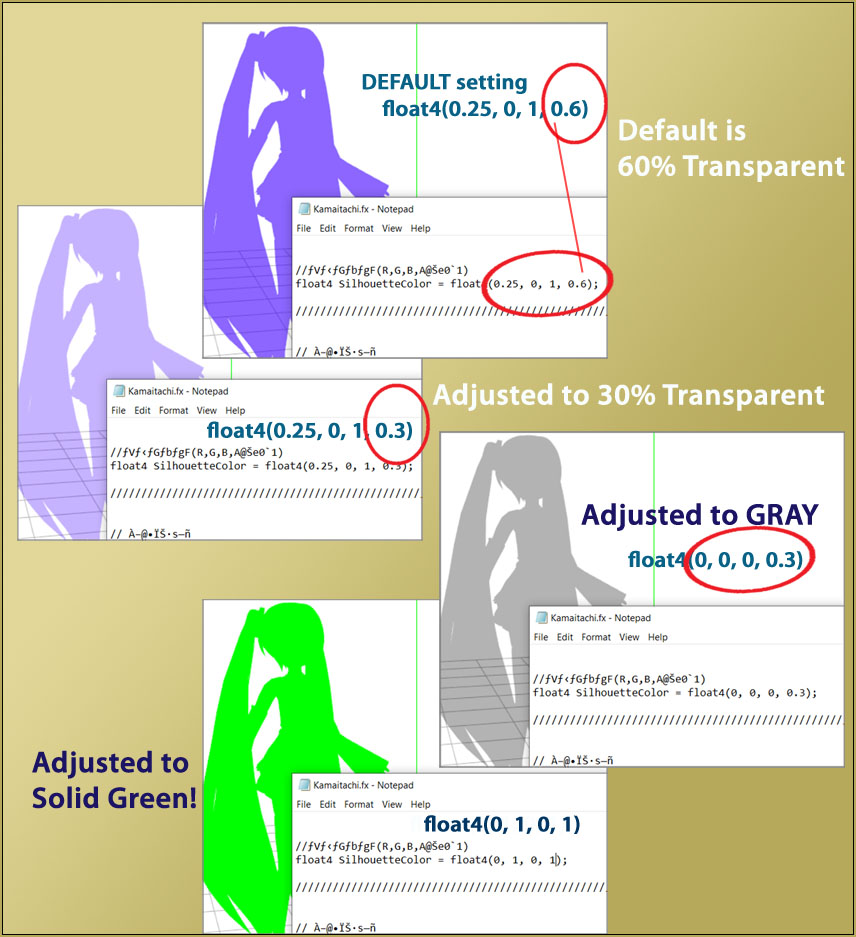
Adjust the Kamitachi effect FX file to change color and transparency.

OK… but what can I do with the Kamitachi effect?

You could make a transparent ghost… you could use it like a shadow on a window shade…you could use it to show what someone is actually thinking…
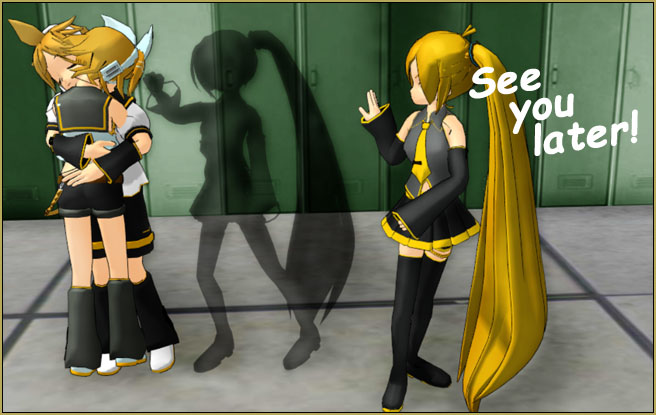
READ the README…

I translated the README file…

Night breeze silhouette shader of Kama

Production: Soboro

By applying it to any model, it becomes a semi-transparent silhouette like a certain game.
Unlike the case of simply playing with the alpha of the material
Overlapping polygons (hair, etc.) cannot be seen through.

It is necessary to put the drawing order later than other models
It is the same as a general translucent material.

Color and transparency can be adjusted by editing the effect and changing SilhouetteColor.
You can change it.

Because it uses a stencil buffer
It may interfere with effects that use other stencil buffers.

In that case, please insert the separately distributed “Stencil Clear” as appropriate.


Terms of use
You are free to use it in any way, but please do so at your own risk


So… NOW you know everything…

CREDITS:
Model: Animasa’s Miku_Hatsune_Ver2.pmd
City Stage: Kelorin town by Kelorin Jo BTA
Locker-room scene: Harner Productions “MMD inside of school” by ShikaneNara on Devialn Art

Have fun with MikuMikuDance!


– SEE BELOW for MORE MMD TUTORIALS…


— — —


– _ — –


Visit the LearnMMD.com Homepage! Plenty of Mikumikudance instruction and info!

More MMD Tutorials...

Enjoy the "camera Angles WEIRD in Anime" meme...

Enjoy the "camera Angles WEIRD in Anime" meme... This image is from The Slayers - NEXT, ...read more

Reader asks how to create MMD artwork... stuff like posing, camerawork?

A reader asks... Is there a tutorial on how to create MMD artwork, like those you ...read more

Learn MikuMikuDance in Small Steps! New LearnMMD Video Series

Learn MikuMikuDance in Small Steps. Where can I find easy-to-follow MMD instructions on YouTube? How ...read more

Apply Multiple Effects on an Entire MMD Model Using M4Layer Effect

How can I apply multiple effects to an MMD model? Can I use more than ...read more

MMD Plugin Manager... I Found a Treasure!

What sorts of MMD Plugins are there? MMD Plugin Manager? MMD Plugins. Plugin MMD. More ...read more

2025: Hatsune Miku is 18... but she is designed to be always 16 Years old, by design and in reality!

Finally, in 2023, Hatsune Miku is 16 years old! but in August of 2025, she ...read more

Kamitachi - Silhouette, MMD Tutorials, Reggie Dentmore

Post navigation

Previous Post: MME ShapeMosaic effect counters Wardrobe-malfunctions and more!
Next Post: Best Way to Run MMD on a Mac

Related Posts

  • Miku virtual idol starts our Brave New World Random Thoughts & Visions
  • L_EdgeShader_Ver 1.00
    How to Use the L EdgeShader Effect for MikuMikuDance. ARIZONA
  • 15-Second MMD animation “Smash Walkin’ “ "the making of" my video
  • Ray-MMD demonstration of MMD ships
    Ray-MMD Demonstration “Battle stations … all hands on deck!!!” Battleship Models - MMD
  • Starting-out Using MMD starts you on a learning path.
    Starting-out Using MMD Reader discovers missing elements. MMD Basics
  • Set MMD Widescreen Screen Size balance Size VS Quality MMD Basics

More Related Articles

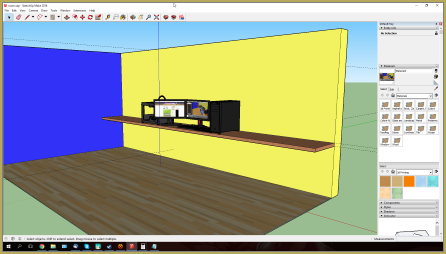
Making stages/accessories for MMD using Sketchup Google SketchUp and MMD
My VDE-3 Entry has Music, Camera, Dancers… Now for the HARD part. "the making of" my video
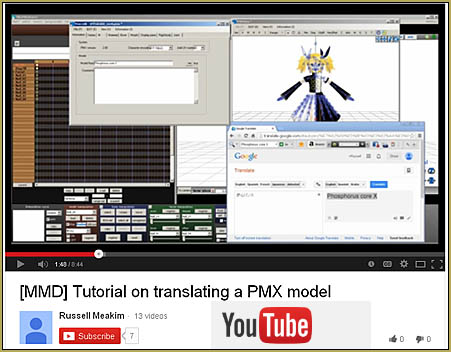
Translate PMX models to English using a PMX editor Fixing Broken Models
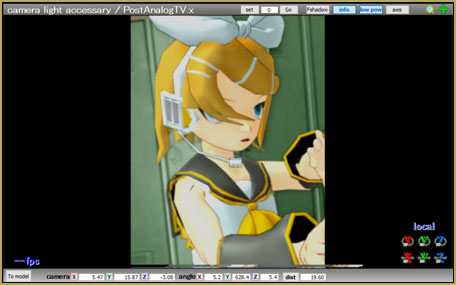
MMD PostAnalogTV effect gives easy scene transitions and more! MME Effects Tutorials
MMD vs MMM Bullwood
How to make AutoLuminous work on a PMX Model AutoLuminous MME / PMDE

Leave a Reply Cancel reply

Your email address will not be published. Required fields are marked *

Download the latest version of MikuMikuDance!
See the MMD Step-by-Step instructions page!
Learn how to make your own MMD motions!
LearnMMD.com
  • How to make 360 degree MMD videos on YouTube. 360 Video
  • "Departures" meme for MMD is a beauty! Memes are like KITS for MMD!
    Departures Meme Is a Beautiful MMD Project "the making of" my video
  • MME PowerShader effect rivals Ray-MMD Raycast image enhancements MMD Tutorials
  • Download Reggie Dentmore's "Hand Pose Collection" on LearnMMD.com
    MMD Hand Poses make Animation Easier Animation Shortcuts
  • The MME Oppai Effect adjusts the breast size of your MME models!
    MME Oppai Effect enhances MMD Model’s figure… one for the boys! MMD Tutorials
  • MMD Bone Reference Charts make MMD Model-making Easier! Mae Blythe
  • IrfanView captures single-frame images from Video AVI files! Irfanview Media Viewer
  • Making amazing complicated MMD video requires circle of learning Animation Shortcuts

Copyright © 2022 Learn MikuMikuDance – MMD Tutorials – Free 3D Animation Software and Instructions..

Powered by PressBook Premium theme

Go to mobile version