
Skip to content
Learn MikuMikuDance – MMD Tutorials – Free 3D Animation Software

Learn MikuMikuDance – MMD Tutorials – Free 3D Animation Software

Download Free Animation Software – Let's Learn How to Do Everything!

  • Step-by-Step MMD instructions
  • DOWNLOADS
  • Troubleshoot, Fix MMD
  • Site Contents
  • Reggie Replies Q&A
  • Homework!
  • What IS MMD?
    • Download MikuMikuDance Newest Latest Version of MMD
  • “HOW TO”
    • Raycast RAY-MMD Effect Tutorials
  • BONUS PAGES
    • Why convert PMD models to PMX?
  • HALL of CHAMPIONS
  • Tutorial Categories
  • About
    • Privacy Policy
  • Toggle search form
  • Hitogata Brings Face Tracking to MMD Animation Resource
  • MMD Project “I WANNA PARTY!” features great motion files by o Savvy o "the making of" my video
  • Download the latest version of MikuMikuDance - MMD 9.32
    NEW MMD 9.32 and 9.32×64… Latest version of MMD! Download MikuMikuDance
  • No Diamonds Appear in Frame Chart in MMD and How to Fix It Mae Blythe
  • Painted Table Accessory Download Available Now Downloading New Models
  • Kaito Sees Rotating Stars Thanks to the Accessory Manipulation Panel.
    More on Accessory Manipulation in MikuMikuDance Accessory Manipulation/Adjust
  • Editing MMD Model Eye Textures enhances Ray-MMD Effect Eien Kiseki-P (Reika)
  • Miku virtual idol starts our Brave New World Random Thoughts & Visions
Why does the texture move as I convert the Sketchup model into a DirectX .x model using the 3D-RAD plugin?

Add custom texture images to Google Sketchup .x model for MMD 7.39

Posted on October 21, 2012July 30, 2015 By Reggie_Dentmore No Comments on Add custom texture images to Google Sketchup .x model for MMD 7.39

How do I add a picture to the surface of the accessory I am making in Skecthup for use in MikuMikuDance 7.39? Can I add A Feature Article by Reggie Dentmore on LearnMMD.coma picture as a texture in Google Skecthup? I want to add a picture to the accessory I am making using Sketchup.

Add a picture to the homemade Accessory you are making in Google Sketchup!

I was trying to make show-card placard Why does the texture move as I convert the Sketchup model into a DirectX .x model using the 3D-RAD plugin?on an easel to stand on the corner of my stage for my new video project. I carefully created the placard image. I built my easel in Google Sketchup and applied the new texture graphic. After some trial and error to get the sign to look “just right”, I engaged the 3D-RAD plugin to create my DirectX .x model. And …
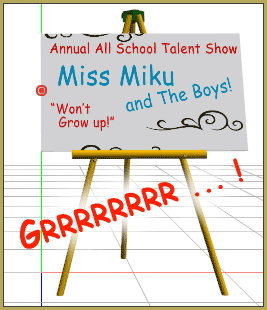
It didn’t work!

It took some more experimentation to get the texture positioned correctly on my .x Accessory.

I created a stand-alone page to show the steps and the gyrations I went through:

https://learnmmd.com/sketchup_texture_directx_model/

Give it a read … leave a comment with YOUR experiences!


A READER HAS THE SOLUTION:

Hello!

You know that article you wrote about making custom textures, putting them on an accessory, and having it turn out wrong in MMD?

I think I’ve found the solution!

Once you’ve made your image, go to File–>Import… When the Open box pops up, click your image then click the “Use as texture” option. Once you’ve manipulated the image to fit the surface of your accessory, right click on the face you put the image on, go to the “Make Unique Texture” option and click on that. Convert to a DirectX file and load your accessory like you normally would. The image should be there. (That is, if I did a good job explaining the process.)

I hope this helps. Keep up the good work!

-Jes


– SEE BELOW for MORE MMD TUTORIALS…


— — —


– _ — –


Visit the LearnMMD.com Homepage! Plenty of Mikumikudance instruction and info!

More MMD Tutorials...

Build Your Own Stage For MMD Using SketchUp

Build Your Own Stage For MMD Using SketchUp! Making stages for MMD is really easy using Trimble's ...read more

Making stages/accessories for MMD using Sketchup

How do I make models for MMD? How do I save as an .X file ...read more

Use Google Sketchup to Create .x Files for MikuMikuDance 7.39

How can I use Google Sketchup to create .x files/accessories for MMD 7.39? How can ...read more

LearnMMD's Dueling Banjos Banjo is avilable for Download!

Where can I get a banjo for MikuMikuDance? I need musical instruments for MMD. Is ...read more

See LearnMMD's New Crop-Transition Panel Video

See LearnMMD's New Crop-Transition Panel Video ... and get the panel for yourself! Used properly, LearnMMD's ...read more

Download Reggie Dentmore’s MMD Folk Guitar Accessory!!

Download Reggie Dentmore’s MikuMikuDance Folk Guitar! You can download Reggie Dentmore’s MMD Folk Guitar Accessory that ...read more

Google SketchUp and MMD, Make your own Accessories

Post navigation

Previous Post: New MMD Theater Seats Accessory Download on LearnMMD.com
Next Post: Using The Dummy Bone for MikuMikuDance

Related Posts

  • Miku about to knock her head on the Mario Bros. item box we just made! Animasa Miku ver. 2 with Batokin Island and Sky Dome. SSAO_Lite MME Effect.
    Use Google Sketchup to Create .x Files for MikuMikuDance 7.39 Google SketchUp and MMD
  • Here is the plan for the ball tossing motion in MikuMikuDance 7.39
    “Bonk goes the Miku” new video using Accessories created in SketchUp Google SketchUp and MMD
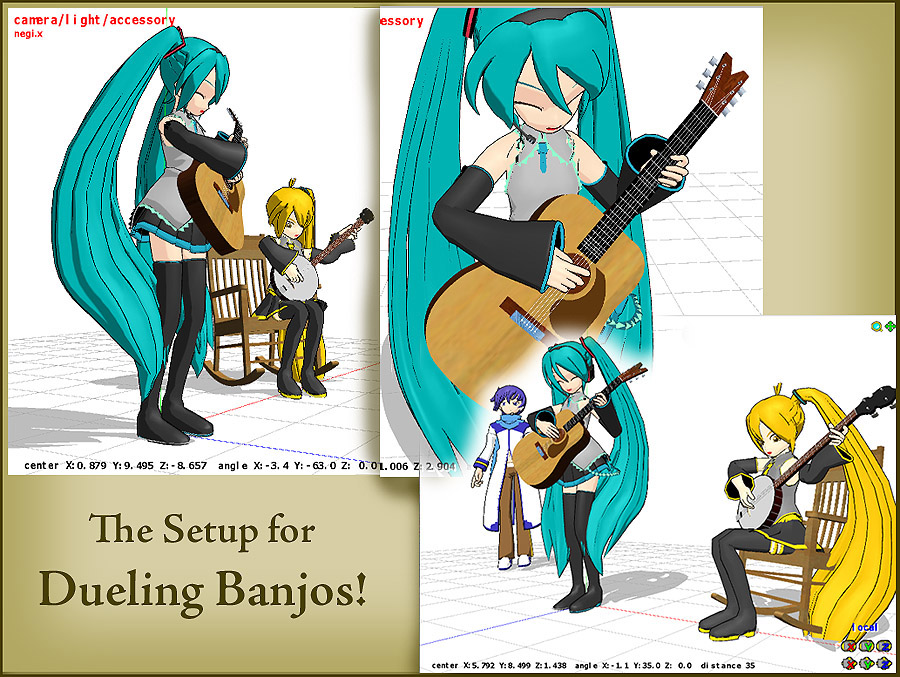
  • Click to see FULL SIZE my original model setup for my "Dueling Banjos".
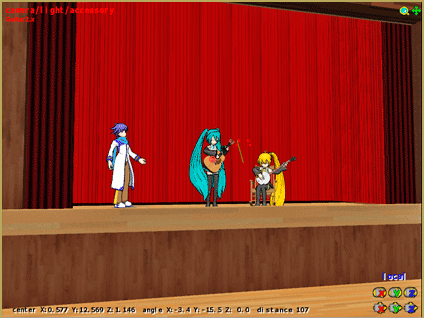
    Planning a MikuMikuDance 7.39 Dueling Banjos Animation Google SketchUp and MMD
  • See LearnMMD’s New Crop-Transition Panel Video Google SketchUp and MMD
  • Create models from OBJ files using Blender and PMDE .OBJ Object Files
  • Here is the plan for the ball tossing motion in MikuMikuDance 7.39
    Ball Toss Motion Hits Miku: MikuMikuDance! Dummy Bones

More Related Articles

Create models from OBJ files using Blender and PMDE .OBJ Object Files
The New LearnMMD Theater Seats .x accessory looks Great when you place it on your stage. MMD 7.39 accessory. New MMD Theater Seats Accessory Download on LearnMMD.com Google SketchUp and MMD
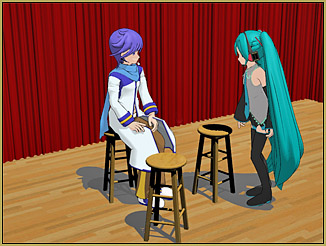
MMD Wooden Stool Accessory from LearnMMD.com Google SketchUp and MMD
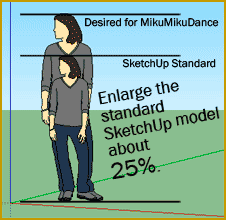
ReSize SketchUp Models for MikuMikuDance Google SketchUp and MMD
New “LearnMMD Wars” Video Posted to YouTube! Google SketchUp and MMD
Build your own stage for MMD using Blender 2.69 Blender

Leave a Reply Cancel reply

Your email address will not be published. Required fields are marked *

Download the latest version of MikuMikuDance!
See the MMD Step-by-Step instructions page!
Learn how to make your own MMD motions!
LearnMMD.com
  • modified MMD effects can yield NEW surprises!
    Modified MME Effects Files yield NEW Effects for MMD! Customize MME effects
  • Miku Love Featured image
    Making of my new Looked at Love – Both Sides Now animation "the making of" my video
  • How to tame unruly skirts: fix fluttering parts in MMD 9.xx+ Fixing Broken Models
  • How to Use The VelocityMap Effect for MikuMikuDance. ARIZONA
  • PMDE Q&A – Making clothes follow model motions Fixing Broken Models
  • Using the MME ColorShift Effect in MikuMikuDance ARIZONA
  • MME DiscoLightEX v003 effect now hosted by LearnMMD.com! Disco Lighting Effect
  • MikuMikuDance Welcomes Luka Megurine to MMD 8.10! Download MikuMikuDance

Copyright © 2022 Learn MikuMikuDance – MMD Tutorials – Free 3D Animation Software and Instructions..

Powered by PressBook Premium theme

Go to mobile version