
Skip to content
Learn MikuMikuDance – MMD Tutorials – Free 3D Animation Software

Learn MikuMikuDance – MMD Tutorials – Free 3D Animation Software

Download Free Animation Software – Let's Learn How to Do Everything!

  • Step-by-Step MMD instructions
  • DOWNLOADS
  • Troubleshoot, Fix MMD
  • Site Contents
  • Reggie Replies Q&A
  • Homework!
  • What IS MMD?
    • Download MikuMikuDance Newest Latest Version of MMD
  • “HOW TO”
    • Raycast RAY-MMD Effect Tutorials
  • BONUS PAGES
    • Why convert PMD models to PMX?
  • HALL of CHAMPIONS
  • Tutorial Categories
  • About
    • Privacy Policy
  • Toggle search form
  • Tips for how to create complicated MMD dance motions.
    Making more complicated MMD dance motions – Some new notes… Making Smooth Motions
  • Mouthing words requires sudden motions without drifting in MikuMikudance 7.39
    Short sharp sudden motions require MikuMikudance skill Making Smooth Motions
  • LAT Model Shaders Create Stunning Scenes in MMD Kazumi
  • FeaturedImage-Franken-reference
    Making Your First Model Part 1 – Franken-Reference Blender
  • Learnmmd.com hosts MMD Panel at San Japan 8 bit. ARIZONA
  • MMD Stages Source Featured
    Great MMD Stages Source: Deviant Art MMD Basics
  • Go to my DOWNLOADS PAGE to get your free Cropping/Transition Panel!
    New Cropping-Transition Panel Ready to Download! Transition Panel (it's not an effect)
  • 7 Reasons Why We Don’t Do These Things Fia Phoenix
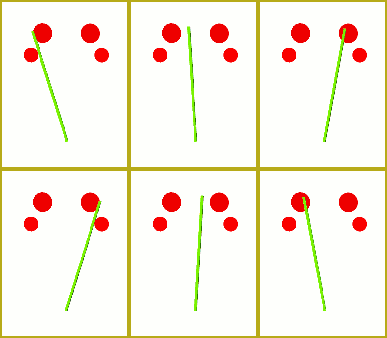
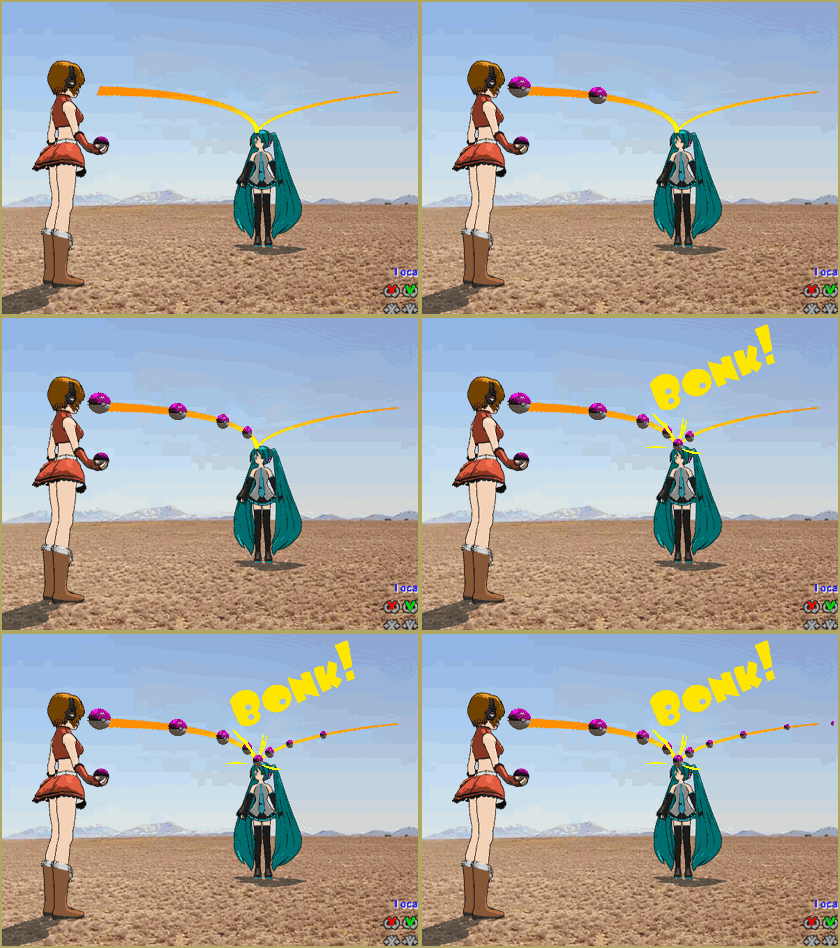
Here is the plan for the ball tossing motion in MikuMikuDance 7.39

“Bonk goes the Miku” new video using Accessories created in SketchUp

Posted on November 3, 2011March 31, 2016 By Reggie_Dentmore No Comments on “Bonk goes the Miku” new video using Accessories created in SketchUp

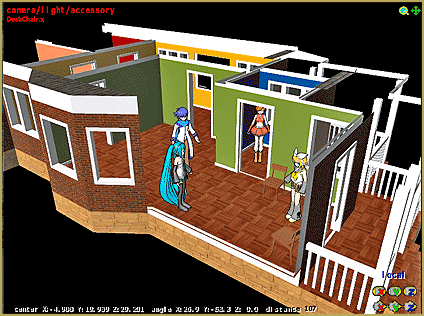
A new video is posted to YouTube … “Bonk goes the Miku” … utilizing accessories created with Google SketchUp and the 3d-RAD Plugin.

See all of the Step-by-Step Instructions for making an accessory and how to use it in your animation.


– SEE BELOW for MORE MMD TUTORIALS…


— — —


– _ — –


Visit the LearnMMD.com Homepage! Plenty of Mikumikudance instruction and info!

More MMD Tutorials...

Create/Export .x files in Blender 3 using PMXE (Blender 2.8+)

There's no .x export in Blender 2.8/2.9/3.0... you cannot directly Export .x files in Blender ...read more

Crazy Animation Creation yields fun video and good practice!

How can I get inspired to do some animation creation from scratch in MMD? Is ...read more

Study MMD Motion Files to SEE and LEARN about creating animations

How do I make smooth motions in MikuMikuDance? What can I learn if I study ...read more

Loading Background AVI Files into MMD (2021 Edition)

How do I load background AVI files into MMD?  What does it mean when MMD ...read more

Running MikuMikuDance in Linux using Wine and DXVK

How do I run MMD on Linux? Does MikuMikuDance run on Linux? How do I ...read more

Making more complicated MMD dance motions - Some new notes...

How can I make more-complicated MMD dance motions? Does it take a long time to ...read more

Google SketchUp and MMD, Make your own Accessories, Making Smooth Motions, Nuts & Bolts Tags:mikumikudance, Video

Post navigation

Previous Post: Ball Toss Motion Hits Miku: MikuMikuDance!
Next Post: Audacity® 2.0 Audio Editor easily converts mp3 to WAV files for MMD

Related Posts

  • Tips for how to create complicated MMD dance motions.
    Making more complicated MMD dance motions – Some new notes… Making Smooth Motions
  • Keep The Faith MMD
    Use proper MMD Etiquette when Downloading Models for MMD Intro to MikuMikuDance
  • Here is the plan for the ball tossing motion in MikuMikuDance 7.39
    Ball Toss Motion Hits Miku: MikuMikuDance! Dummy Bones
  • Haku and Fireworks 02
    Add Background Pictures and AVI’s to MikuMikudance MMD Add Background Pictures and AVI
  • Click to see FULL SIZE my original model setup for my "Dueling Banjos".
    Planning a MikuMikuDance 7.39 Dueling Banjos Animation Google SketchUp and MMD
  • Keyboard Shortcuts Aplenty in MikuMikuDance 7.39 by ClintImTired Accessory Manipulation/Adjust

More Related Articles

You can enlarge or reduce and Accessory by adjusting the Si value in MikuMikuDance. Use Accessory Manipulation fields to position/adjust Accessories Accessory Manipulation/Adjust
Make Smooth Animation Using Interpolation Curves Making Smooth Motions
New Interpolation Curve Video was fun to make! "the making of" my video
Using the right codec when Rendering to AVI in MMD HD Videos in MMD
Making stages/accessories for MMD using Sketchup Google SketchUp and MMD
How to subtitle MMD videos MMD Tutorials

Leave a Reply Cancel reply

Your email address will not be published. Required fields are marked *

Download the latest version of MikuMikuDance!
See the MMD Step-by-Step instructions page!
Learn how to make your own MMD motions!
LearnMMD.com
  • Download these 1052C-Re0710 MMD Models and enjoy!
    Download Early Miku 1052C-Re0710 MMD Models from 2010! Downloading New Models
  • Download Previous Versions of MikuMikuDance from LearnMMD.com! Download MikuMikuDance
  • Luka Loves the Rainbow Ring
    Use MME Rainbow Ring Effect in MikuMikuDance ARIZONA
  • Reggie Dentmore's hand motion animation.
    Introduction to MikuMikuDance Intro to MikuMikuDance
  • Featured-translate-japanese-models
    Translate Japanese Models Using PMXEditor’s Batch Name Editor Trackdancer2015
  • Use MMD Memes to get Motion and WAV Files for MikuMikuDance! Downloading New Models
  • Sketchup Orbit view on MMD: Right Click and Drag! Keyboard Shortcuts
  • RAY-MMD: Haku’s crazy light show [PART 3] MME Effects Tutorials

Copyright © 2022 Learn MikuMikuDance – MMD Tutorials – Free 3D Animation Software and Instructions..

Powered by PressBook Premium theme

Go to mobile version