Skip to content
Learn MikuMikuDance – MMD Tutorials – Free 3D Animation Software

Learn MikuMikuDance – MMD Tutorials – Free 3D Animation Software

Download Free Animation Software – Let's Learn How to Do Everything!

  • Step-by-Step MMD instructions
  • DOWNLOADS
  • Troubleshoot, Fix MMD
  • Site Contents
  • Reggie Replies Q&A
  • Homework!
  • What IS MMD?
    • Download MikuMikuDance Newest Latest Version of MMD
  • “HOW TO”
    • Raycast RAY-MMD Effect Tutorials
  • BONUS PAGES
    • Why convert PMD models to PMX?
  • HALL of CHAMPIONS
  • Tutorial Categories
  • About
    • Privacy Policy
  • Toggle search form
  • Create Bouncing Ball using MMD Physics Engine Making Models
  • Yukari's Gap Portal Style.
    The In’s and Out’s of Yukari’s Gap for MikuMikuDance. ARIZONA
  • Painted Table Accessory Download Available Now Downloading New Models
  • The MME files just need to be in the same folder as your MikuMikuDance.exe file. Download MMEffects v028 from LearnMMD.com and enjoy!
    Download MMEffects v037 on LearnMMD’s Downloads Page! MME Download MME MikuMikuEffects
  • Good MMD videos require Inspiration, Vision, Planning: The Lament of Okada’s Ghost MMD Basics
  • Quick-Start Basics of MMD to get you started! GloriaTheAnimator
  • Using the right codec when Rendering to AVI in MMD HD Videos in MMD
  • Boom! Beamman's Bomb Effect is easy and fun! MME MMD 7.39 on LearnMMD.com.
    How to use Beamman’s Bomb Effect in MMD 7.39 MME Beamman's Bomb Effect
MMD Model Adoration Slideshow features your model!

MMD Model Adoration Slideshow video, a new type of MMD video!

Posted on November 25, 2022November 25, 2022 By Reggie_Dentmore No Comments on MMD Model Adoration Slideshow video, a new type of MMD video!

Does an MMD Model Adoration Slideshow show-off my MMD model? How can I show off my MMD model? How can I share my beautiful MMD model with the world?
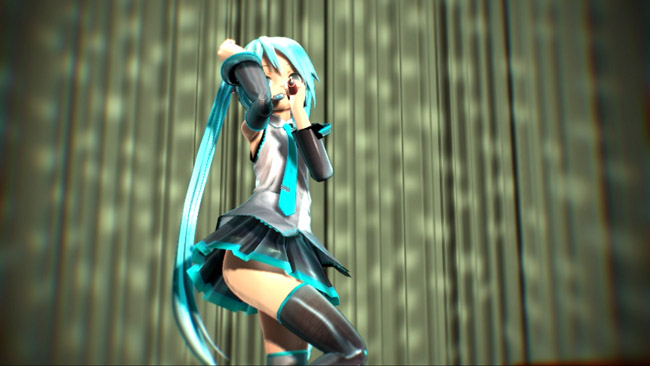
An MMD Model Adoration Slideshow really shows-off yor MMD model!

The MMD Model Adoration Slideshow video,
a new type of MMD video!

Don’t you get tired of watching your model hop around in an MMD animation video? I know that I do.

–

Often, when I  make an MMD video, it’s because I want to share my beautiful model with you.

An MMD Model Adoration Slideshow video lets you do just that!

I have created two of these videos, so far…

An MMD Model Adoration Slideshow video…

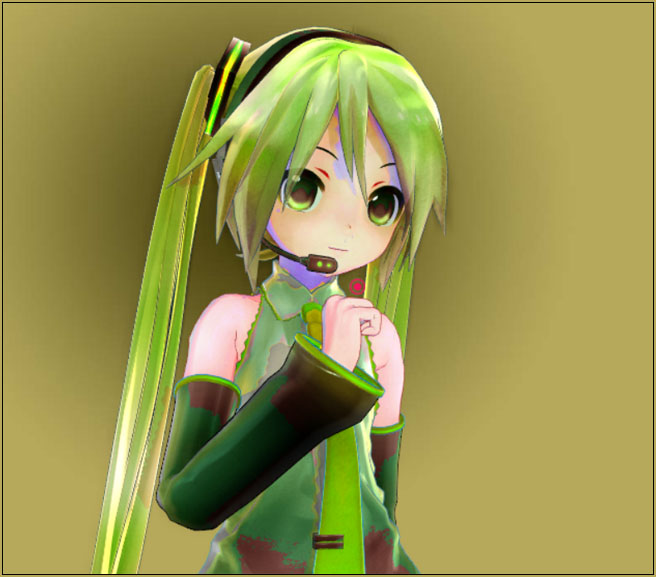
… lets you show beautiful images of your model.

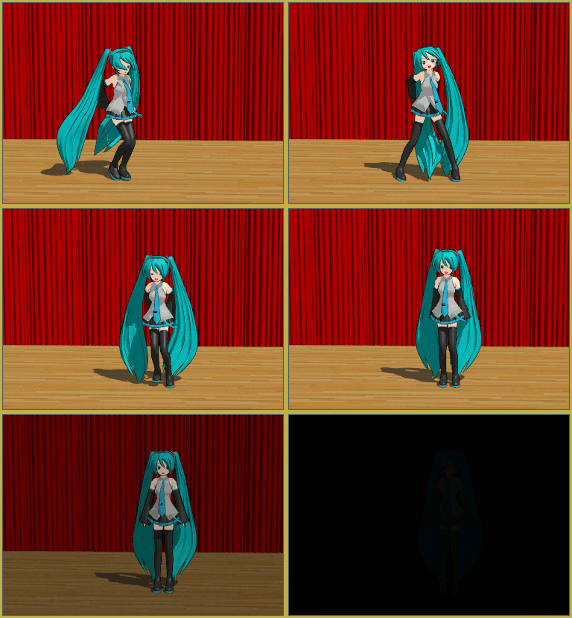
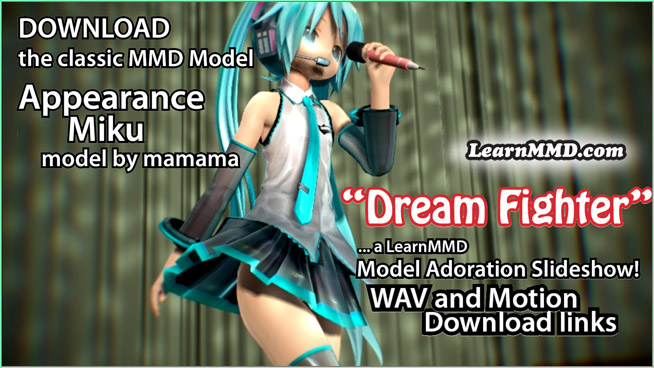
My method is to select an MMD dance routine that goes with a particular WAV file. I used the Dream Fighter animation and WAV to show you my Appearance Miku model. It’s kind of a “two-for” in which I let you hear the music as well as see some of the beautiful model pose scenes included in the MMD motion file that goes with that WAV.

I have also used the CLAP HANDS animation and WAV to show off my TDA Short Kimono model.

The process:

Create the MMD video as you usually would. Set a large frame size so that it will play with the best resolution. Knowing what I was going to do with my video, I kept the stage to a minimum. I did not want anything to distract from my beautiful model. In both of my videos, I did not use a stage. I put a drapery in as if there was a stage. I set a dark background image or, even just a black background. I loaded the model and added her motion data. If there was a Camera motion file, I used it and then edited it as needed to show off the model. If there was no Camera motion file, I carefully spent the time needed to create a nice camera motion that would show off my model’s attributes. … remember that your MMD camera can be very powerful; it can go where the actual camera cannot.

RENDER to AVI using your favorite method.

On your computer monitor, play your new video full screen. As you watch, pause the video or simply PRINT SCREEN on the fly as your video plays. Then use your art program: Photoshop, GIMP, or another, and save each of those screen captures as a JPG image.

You could watch MMD on your screen but then, as you make a screen-capture, you may not get the same “action” scene that you will see in your video. In mine, for instance, I used the CheapLens effect to add soft focus and motion blur. If I had made my screen captures from the MMD GUI, I would have lost that motion blur.
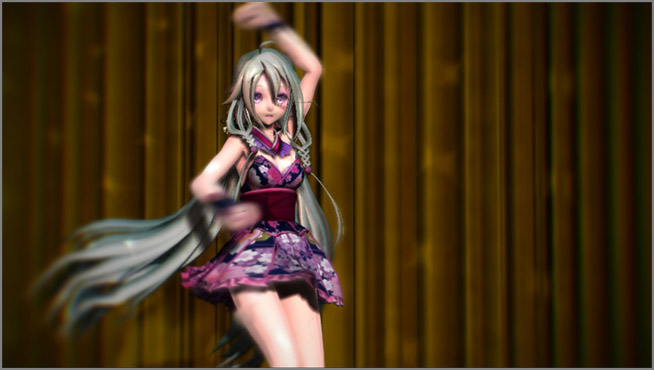
Create your MMD Model Adoration slideshow video from screen captures of your video!

I use the Windows Movie-Maker software to assemble the images and add the sound WAV.

It’s easy to use the Windows Movie-Maker software to create a video slideshow.

Again, in my videos, I used the proper motion files with the associated WAV for that motion. Fun! I assemble the slideshow and then add the soundtrack WAV.
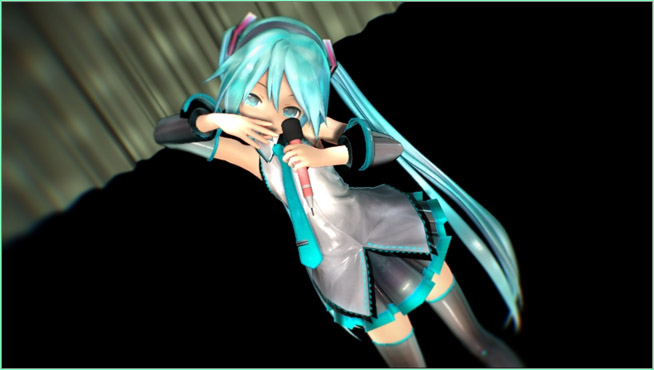
Create your MMD Model Adoration slideshow video from screen captures of your video!

Have fun making your MMD Model Adoration slideshow!


– SEE BELOW for MORE MMD TUTORIALS…


— — —


– _ — –


Visit the LearnMMD.com Homepage! Plenty of Mikumikudance instruction and info!

More MMD Tutorials...

Introducing MMD model 1052C China Qipao Miku

Where can I download MMD model 1052C dancers? I want the 1052C China Qipao Miku ...read more

Download Jomomonogm's Snow Miku 2019 for MMD, a most unusual model!

Where can I download Jomomonogm's Snow Miku 2019? What is so unusual about this Snow ...read more

MMD animation made-from-scratch Forgotten Vocaloid Mew Rags on Reggie's MMD Videos

How do I make my own MMD animation from scratch? How do I start my ...read more

Rediscover your old MMD Animations: Love them again!

Rediscover your old MMD Animations: Love them again! https://youtu.be/P4b3todZMUI A labor of love... Remember how it was when ...read more

MMD Boobs too Big yields Too Funny Really Bad Boy video!

Can MMD boobs too big get in the way of a downloaded motion file? What ...read more

Download Hatsune Miku type N models from 2010... a set of 6!

Can I still download Hatsune Miku type N models? Where can I download a few ...read more

"the making of" my video, MMD Slideshow Video, Reggie Dentmore Tags:MMD Model Adoration slideshow

Post navigation

Previous Post: Lexasio’s Steampunk Teto & Miku star in MMD “Kiss Me” animation
Next Post: Rio Carnival Miku is my latest MMD Model Adoration Slideshow video

Related Posts

  • NCH VideoPad Video Editor
    VideoPad Video Editor Free Download from NCH Software "the making of" my video
  • MMD Banjo_RD by Reggie Dentmore for MikuMikuDance 7.39
    LearnMMD’s Dueling Banjos Banjo is avilable for Download! Google SketchUp and MMD
  • Translate Japanese Model Names into English File Management / Organization
  • Mahlazer’s Walking Motion vmd file download for MMD Make a Smooth Walking Motion
  • My new MMD Action Video was fun to make! "the making of" my video
  • Using Raycast MMD like a pro! "the making of" my video

More Related Articles

create easy dance motions in MikuMikuDance... beginner tutorial Create MMD Dance Motion from Scratch – a beginners guide Creating Motions
Download the beautiful LUKA MEGURINE HIPSTERBLACK by PS-2002 Download the beautiful LUKA MEGURINE HIPSTERBLACK by PS-2002 "the making of" my video
The Making of “We Are Broken” Full Length Animation "the making of" my video
The Making of: Sleepover Gone Wrong (REMAKE) "the making of" my video
Lexasio's Steampunk Teto & Miku star in "Kiss me" MMD video! Lexasio’s Steampunk Teto & Miku star in MMD “Kiss Me” animation "the making of" my video
o_ShaderCustomSet_v0_3 effect applies gentle color modification MMD Tutorials

Leave a Reply Cancel reply

Your email address will not be published. Required fields are marked *

Download the latest version of MikuMikuDance!
See the MMD Step-by-Step instructions page!
Learn how to make your own MMD motions!
LearnMMD.com
  • Workin’ on my VDE-4 Animation: The Easy Part is Complete! "the making of" my video
  • Blackout Effect offers Fade-to-Black and fade-to-white!
    MME Blackout Effect offers Fade-to-Black and Fade-to-White Blackout Effect
  • Fix Model Ambient Light Problems Using PMDE/PMXE GloriaTheAnimator
  • Dummy Bones allow you to customize your accessory manipulations!
    Using The Dummy Bone for MikuMikuDance Accessory Manipulation/Adjust
  • Gotta Sing... Gotta Dance! LearnMMD's Video Dojo Expo-3!
    Gotta SING… Gotta DANCE! LearnMMD’s Video Dojo Expo-3! CONTESTS
  • Click to see the new Getting Started with MMD Video on YouTube!
    Getting Started with MMD Video on YouTube! MMD Basics
  • Use Center Position Bias to duplicate a motion Functions-Copy-Paste-Expand
  • Download Reggie Dentmore's "Hand Pose Collection" on LearnMMD.com
    MMD Hand Poses make Animation Easier Animation Shortcuts

Copyright © 2022 Learn MikuMikuDance – MMD Tutorials – Free 3D Animation Software and Instructions..

Powered by PressBook Premium theme

Go to mobile version