Skip to content
Learn MikuMikuDance – MMD Tutorials – Free 3D Animation Software

Learn MikuMikuDance – MMD Tutorials – Free 3D Animation Software

Download Free Animation Software – Let's Learn How to Do Everything!

  • Step-by-Step MMD instructions
  • DOWNLOADS
  • Troubleshoot, Fix MMD
  • Site Contents
  • Reggie Replies Q&A
  • Homework!
  • What IS MMD?
    • Download MikuMikuDance Newest Latest Version of MMD
  • “HOW TO”
    • Raycast RAY-MMD Effect Tutorials
  • BONUS PAGES
    • Why convert PMD models to PMX?
  • HALL of CHAMPIONS
  • Tutorial Categories
  • About
    • Privacy Policy
  • Toggle search form
  • Make WAV files for MikuMikuDance Using Your Music Files Music and WAV Files
  • 3D For Cheapskates: Making stereo MMD videos without special equipment 3D Stereo Video MMD
  • Culling unseen MMD model parts optimises computer assets (PART 2) Chestnutscoop
  • Select Japanese Shift JIS from the Convert dropdown in Notepad++.
    Read Japanese READ ME Text Files with Notepad++, Google Translate Navigating Japanese Pages
  • Ray-MMD shading Mech-Girls!
    Ray-MMD Shading Mech Girls brings those beauties to life! MMD Tutorials
  • LearnMMD.com: The MMD Instructions you have been looking for! MMD Basics
  • Easily Transfer an Accessory to a Dummy Bone from Model’s Hand in MMD Accessory Manipulation/Adjust
  • MikuMikuDance Keyboard Shortcuts MMD Beginners Guide Intro to MikuMikuDance
MMD The Zombie Song meme

I’d never eat your brain – The Zombie Song download links

Posted on October 5, 2017November 1, 2022 By Reggie_Dentmore 2 Comments on I’d never eat your brain – The Zombie Song download links

A Feature Article by Reggie Dentmore on LearnMMD.comToday I went looking through YouTube for a new MMD project to share on LearnMMD… and I found:

“The Zombie Song”

Fun… Cute?… with plenty of room for creative use of effects!

There are MANY MMD videos of “The Zombie Song” already posted to YouTube… I used this search-phrase…
MMD “The Zombie Song” (dl, link, download)
… and found quite a few providing download links. I enjoyed THIS ONE by ChromaticKitten…
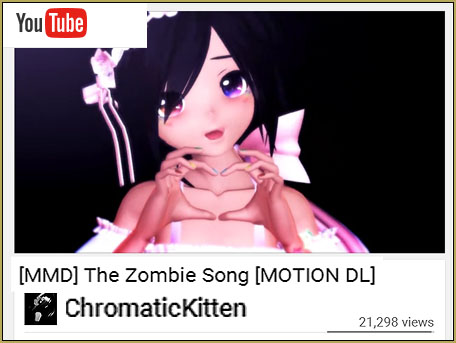
See the ChromaticKitten version of "The Zombie Song" on YouTube for the Download Links.

I downloaded the motion and WAV file from CromaticKitten’s link. If you search YouTube, you will see versions that are about a minute long, like this one… and other videos that are over two-minutes long. Those longer ones contain the second verse of the song.

I unzipped the RAR using BandiZip and read the READ ME file. ChromaticKitten gives us permission to modify the motion as needed to suit our models and asks that we give her the credit for the motion… “done” and “done”.

I noticed in that download folder that there are TWO motion files… on specifically for TDA models… so that gave me the hint to USE a TDA model… and I chose my Tda Akita Neru one-piece v4.00C.pmx. This animation should be kind of spooky… and Neru in that black dress did it for me. I see that many MMDers have used Yandere models with zombie attributes… that’d be awesome!
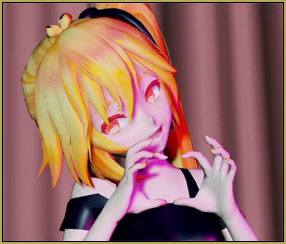
Depending on your model, you may want to modify The Zombie Song's motion so that your model's hands make a heart shape.The motions are sweet and they fit my Neru, just fine… except that when it came time for her to form her two hands into the “heart” shape, the finger tips did not come together. I went into the motions and adjusted the wrists, left and right, to bring the fingers into that heart shape… STILL not as nice as in ChromaticKitten’s animation… but pretty nice.


In the ReadMe, ChromaticKitten warns us that her camera motion file was made to work with shorter models, like the one she used… and we may need to modify the motion to suit our model… and so it was. I made several fine adjustments to suit my Neru model.

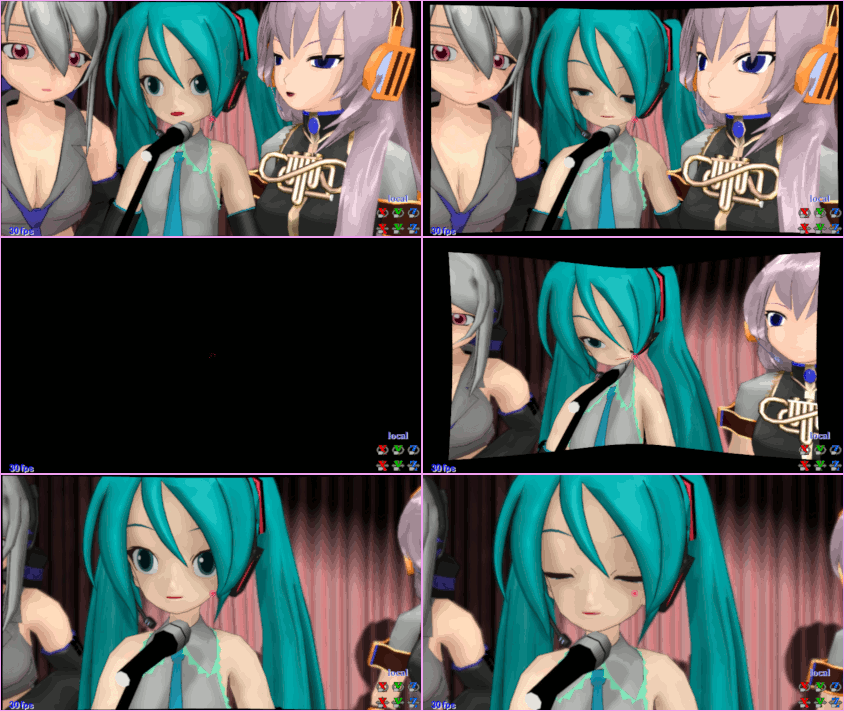
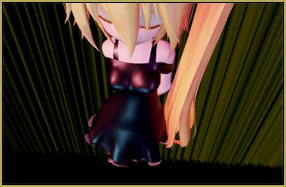
The second camera move I changed completely; from a pan up the side I modified the original camera motion included in The Zombie Song in order to hide a shortcoming of my model!of Neru’s hip into an Overhead shot with a distorted camera view… done so as to hide the fact that my Neru model has some kind of a collision conflict causing a portion of her skirt to be constantly in a rattling motion. I couldn’t fix the motion, so I changed the camera’s view.
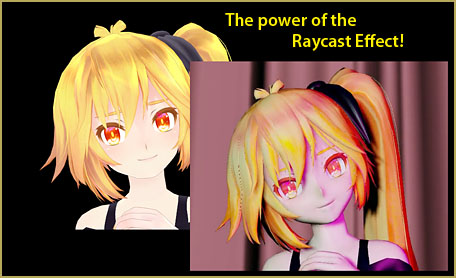
I chose to add RAYCAST because of the look of skin and flesh… and I like the way Neru’s dress and hair-ribbon became “gloss black leather” under that effect. Raycast let me light my The MME Raycast effect turns cartoons into skin and flesh! model with colored light, different left and right… and lit from slightly below so that colored shadows fall upon Neru’s form.
I also added one of my favorite effects, SvDOF for control of the focus… especially during the final few seconds when I fade to soft-focus, blurry black.

I have a little over two hours into my version of this animation… and… as you know… could spend hours, more, tweaking every little thing.

I hope YOU will give it a try… have some fun… experiment with stages and effects.

If I were a zombie, I’d never eat your brain. I just want your heart; yeah I want your heart, just want your heart.


– SEE BELOW for MORE MMD TUTORIALS…


— — —


– _ — –


Visit the LearnMMD.com Homepage! Plenty of Mikumikudance instruction and info!

More MMD Tutorials...

Enjoy the "camera Angles WEIRD in Anime" meme...

Enjoy the "camera Angles WEIRD in Anime" meme... This image is from The Slayers - NEXT, ...read more

Reader asks how to create MMD artwork... stuff like posing, camerawork?

A reader asks... Is there a tutorial on how to create MMD artwork, like those you ...read more

Learn MikuMikuDance in Small Steps! New LearnMMD Video Series

Learn MikuMikuDance in Small Steps. Where can I find easy-to-follow MMD instructions on YouTube? How ...read more

Apply Multiple Effects on an Entire MMD Model Using M4Layer Effect

How can I apply multiple effects to an MMD model? Can I use more than ...read more

MMD Plugin Manager... I Found a Treasure!

What sorts of MMD Plugins are there? MMD Plugin Manager? MMD Plugins. Plugin MMD. More ...read more

2025: Hatsune Miku is 18... but she is designed to be always 16 Years old, by design and in reality!

Finally, in 2023, Hatsune Miku is 16 years old! but in August of 2025, she ...read more

"the making of" my video, MMD Memes, MMD Tutorials, Reggie Dentmore

Post navigation

Previous Post: Using Texture Transparency hides MMD model problem areas
Next Post: Photos make realistic eye textures for your MMD models

Related Posts

  • About changing models skirts using PMD Editor PMXE KillerBeer
  • Search LearnMMD.com
    SEARCH LearnMMD.com… it’s Easy! MMD Tutorials
  • LearnMMD Stage Lit with AutoLuminous Lights MMD Tutorials
  • Understanding PMXE Materials: Ambient, Diffuse, Specular, Reflect and More! Bandages
  • Rediscover your old MMD animations... Love them again!
    Rediscover your old MMD Animations: Love them again! "the making of" my video
  • Download VMDSpectrum Analyzer to create VMD files MMD Tutorials

More Related Articles

Understanding MME Render Targets for Miku Miku Dance Effects Adult Shader effect
Keep the Center-Bone when adding Mother-Bone to an older model MMD Tutorials
Adjust downloaded motions to fit your MMD models Animation Shortcuts
Beamman’s MME DropShadow effect for MikuMikuDance Beamman's DropShadow effect
Beamman’s MME SelfFreeze Effect for MikuMikuDance 7.39 MME Effects Tutorials
MMD has an EXPAND function that lets you adjust a motion's speed. EXPAND function modifies MMD motion tempo EXPAND a motion

Comments (2) on “I’d never eat your brain – The Zombie Song download links”

  1. ROSES says:
    November 14, 2018 at 4:21 pm

    Question, how do I actually start an MMD model? None of the mechanics I used on my old computer work with my new one.

    Reply
    1. Reggie_Dentmore says:
      November 14, 2018 at 6:24 pm

      Do you mean “how to MAKE a model”?
      https://learnmmd.com/StartHere/Steps5.html
      … or do you mean “How do I run a model in MikiMikuDance?”
      https://learnmmd.com/StartHere

      Reply

Leave a Reply Cancel reply

Your email address will not be published. Required fields are marked *

Download the latest version of MikuMikuDance!
See the MMD Step-by-Step instructions page!
Learn how to make your own MMD motions!
LearnMMD.com
  • Attach an item or accessory to a Bone in PMDEditor - Weighting for a weighted model in MMD.
    Attach an item or accessory to a Bone in PMDEditor – Weighting in MMD Accessory Manipulation/Adjust
  • Download the latest version of MikuMikuDance - MMD 9.32
    Download the latest version of MikuMikuDance! Download MikuMikuDance
  • New “LearnMMD Wars” Video Posted to YouTube! Google SketchUp and MMD
  • Smooth camera moves and soft focus make for smooth scene transitions in MMD 7.39 . LearnMMD.com
    Smooth Scene Transitions featured in new MMD Departures video "the making of" my video
  • LearnMMD.com: The Instruction Sheet you've been searching for!
    Use Google SketchUp to make DirectX Accessories in MMD Dummy Bones
  • The VDE-5 Champions are chosen!
    The CHAMPIONS of Video Dojo Expo FIVE Video Dojo Competition
  • VDE-4 Champion: Beemz Video Dojo Champions
  • Reggie Dentmore's hand motion animation.
    Introduction to MikuMikuDance Intro to MikuMikuDance

Copyright © 2022 Learn MikuMikuDance – MMD Tutorials – Free 3D Animation Software and Instructions..

Powered by PressBook Premium theme

Go to mobile version