


Skip to content
Learn MikuMikuDance – MMD Tutorials – Free 3D Animation Software

Learn MikuMikuDance – MMD Tutorials – Free 3D Animation Software

Download Free Animation Software – Let's Learn How to Do Everything!

  • Step-by-Step MMD instructions
  • DOWNLOADS
  • Troubleshoot, Fix MMD
  • Site Contents
  • Reggie Replies Q&A
  • Homework!
  • What IS MMD?
    • Download MikuMikuDance Newest Latest Version of MMD
  • “HOW TO”
    • Raycast RAY-MMD Effect Tutorials
  • BONUS PAGES
    • Why convert PMD models to PMX?
  • HALL of CHAMPIONS
  • Tutorial Categories
  • About
    • Privacy Policy
  • Toggle search form
  • MMD Augmented Reality AR on Android Devices Random Thoughts & Visions
  • A Discussion of unloved Vocaloids Downloading New Models
  • MMD 8.06 Low Power button allows you to Multi-task MMD Basics
  • Reggie's Adoration of FIVE MMD Models
    Reggie’s ADORATION of FIVE MMD Models -Downloads and Instructions "the making of" my video
  • Download Table Lamp Accessory ON and OFF Downloading New Models
  • The MMD Circles Halloween animation is fun to make! Free Download
    MMD Circles haunts Halloween Visions download links "the making of" my video
  • Use MMD Memes to get Motion and WAV Files for MikuMikuDance! Downloading New Models
  • dull-VS-alive-animation-environment
    MMD animation environment… MORE than just a model on a stage! "the making of" my video
Background AVI Files require a Baseleine AVI setting.

MMD Background AVI Files converted using CloudConvert

Posted on January 17, 2022December 2, 2022 By Reggie_Dentmore 12 Comments on MMD Background AVI Files converted using CloudConvert

A Feature Article by Reggie Dentmore on LearnMMD.comHow can I convert my video into an MMD background AVI file? MMD will not open my AVI file as a background video. Why won’t MMD let me load my AVI file as a background video?

Making any video file into MMD background AVI files is easy using CloudConvert.com

See an easy way to convert your video into one that MMD can use as background AVI video.


See how to create MMD Background AVI using Movie Maker and AviUtl.

FFMPEG is the most powerful video converter available... Check out NordGeit's tutorial on LearnMMD.com

–

EDITOR’S NOTE 9/1/2022: THIS CloudConvert METHOD no longer wotrks for me. … maybe the following tutorial will work for you, but I am no longer sure…

One of the most asked questions that have come-in over the years is…
“How do I make an AVI video that MMD can use as a background video?”

The short answer is that MMD is an older program and so requires an older AVI file format for use as a background AVI. CloudConvert.com allows you to convert almost any video format into that “baseline” AVI format that MMD requires.

It’s easy and fast!

Visit CloudConvert.com.
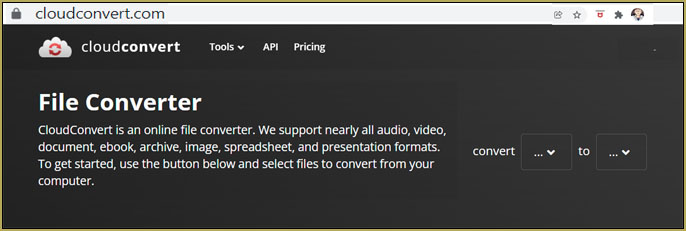
Making background AVI files is easy when you use CloudConvert.com


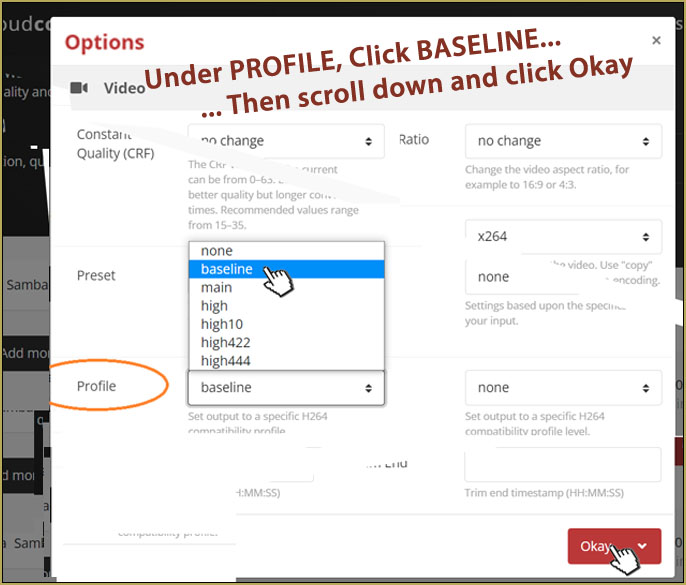
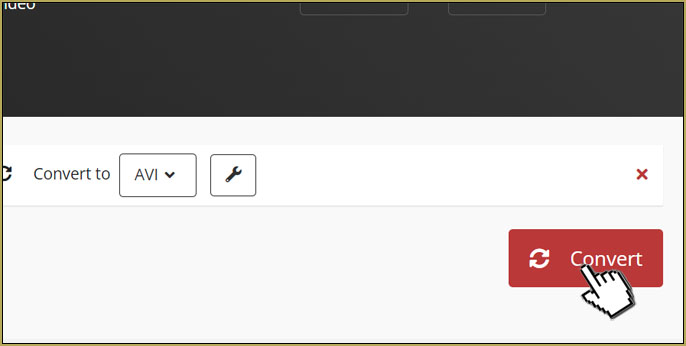
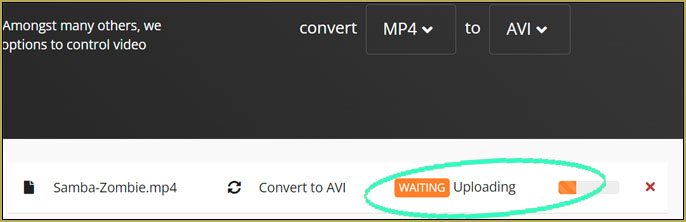
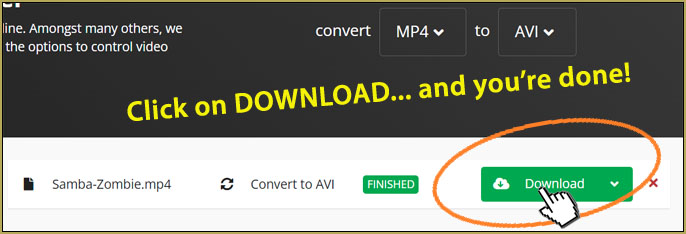
Everything, here, is so intuitive that I will simply show you what to do using pictures…
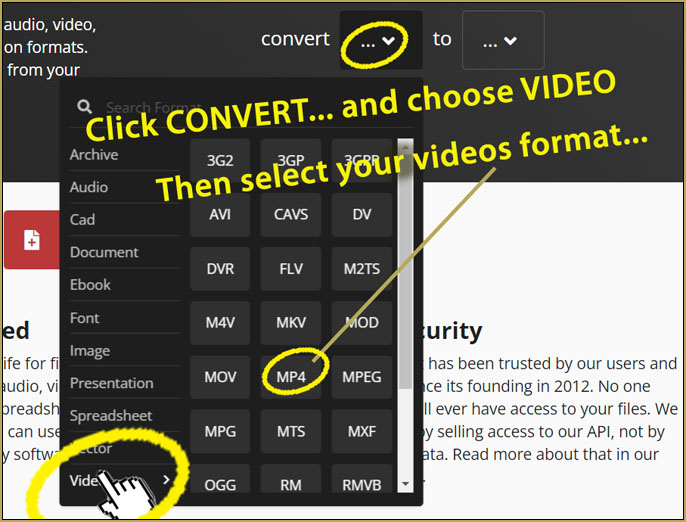
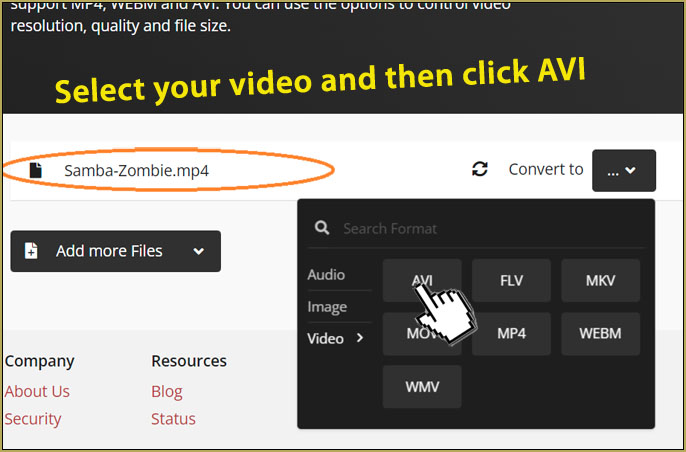
Simply choose your original video's file format...

Select the video that you wish to use for your background AVI files.


Really?… That easy?

Yes. … There is no charge and the conversion is ready in a minute… depending upon your file sizes.

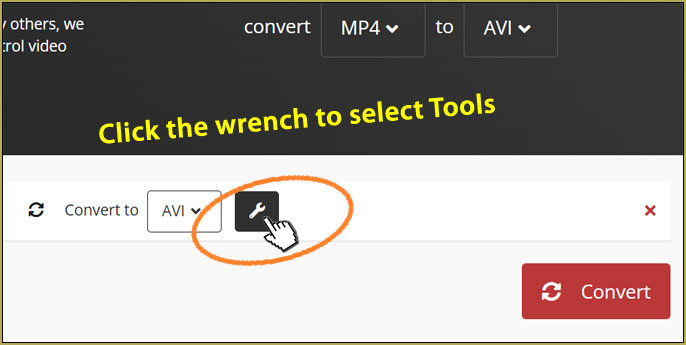
The most important step is to choose the tools icon and set your out-put video’s PROFILE to “Baseline”. That ensures that your output video will fit MMD’s requirements.

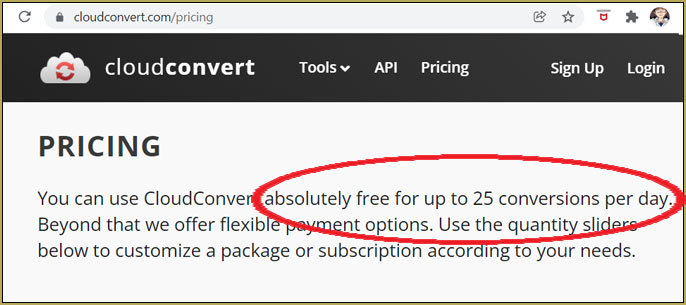
CloudConvert is FREE for small-time users like us…
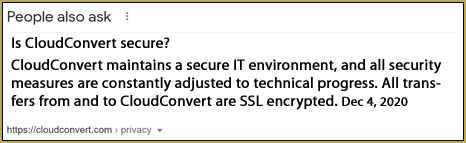
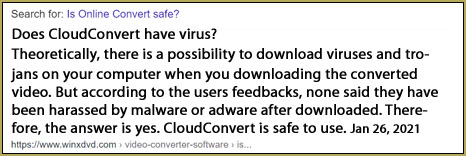
Is CloudConvert.com safe?

I did a bit of Googling to see if there were security complaints and as of this writing, I saw no complaints.
Create your MMD Background AVI Files using CloudConvert… easy and safe.

Have fun with MikuMikuDance!


– SEE BELOW for MORE MMD TUTORIALS…


— — —


– _ — –


Visit the LearnMMD.com Homepage! Plenty of Mikumikudance instruction and info!

More MMD Tutorials...

Reader asks how to create MMD artwork... stuff like posing, camerawork?

A reader asks... Is there a tutorial on how to create MMD artwork, like those you ...read more

Introducing MMD model 1052C China Qipao Miku

Where can I download MMD model 1052C dancers? I want the 1052C China Qipao Miku ...read more

Download Jomomonogm's Snow Miku 2019 for MMD, a most unusual model!

Where can I download Jomomonogm's Snow Miku 2019? What is so unusual about this Snow ...read more

MMD animation made-from-scratch Forgotten Vocaloid Mew Rags on Reggie's MMD Videos

How do I make my own MMD animation from scratch? How do I start my ...read more

Rediscover your old MMD Animations: Love them again!

Rediscover your old MMD Animations: Love them again! https://youtu.be/P4b3todZMUI A labor of love... Remember how it was when ...read more

MMD Boobs too Big yields Too Funny Really Bad Boy video!

Can MMD boobs too big get in the way of a downloaded motion file? What ...read more

Background AVI, MMD Basics, Reggie Dentmore

Post navigation

Previous Post: Create/Export .x files in Blender 3 using PMXE (Blender 2.8+)
Next Post: askY Dramatic Anime Style Sky Domes for MMD created by Meme

Related Posts

  • Darkening the stage lighting makes the floorlight look very bright! MMD 7.39, LearnMMD.com
    MMD Camera Motions: The Camera’s Gotta Keep Moving! Camera Motion
  • MMD Camerawork sets the mood, enhances the animation, and showcases your models!
    MMD Camerawork sets mood enhances animation showcases models "the making of" my video
  • Switch Models without Physics Glitches Accessory Manipulation/Adjust
  • How To Recolor MikuMikuDance Models Without PMDE! Keep the Faith-MMD Credits/Sharing
  • MMD Project Source YouTube’s Baster037 provides links! Animation Resource
  • Downloading MMD 9.32 is Quick and Easy! Download MikuMikuDance 9.32 Download MikuMikuDance

More Related Articles

Miku Love Featured image Making of my new Looked at Love – Both Sides Now animation "the making of" my video
Use Accessory Manipulation Panel Settings to Position Props Accessory Manipulation/Adjust
Multiply of Facial Expression command in MMD Animation Shortcuts
Sweet MMD Meme “Hello_How Are You” MMD Memes
Download MMDxShow.dll Fix the Cannot Read MMDxShow.dll Error MMDxShow.dll Error
REM Hatsune Miku 10th model links on LearnMMD.com Reintroducing cute REM Hatsune Miku 10th in Hello, how are you? "the making of" my video

Comments (12) on “MMD Background AVI Files converted using CloudConvert”

  1. good day 4 play kod promocyjny bez depozytu 2026 says:
    October 28, 2026 at 6:02 am

    I feel your pain. MMD is particular about the AVI file type it can use. Basically, it needs to be converted using RAW)

    Reply
    1. Reggie_Dentmore says:
      October 28, 2026 at 11:45 am

      Thank you for your observation!

      — Reggie

      Reply
  2. crochetpatternmaker says:
    September 18, 2026 at 11:59 am

    Setting the output profile to “Baseline” is the key detail here—MMD being an older program explains why so many standard AVI files refuse to load as background videos. Did the 2022 editor’s note about the method no longer working ever get a confirmed replacement?

    Reply
    1. Reggie_Dentmore says:
      September 20, 2026 at 12:04 am

      Thanks, you are correct.

      — Reggie

      Reply
  3. webp to jpg converter online says:
    July 8, 2026 at 3:13 am

    Nice post! For those dealing with image format conversions, webp to jpg converter online supports adjustable output quality too.

    Reply
  4. straystaynotfound says:
    November 28, 2022 at 1:07 pm

    OMG I can’t thank you enough!! I was finally able to import the video successfully! TT I really appreciate your help! <3

    Reply
  5. straystaynotfound says:
    November 25, 2022 at 5:43 pm

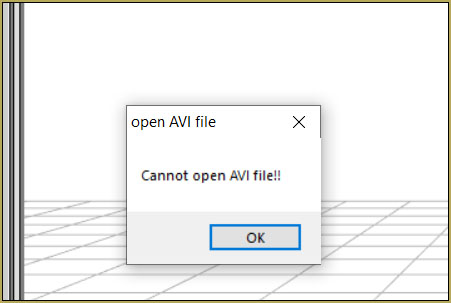
    why can’t I open the avi file in mmd??? I’ve tried this billions of times with different files and apps to convert it from mp4 to avi to no avail. each time i attempt to upload it to mmd the message “cannot open AVI file” keeps popping up. what am I supposed to do??

    Reply
    1. Reggie_Dentmore says:
      November 25, 2022 at 9:18 pm

      I feel your pain. MMD is particular about the AVI file type it can use. Basically, it needs to be converted using RAW. I did find an eay way to make that conversion… I want to know if it works for you… please let me know.
      — Reggie

      Reply
      1. straystaynotfound says:
        November 28, 2022 at 2:25 pm

        Thanks a bunch!!! It actually worked and i could successfully import my video! I really appreciate your help! <3

        Reply
    2. Reggie_Dentmore says:
      November 28, 2022 at 9:04 pm

      Check out this new tutorial… you can make your own conversions using FFMPEG. Scroll down a bit to find the link to the Quick Start Guide.

      Reply
  6. NordGeit says:
    February 20, 2022 at 11:14 am

    I have attempted this thrice with different files.
    Both attempts has failed.
    …
    We’ve really got to truly figure this issue out.

    Reply
    1. Reggie_Dentmore says:
      February 20, 2022 at 12:15 pm

      I felt that this process was all too easy… What are you experiencing?

      Reply

Leave a Reply Cancel reply

Your email address will not be published. Required fields are marked *

Download the latest version of MikuMikuDance!
See the MMD Step-by-Step instructions page!
Learn how to make your own MMD motions!
LearnMMD.com
  • MMD "Kiss Me" free download motion and WAV files.
    Ten year old MMD “Kiss Me” animation LOOKS like NEW! "the making of" my video
  • Darkening the stage lighting makes the floorlight look very bright! MMD 7.39, LearnMMD.com
    MMD Camera Motions: The Camera’s Gotta Keep Moving! Camera Motion
  • Hitogata Brings Face Tracking to MMD Animation Resource
  • Multiply of Facial Expression command in MMD Animation Shortcuts
  • Gotta Sing... Gotta Dance! LearnMMD&apos;s Video Dojo Expo-3!
    Gotta SING… Gotta DANCE! LearnMMD’s Video Dojo Expo-3! CONTESTS
  • Download MMDxShow.dll Fix the Cannot Read MMDxShow.dll Error MMDxShow.dll Error
  • Luka with Body Pane with Vignette
    Hair Falling through the Body in MMD Models and How to Fix It Fixing Broken Models
  • MMD model 1052C China Qipao Miku download
    Introducing MMD model 1052C China Qipao Miku "the making of" my video

Copyright © 2022 Learn MikuMikuDance – MMD Tutorials – Free 3D Animation Software and Instructions..

Powered by PressBook Premium theme

Go to mobile version