
Skip to content
Learn MikuMikuDance – MMD Tutorials – Free 3D Animation Software

Learn MikuMikuDance – MMD Tutorials – Free 3D Animation Software

Download Free Animation Software – Let's Learn How to Do Everything!

  • Step-by-Step MMD instructions
  • DOWNLOADS
  • Troubleshoot, Fix MMD
  • Site Contents
  • Reggie Replies Q&A
  • Homework!
  • What IS MMD?
    • Download MikuMikuDance Newest Latest Version of MMD
  • “HOW TO”
    • Raycast RAY-MMD Effect Tutorials
  • BONUS PAGES
    • Why convert PMD models to PMX?
  • HALL of CHAMPIONS
  • Tutorial Categories
  • About
    • Privacy Policy
  • Toggle search form
  • Luka with Body Pane with Vignette
    Hair Falling through the Body in MMD Models and How to Fix It Fixing Broken Models
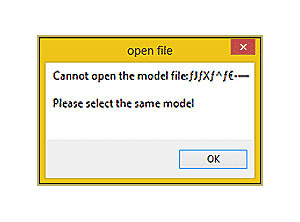
  • Why MMD cannot open the models in a saved PMM file Downloading New Models
  • MME FishEye Lens effect also gives nice scene transitions!
    MMD MME Fisheye Lens effect offers Scene Transitions & Cropping Fisheye Lens effect
  • Fix MMD Missing Model Options using PMDE Fixing Broken Models
  • 966_DigitalRipple Effect splashes lots of color into your MMD video! 966_DigitalRipple
  • Show the Love: Melanie’s “Ring Around the Moon” CONTESTS
  • MikuMikuDance Home Page VPVP is worth a visit! Intro to MikuMikuDance
  • MMD Animation without Animating the model.
    Create MMD Animations WITHOUT Animating a Model Animation Shortcuts

Sketchup Orbit view on MMD: Right Click and Drag!

Posted on September 18, 2011August 1, 2015 By Reggie_Dentmore No Comments on Sketchup Orbit view on MMD: Right Click and Drag!

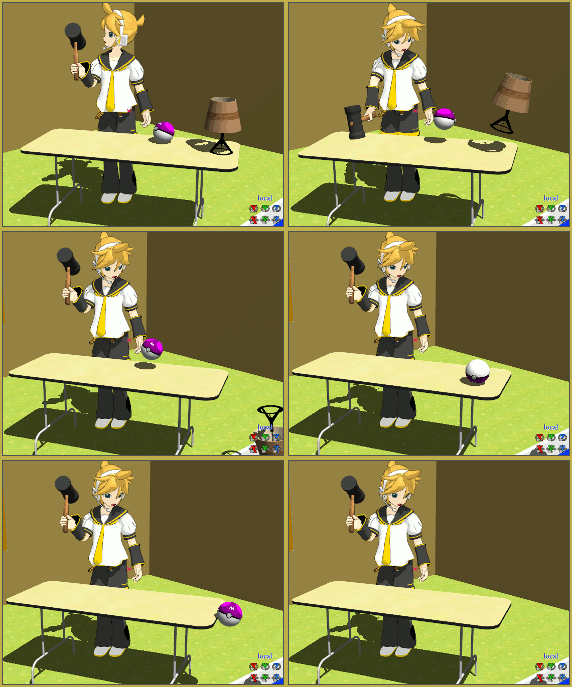
Does MikuMikuDance have an Orbit view like Sketchup? How do I change the view of my model in MMD? I need to use Orbit view controls in Miku Miku Dance. How can I see all sides of my model while I move the bones?Visit LearnMMD's Video Channel on YouTube: Videos by Reggie Dentmore.

Sketchup Orbit view on MMD: Right Click and Drag!

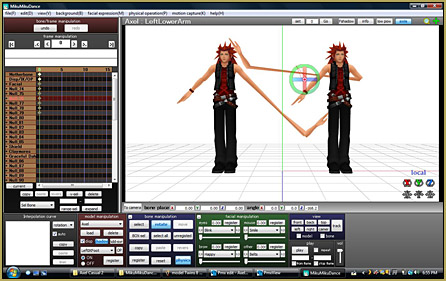
Google Sketchup has a nice viewing tool they call Orbit. That same function is available in MikuMikuDance, too. When in “Model” mode, as opposed to “Camera” mode, MMD lets you click and drag with the Right mouse button to get that instant view rotation that Orbit gives you in Sketchup. You can use it in Camera mode, too, as a method of quickly moving your camera’s view. You can Register the camera’s position. This is one of MikuMikuDance’s most powerful tools. Try it out!


– SEE BELOW for MORE MMD TUTORIALS…


— — —


– _ — –


Visit the LearnMMD.com Homepage! Plenty of Mikumikudance instruction and info!

More MMD Tutorials...

Rediscover your old MMD Animations: Love them again!

Rediscover your old MMD Animations: Love them again! https://youtu.be/P4b3todZMUI A labor of love... Remember how it was when ...read more

Create MMD Abstract Art from Low-Res Videos!

This is an idea I have been playing with for the last few months... Create MMD ...read more

Loading Background AVI Files into MMD (2021 Edition)

How do I load background AVI files into MMD?  What does it mean when MMD ...read more

Running MikuMikuDance in Linux using Wine and DXVK

How do I run MMD on Linux? Does MikuMikuDance run on Linux? How do I ...read more

Recoloring MMD's Control Panel GUI Interface

Hi and welcome to your personal MMD care and color service, where I give you ...read more

Culling unseen MMD model parts optimises computer assets (PART 2)

How can I make my MMD run faster? What if removing parts using Subset-Extract isn’t ...read more

Keyboard Shortcuts, Nuts & Bolts, Random Thoughts & Visions Tags:beginner, keyboard shortcuts

Post navigation

Previous Post: Copy and Paste for Repetitive Motion in MikuMikuDance
Next Post: Make your own MMD Accessory Objects in Google Sketchup

Related Posts

  • Good MMD videos require Inspiration, Vision, Planning: The Lament of Okada’s Ghost MMD Basics
  • Using The Floor Light Art Effect in MMD. ARIZONA
  • Everything is loaded and ready to "Play!" ... Happy Hands MMD Meme.
    Create an MMD Video using the “Happy Hands” Meme Making Videos - Rendering to AVI
  • Why MMD Does not run on Apple Computers Kazuki Matsuoka
  • Motion is LOCAL, per the Model's orientation, or GOBAL, per the Program's Grid. (Meiko Sakine from MMD 7.39)
    Local and Global Mode Bone Movement MMD: Miku’s Mode Swings ARIZONA
  • Inspired by MMD, Draw Miku blending 2D and 3D Art! MMD Fine Art

More Related Articles

Running MikuMikuDance in Linux using Wine and DXVK Linux running MMD
Make Your YouTube Channel Popular with Engrossing Introductions MMD Basics
Creating Inspirational Pictures in MMD MMD Fine Art
Proper Computer DPI Scaling Setup Stops Text Cut Off in PMXE Mae Blythe
Get the LearnMMDMmetronome. It is a real help! LearnMMD’s METRONOME is Ready to Download! Animation Lag
Mouthing words requires sudden motions without drifting in MikuMikudance 7.39 Short sharp sudden motions require MikuMikudance skill Making Smooth Motions

Leave a Reply Cancel reply

Your email address will not be published. Required fields are marked *

Download the latest version of MikuMikuDance!
See the MMD Step-by-Step instructions page!
Learn how to make your own MMD motions!
LearnMMD.com
  • How To Recolor MikuMikuDance Models Without PMDE! Keep the Faith-MMD Credits/Sharing
  • Select the Center Bone if your MMD Model Doesn’t Feel the Floor Bones
  • Anticipation is the Second Principle of Animation. Anticipation
  • Workin’ on my VDE-4 Animation: The Easy Part is Complete! "the making of" my video
  • When MMD 7.39 crashes you lose any unsaved changes. Save Often!
    MMD Crashes when Rendering to AVI Making Videos - Rendering to AVI
  • Teto replies!
    Fixing white models and accessories that don’t follow in PMXE Bandages
  • Shading China Dresses
    Shading China Dresses Using Advanced Shader Techniques Advanced Shader Technique
  • Download MME v037 in English 32-Bit or 64-Bit from LearnMMD.com Download MME MikuMikuEffects

Copyright © 2022 Learn MikuMikuDance – MMD Tutorials – Free 3D Animation Software and Instructions..

Powered by PressBook Premium theme

Go to mobile version