

 Where can I get Reggie’s Evil Eye effect for MikuMikuDance? How do I use Reggie’s Evil Eye effect? Reggie’s MME Effect adds an anime-style effect!
Try Reggie’s Evil Eye Effect!
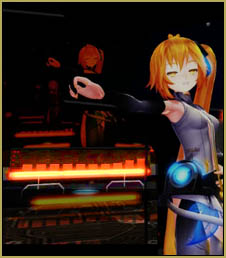
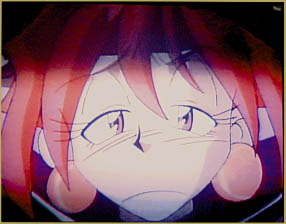 Watch almost any comedy anime and you will see an effect like this in a scene where a character is startled, embarrassed, or ticked-off by something someone just said. The camera does a close-up and we see her melt with sadness or “fry” with anger … it’s kind of an aside to the audience to let US know that she is having a response.
I wanted to make something similar that I could use in MikuMikuDance … and so I invented the …
Reggie’s Evil Eye Effect
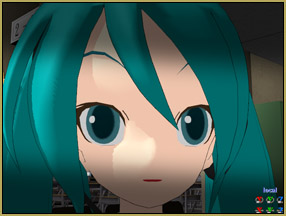 My evil eye effect let’s you throw a shadow over your scene … over your model’s face. It IS an MME effect so you will need to have MME downloaded and installed in your MMD folder.
Reggie’s Evil Eye effect makes use of Beamman’s Nameplate effect. I have already included everything you need into a zip folder … you download the zip, unzip, and drop the folder into your Effects folder. 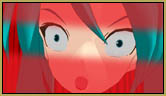 (What? … You don’t HAVE an “effects” folder … now is a great time to create one! Put all of your effects into the folder so you will be able to find them quickly.)
To use Reggie’s Evil Eye, just open the .x file like any other accessory.
 DOWNLOAD Reggie’s Evil Eye Effect from the LearnMMD.com Downloads Page.
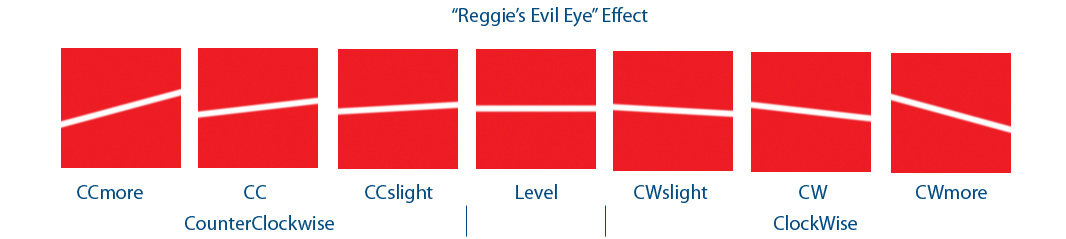
Inside your Evil Eye folder you will see two more folders … Black and Red. Each of them contains these seven choices for the angle of the effect’s shadow mask. Being based on the Nameplate effect, you cannot rotate the angle of the effect … so you need to choose the mask you want to use.
Load the effect mask of your choice and attach it to a dummy bone. 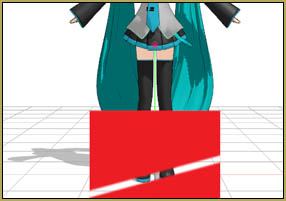 After you adjust the size of the effect, you will want to adjust its Size and Transparency.
When you first open the effect … it will be small! You can adjust the Si (size) and the Tr (transparency) in the AMP just like any other accessory.
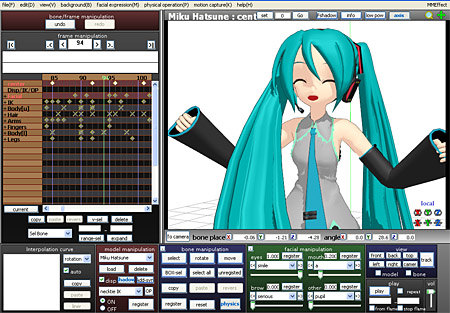
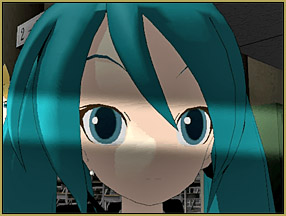 For a full-screen kind of look, as in the Miku image, above, set the Si at 20 … and the transparency to 0.6 … for a narrow mask, just to show the eyes, as per the Miku in THIS image, try an Si of 8.0
This kind of a Nameplate effect will not let you rotate it or move it closer to your camera. You need to make size adjustments using that Si command. One of the BENEFITS of a Nameplate effect is that it doesn’t move as you swing the camera around in your animation. You can drop a shadow onto your scene and still pan your image beneath it … the effect will always face your viewers.
Display and not-display the effect using the little checkbox next to where you loaded the accessories in the AMP.
If the effect is Behind your models …
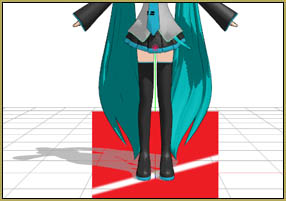
Sometimes when you are running MMD and you load one of these Nameplate-based effects, it appears to be BEHIND your models.
To fix this, go to the Background tab and choose the top choice: Accessory Edit.
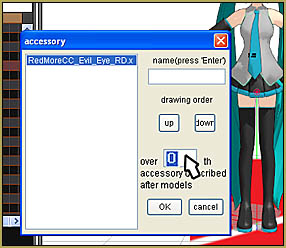 Select the effect name and click UP if you already have a bunch of stuff loaded … and set that digit to Zero as shown in the image. … THAT should do it for you!
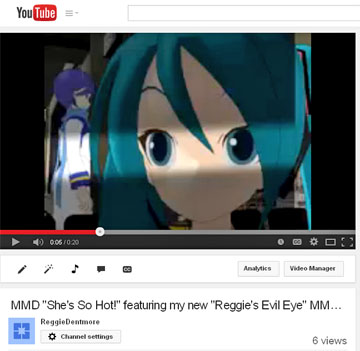
I made a demo video that I titled “She’s So Hot!” … in which I create a little scenario that embarrasses Miku … as an excuse to show you the Reggies Evil Eye effect.
Have fun with it!
–
–
–
–
– SEE BELOW for MORE MMD TUTORIALS…
— — —
– _ — –