
Skip to content
Learn MikuMikuDance – MMD Tutorials – Free 3D Animation Software

Learn MikuMikuDance – MMD Tutorials – Free 3D Animation Software

Download Free Animation Software – Let's Learn How to Do Everything!

  • Step-by-Step MMD instructions
  • DOWNLOADS
  • Troubleshoot, Fix MMD
  • Site Contents
  • Reggie Replies Q&A
  • Homework!
  • What IS MMD?
    • Download MikuMikuDance Newest Latest Version of MMD
  • “HOW TO”
    • Raycast RAY-MMD Effect Tutorials
  • BONUS PAGES
    • Why convert PMD models to PMX?
  • HALL of CHAMPIONS
  • Tutorial Categories
  • About
    • Privacy Policy
  • Toggle search form
  • create easy dance motions in MikuMikuDance... beginner tutorial
    Create MMD Dance Motion from Scratch – a beginners guide Creating Motions
  • Attach an item or accessory to a Bone in PMDEditor - Weighting for a weighted model in MMD.
    Attach an item or accessory to a Bone in PMDEditor – Weighting in MMD Accessory Manipulation/Adjust
  • Pose characters in PMX Editor and export as OBJs for Poser .OBJ Object Files
  • Video Dojo Expo 1 Winner: Miku Fantasy Video Dojo Champions
  • Pose MMD Models Naturally Using Reference Pictures Bones
  • KiraKira-sparkleV2 beautiful colored sparkles.
    KiraKira-sparkleV2 MME Effect adds COLOR to KiraKira! KiraKira-SparkleV2
  • Using Texture Transparency hides MMD model problem areas MMD Tutorials
  • MMD Dance Motions start with making your own motions.
    How to make smooth motions in MikuMikuDance animations Animation Shortcuts

Most important MikuMikuDance instruction: Track your sources!

Posted on November 4, 2016March 31, 2024 By Reggie_Dentmore No Comments on Most important MikuMikuDance instruction: Track your sources!

Visit LearnMMD's Video Channel on YouTube: Videos from LearnMMD's team of writers!MMD is FREE…
All you can “Pay” is your “Thank you!” So, write credits to thank the artists and MMDers who created your models, accessories, effects, poses and motions.

Write your own ReadMe Files to track your sources!
Most important MikuMikuDance instruction: Track your sources!

Again I remind you guys of what should be the most important MikuMikuDance instruction: Keep Track of your Sources and write credits in your video descriptions!
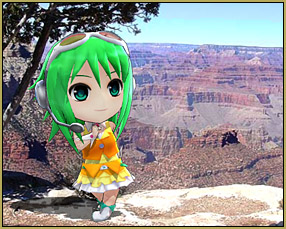
Gumi visits the Grand Canyon!

Gumi visits the Grand Canyon
Full credits:
Model: さぼてんGUMIねんど Gumi Nendoroid by Wombat3
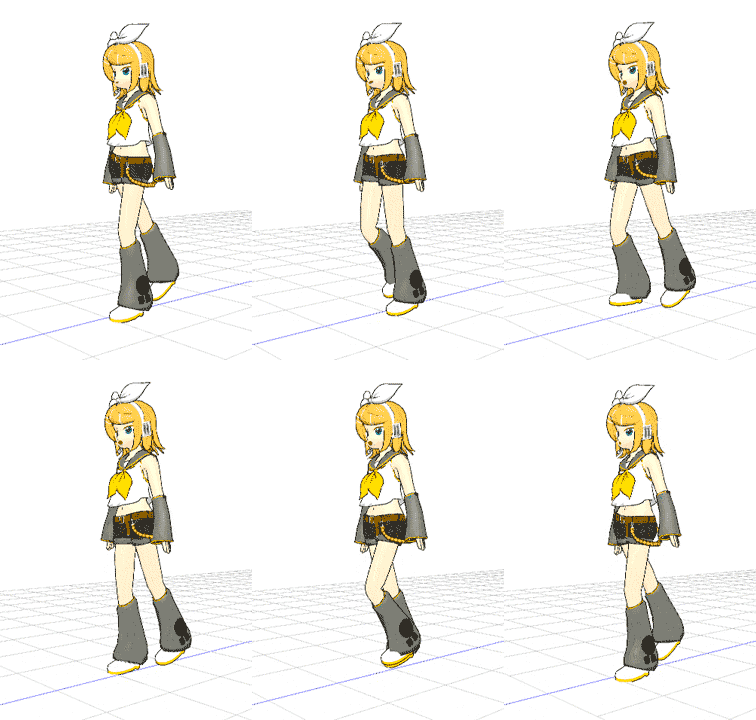
Pose: Stella the Alchemist’s “Stellas Shoujo Walk”
Effect: SSAO
Background image is my photo.


The free use of everything to do with MikuMikuDance, ALL of what we download, EACH of what we download, is the creation of an enthusiastic artist.

The only “Thanks!” that artist gets comes from you… the MMDer.

Track your sources!

As I download anything for MMD, I also open a Notepad page where I can copy/paste the page link and any notes to help me remember where I got the model and who made it.
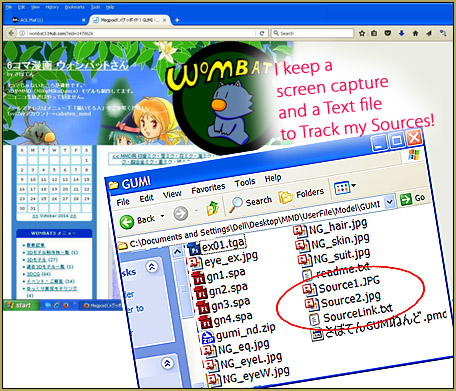
Track your sources as you download MMD models, accessories and effects.

I also do a Print Screen of the dA page, or whatever, showing the creator’s page and model images. I paste that image into MS Paint and do a Save-As so that I have a picture to include in my new model’s folder.

It’s the least we can do!

I know it takes a few moments to do these things… and I know how exciting it is to find and download ‘just the right model”… but it’s the least we can do to save the links and track our sources so that we can include the credit for that model in our video descriptions.

Keep The Faith-MMD tells us the rules and etiquette for usnig MMD models and accessories.
Keep the Faith-MMD!
Click the logo to see the Rules and proper etiquette for using the many free things you can find for MikuMikuDance!

I, myself, have created a handful of accessories and effects which I have made available for free download from the pages of LearnMMD.com … and I see the web stats showing the many downloads; I love it that you guys are using my creations! … and, as Editor and Moderator for LearnMMD.com, I am proud of the huge quantity of instructions and links we offer to the MMD Community.
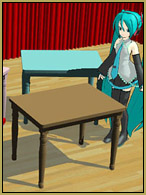
You can Download my Painted Tables from our Downloads page.

… and I sometimes search YouTube for LearnMMD and for some of the individual accessories I have created… just to see that MMDers DO use our creations… and I love it when I find some!… I enjoy seeing my accessories in-use in a new MMD video… but if you do not write a credit in your video description, I will never find your video… I will never know that you used my item.

Track your sources… leave credits!

It’s the least you can do… it’s the only “Thanks!” we get.


– SEE BELOW for MORE MMD TUTORIALS…


— — —


– _ — –


Visit the LearnMMD.com Homepage! Plenty of Mikumikudance instruction and info!

More MMD Tutorials...

Introducing MMD model 1052C China Qipao Miku

Where can I download MMD model 1052C dancers? I want the 1052C China Qipao Miku ...read more

Download Jomomonogm's Snow Miku 2019 for MMD, a most unusual model!

Where can I download Jomomonogm's Snow Miku 2019? What is so unusual about this Snow ...read more

MMD animation made-from-scratch Forgotten Vocaloid Mew Rags on Reggie's MMD Videos

How do I make my own MMD animation from scratch? How do I start my ...read more

Rediscover your old MMD Animations: Love them again!

Rediscover your old MMD Animations: Love them again! https://youtu.be/P4b3todZMUI A labor of love... Remember how it was when ...read more

MMD Boobs too Big yields Too Funny Really Bad Boy video!

Can MMD boobs too big get in the way of a downloaded motion file? What ...read more

Download Hatsune Miku type N models from 2010... a set of 6!

Can I still download Hatsune Miku type N models? Where can I download a few ...read more

Keep the Faith-MMD Credits/Sharing, Reggie Dentmore

Post navigation

Previous Post: My latest Halloween video is a Scream!
Next Post: Create Bouncing Ball using MMD Physics Engine

Related Posts

  • Sexiest MMD Model Dance Motion you can Download "the making of" my video
  • Recommended Software Library for MMDers Animation Shortcuts
  • Study MMD Motion Files to SEE and LEARN about creating animations
    Study MMD Motion Files to SEE and LEARN about creating animations Making Smooth Motions
  • MME Plastic Effect Featured
    MME Plastic Effect adds plastic realism to MMD model parts MMD Tutorials
  • Click to see the new Getting Started with MMD Video on YouTube!
    Getting Started with MMD Video on YouTube! MMD Basics
  • Old-Time VOCALOID MMD… a New TAKE and a Look Back! "the making of" my video

More Related Articles

Try Reggie’s Evil Eye Effect for an Anime-style effect MMD Tutorials
MMD Wooden Stool Accessory from LearnMMD.com Google SketchUp and MMD
MME fireintheskies effect MME FireintheSkiesEffect gives floating flame and embers! FireintheSkiesEffect
With some practice, Rin can dance the sample dance as well as Miku! There Can Be Frame Data Ghosts remaining after Deletion Making Smooth Motions
MMD Camera Work makes motions fit the song. MMD Camera Work made the motion fit the song! "the making of" my video
MME DiscoLightEX v003 effect now hosted by LearnMMD.com! Disco Lighting Effect

Leave a Reply Cancel reply

Your email address will not be published. Required fields are marked *

Download the latest version of MikuMikuDance!
See the MMD Step-by-Step instructions page!
Learn how to make your own MMD motions!
LearnMMD.com
  • PMXE 0254f a Newer PMXE in English – More Complete Translation – Tools Reconfigured KillerBeer
  • Make LearnMMD Masthead Art for the world to see! Reggie Dentmore
  • The MMD 7.39 VIEW MENU Options MENU Option Descriptions
  • A MikuMikuDance Beginner’s Easy First Dance Intro to MikuMikuDance
  • LearnMMD Stage Lit with AutoLuminous Lights MMD Tutorials
  • Enjoy the “camera Angles WEIRD in Anime” meme… Animation Shortcuts
  • Creating Black Model Silhouettes in MikuMikuDance ARIZONA
  • Sometimes you need a “motion scratchpad” while animating in MMD Animation Shortcuts

Copyright © 2022 Learn MikuMikuDance – MMD Tutorials – Free 3D Animation Software and Instructions..

Powered by PressBook Premium theme

Go to mobile version