
Skip to content
Learn MikuMikuDance – MMD Tutorials – Free 3D Animation Software

Learn MikuMikuDance – MMD Tutorials – Free 3D Animation Software

Download Free Animation Software – Let's Learn How to Do Everything!

  • Step-by-Step MMD instructions
  • DOWNLOADS
  • Troubleshoot, Fix MMD
  • Site Contents
  • Reggie Replies Q&A
  • Homework!
  • What IS MMD?
    • Download MikuMikuDance Newest Latest Version of MMD
  • “HOW TO”
    • Raycast RAY-MMD Effect Tutorials
  • BONUS PAGES
    • Why convert PMD models to PMX?
  • HALL of CHAMPIONS
  • Tutorial Categories
  • About
    • Privacy Policy
  • Toggle search form
  • o_ShaderCustomSet_v0_3 effect applies gentle color modification MMD Tutorials
  • Use The Background AVI to Make Realistic Animations in MMD ARIZONA
  • The MMD Pity Partry motion is free to download!
    MiyukiOhayashi’s Pity Party motion download includes WAV "the making of" my video
  • Translate Romaji for better English translations Navigating Japanese Pages
  • Using Beamman Particle-styled MME effects Beamman's AuraParticle
  • MMD NyaReimu dances to Miku’s “The World is Mine” "the making of" my video
  • Physical Operations Tab in MikuMikuDance 7.39 Menu Options MENU Option Descriptions
  • New MMD Video Taught Awareness of Camera Angles and Motion Quirks! "the making of" my video

LearnMMD’s MikuMikuDance Animated GIFs Now Collected as a Bonus Page!

Posted on December 4, 2011July 2, 2024 By Reggie_Dentmore No Comments on LearnMMD’s MikuMikuDance Animated GIFs Now Collected as a Bonus Page!

Can I use your animated gifs? Where can I get MMD MikuMikuDance animated gifs?

LearnMMD’s MikuMikuDance Animated GIFs Now Collected as a Bonus Page!


Editors Note 10/26/2015: The page is obsolete
Some time ago, the combined GIF collection page was taken down, so this article is no longer relevant. It only stays on LearnMMD as a legacy. We apologize to our readers for possible misdirection.

LearnMMD.com got it’s start in August of 2011Animated GIF Link Button to place on your pages if you like. Thanks! and since then has created quite a collection of Miku Miku Dance animated GIFs. Now they are collected onto a single page for your use and enjoyment.

With all of those animations running at once, the new page is dazzling!

Most of the animations were created using a combination of MMD 7.39, Adobe Photoshop CS3, and GIMP 2.6 … a freeware graphics program available from www.gimp.org that makes it simple to export and edit animated GIFs. (More about GIMP in a future Post.)

Please give credit to LearnMMD.com if you use those images. ANYTHING displayed on the web can be lifted and reused … Thank you for being responsible.

Enjoy!


– SEE BELOW for MORE MMD TUTORIALS…


— — —


– _ — –


Visit the LearnMMD.com Homepage! Plenty of Mikumikudance instruction and info!

More MMD Tutorials...

Rediscover your old MMD Animations: Love them again!

Rediscover your old MMD Animations: Love them again! https://youtu.be/P4b3todZMUI A labor of love... Remember how it was when ...read more

Create MMD Abstract Art from Low-Res Videos!

This is an idea I have been playing with for the last few months... Create MMD ...read more

Recoloring MMD's Control Panel GUI Interface

Hi and welcome to your personal MMD care and color service, where I give you ...read more

Culling unseen MMD model parts optimises computer assets (PART 2)

How can I make my MMD run faster? What if removing parts using Subset-Extract isn’t ...read more

Optimise computer assets by culling unseen MMD model parts

How can I make my MMD run faster? How can I optimise computer assets as ...read more

Good MMD videos require Inspiration, Vision, Planning: The Lament of Okada's Ghost

The Lament of Okada's Ghost... The secret to making good MMD videos All MMD videos have three ...read more

Random Thoughts & Visions, Welcome to LearnMMD.Com!

Post navigation

Previous Post: MikuMikuDance Home Page VPVP is worth a visit!
Next Post: LearnMMD’s METRONOME is Ready to Download!

Related Posts

  • MMD uses your computer to the max! Intro to MikuMikuDance
  • My First MMD Video – After Struggling with Blender, MMD was Easy "the making of" my video
  • Print a hard copy! Art is fleeting… especially NOW! MMD Tutorials
  • A girl named Miku Hatsune… Random Thoughts & Visions
  • MMD NyaReimu dances to Miku’s “The World is Mine” "the making of" my video
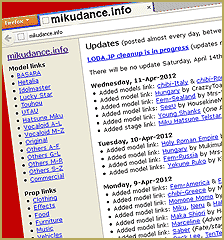
  • MikuDance.info has a constantly updated list of new MMD models and accesssories.
    MikuDance.info – A Very Useful Site for MMDers! Downloading New Models

More Related Articles

Customize the MMD interface: Change the colors of the GUI Fia Phoenix
Make Wattpad covers using MikuMikuDance and Canva.com! Faris
First Steps for the Beginner MMD MikuMikuDance artist Welcome to LearnMMD.Com!
Delete Miku and Learn About the Sample Dance Stage Lights Dummy Bones
7 Reasons Why We Don’t Do These Things Fia Phoenix
The Art of Moe and the genre’s backstory. Random Thoughts & Visions

Leave a Reply Cancel reply

Your email address will not be published. Required fields are marked *

Download the latest version of MikuMikuDance!
See the MMD Step-by-Step instructions page!
Learn how to make your own MMD motions!
LearnMMD.com
  • Free Download MikuMikuDance MMD
    Free Download MikuMikuDance 3D animation software Intro to MikuMikuDance
  • MMD Dance Motions start with making your own motions.
    How to make smooth motions in MikuMikuDance animations Animation Shortcuts
  • Intersecting Physics Bodies Cause Glitchy MMD Models Mae Blythe
  • Nico Nico MMD Videos, Models, Motions, and Music! Downloading New Models
  • Adult Shader on a LAT model – it’s possible! Adult Shader effect
  • Miku virtual idol starts our Brave New World Random Thoughts & Visions
  • The Audacity Generate Menu lets you add silent breaks to you WAV file.
    WAV Files Make Your Music Play on MMD MikuMikuDance Music and WAV Files
  • Close Up of Sph File with Text
    Create Sph Files in Blender Without Drawing Anything! Blender

Copyright © 2022 Learn MikuMikuDance – MMD Tutorials – Free 3D Animation Software and Instructions..

Powered by PressBook Premium theme

Go to mobile version