Skip to content
Learn MikuMikuDance – MMD Tutorials – Free 3D Animation Software

Learn MikuMikuDance – MMD Tutorials – Free 3D Animation Software

Download Free Animation Software – Let's Learn How to Do Everything!

  • Step-by-Step MMD instructions
  • DOWNLOADS
  • Troubleshoot, Fix MMD
  • Site Contents
  • Reggie Replies Q&A
  • Homework!
  • What IS MMD?
    • Download MikuMikuDance Newest Latest Version of MMD
  • “HOW TO”
    • Raycast RAY-MMD Effect Tutorials
  • BONUS PAGES
    • Why convert PMD models to PMX?
  • HALL of CHAMPIONS
  • Tutorial Categories
  • About
    • Privacy Policy
  • Toggle search form
  • Move the whole Model with Box-Sel in MikuMikuDance Functions-Copy-Paste-Expand
  • MMD Fill Lights Part 2 – (Ray-MMD) MMD Tutorials
  • Click to see Reggise Dentmore's MMD Folk Guitar images Full Size!
    Download Reggie Dentmore’s MMD Folk Guitar Accessory!! Google SketchUp and MMD
  • Rendering HD 60 FPS MMD video and YouTube Upload HD Videos in MMD
  • Animation Fade helps MMD scene transitions Animation Shortcuts
  • LearnMMD’s MikuMikuDance Animated GIFs Now Collected as a Bonus Page! Random Thoughts & Visions
  • LearnMMD Auditorium Stage now includes 19 Colors of Drapes! Dummy Bones
  • What kind of laptop should I buy for running MMD? Random Thoughts & Visions
Boom! Beamman's Bomb Effect is easy and fun! MME MMD 7.39 on LearnMMD.com.

How to use Beamman’s Bomb Effect in MMD 7.39 MME

Posted on September 19, 2012March 5, 2016 By WeActOnImpulse 2 Comments on How to use Beamman’s Bomb Effect in MMD 7.39 MME

How do I use Beamman’s Bomb Effect in MME MMD 7.39? Where can I get Beamman’s bomb effect? How do I setup Beamman’s bomb effect in MikuMikuDance?See all of the article written by LearnMMD's author "FicticiousAnimation"!

Once you know how to do it…

Using Beamman’s Bomb Effect
is one of the easiest things you can do!

Check out Noko2’s article on how to install MikuMikuEffect (MME) here! https://learnmmd.com/http:/learnmmd.com/download-mme-install-mikimikueffects-add-effects-mmd-7-39/

You’ll also need to download Beamman’s bomb effect(s)  from his page here: http://www43.atwiki.jp/beamman/ There are two bombs on that page. Use the Bomb link .. not the New Bomb; it works in a different way ^^ (Google Translate, I loves it.)

Finding the Link to Beamman's Bomb Effect MME takes a little work! CLICK for a bigger picture.

Load the link, above, into Google Translate. make your way to the Bomb Effect … Click the link .. takes you to THIS page:

The link is not obvious … but I have circled it in RED for you. SAVE the Zip to your desktop.
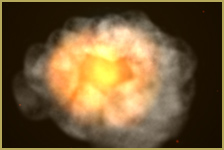
 

Boom! Beamman's Bomb Effect is easy and fun! MME MMD 7.39 on LearnMMD.com.

Let’s get started!

When you first open MMD, go to the model manipulation panel and in the drop down menu make sure to select “Camera/Light/Accessory”. This should be selected by default, but if you load a model first you must go back to the camera/light/accessory.

Head over to the right and find the “accessory manipulation” box. Click the “load” button and find the “Bomb.x” file that you downloaded. It should be in a folder called “MMDbomb” and inside of that folder “Bomb”. I recommend dragging the MMEbomb folder into MMD’s “Accessory” folder, so it’s easy to find.Beamman's Bomb Effect starts out with a puff of smoke! CLICK to see the bigger picture!
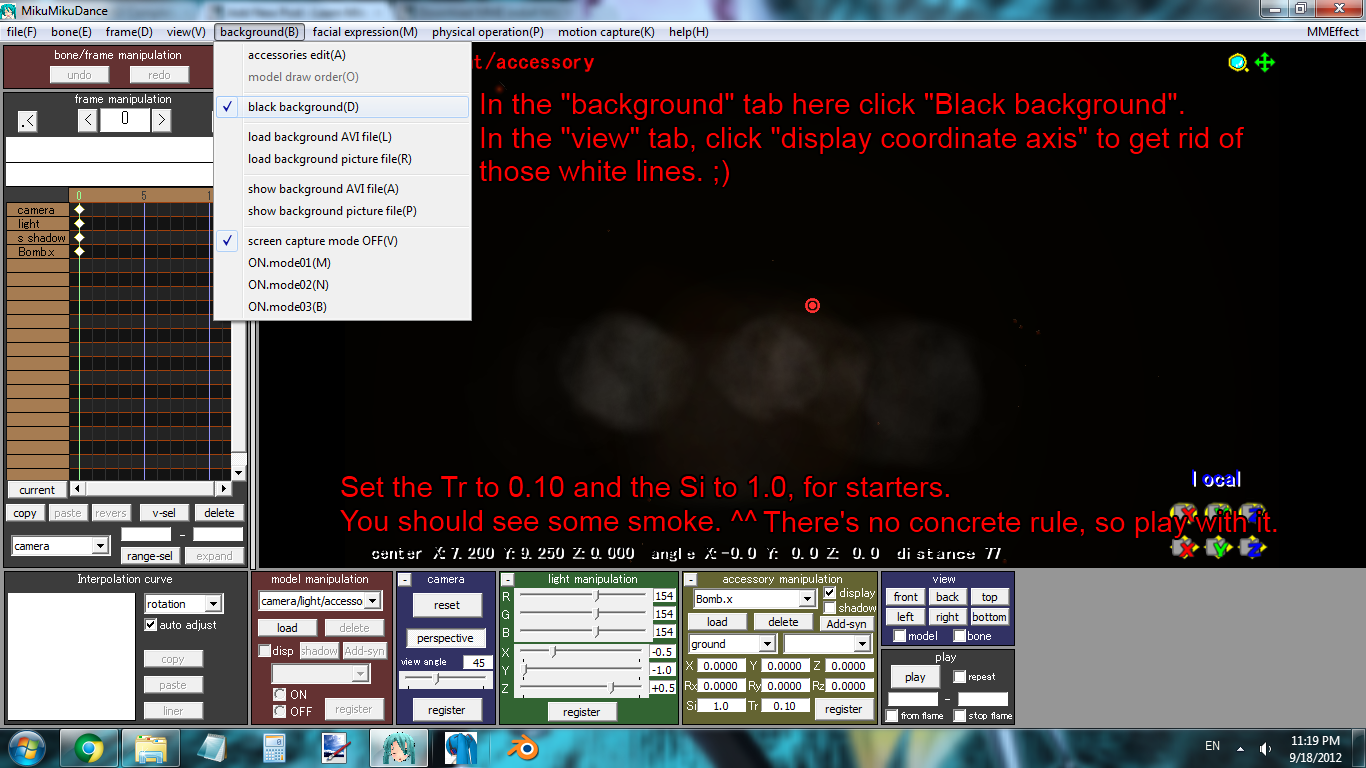
Once you have loaded Bomb.x, you’ll notice absolutely nothing but the words “Bomb.x” in the accessory manipulation box. This is funny, because all you have to do to make it work is go to the “Si” (size) and “Tr” (transparency) boxes in the accessory manipulation panel and change them. ;’D
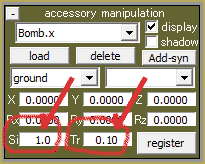
Adjust the "Si" and "Tr" values to manipulate the Beamman's Bomb Effect in MMD 7.39 MME. Try setting the “Tr” to 0.10 for starters, and the “Si” to 1.0. Then click “Register”. You should see some smoke. (You can also, at the top of the MMD window, go to the “View” tab and click “Display Coordinate Axis” to get rid of those white lines. You can also go to the “Background” tab and click “Black Background” because this can sometimes make effects easier to see.)

Now skip ten frames ahead (so you’re on frame 10), and set the Si to 2.0 and the Tr to 0.20 then click register. Now skip ten more frames to frame 20. Set the Si to 3.0 and the Tr to 0.30, click register. Continue with this pattern until the Si reaches 10.0 and the Tr reaches 1.0, and you’re on frame 100. Go ahead and play your new exploding animation!! It looks great!!

Remember there are no concrete rules for this effect. You can skip 30 frames at a time for a slower explosion, or five frames at a time for a faster explosion. ;’D You can play with the accessory manipulation boxes too for a different effect.

Remember how you did this, because the “muzzle flare” effect by Beamman uses the exact same Tr Si technique to work it. ^^ Many effects do, including both of Beamman’s bombs. ^^

Another fun thing to do is set the accessory to a dummy bone, or to a model’s center bone. You can check out ARIZONA’s accessories tutorial to learn how to do this, here: https://learnmmd.com/http:/learnmmd.com/use-accessory-manipulation-fields-to-positionadjust-accessories/

I hope you enjoyed my first article! Signed, ~FicticiousAnimation.


– SEE BELOW for MORE MMD TUTORIALS…


— — —


– _ — –


Visit the LearnMMD.com Homepage! Plenty of Mikumikudance instruction and info!

More MMD Tutorials...

MMD Fill Lights Part 1 (Half-Lambert Shader)

MMD and the use of Fill Lights ... Part 1 (Half-Lambert Shader) Fill lights are an important ...read more

Good MMD videos require Inspiration, Vision, Planning: The Lament of Okada's Ghost

The Lament of Okada's Ghost... The secret to making good MMD videos All MMD videos have three ...read more

MME: Less is More... Select only those that you need.

Carefully select only the MMEs that you need for your scene. Control the look of ...read more

Once there was a war... the making of my "Paint it black" MMD video

Once there was a war... I sent Reggie D., this site's owner, a link to a ...read more

Give MMD Pictures Different MMEffects For Different Feelings

Hey y'all! Today Luka's gonna help me show you some cool MMEffects that I personally ...read more

Toon Shader modifies shadows and highlights!

How do I use Toon Shader? Where can I download Toon Shader? How can I ...read more

Beamman's Bomb Effect, Special Effects, Using MME Effects, WeActOnImpulse Tags:Beamman's Bomb Effect, mikumikudance, MME Effects Tutorials

Post navigation

Previous Post: Reset Your Computer to Japanese Locale for perfect Japanese
Next Post: Looking Good with the MME Mirror Water Effect in MMD

Related Posts

  • The Falling Heart Effect is just a wonderful effect ... gorgeous!
    Playing with MME Effects – Using MikuMikuEffects for MMD Blizzard Effect
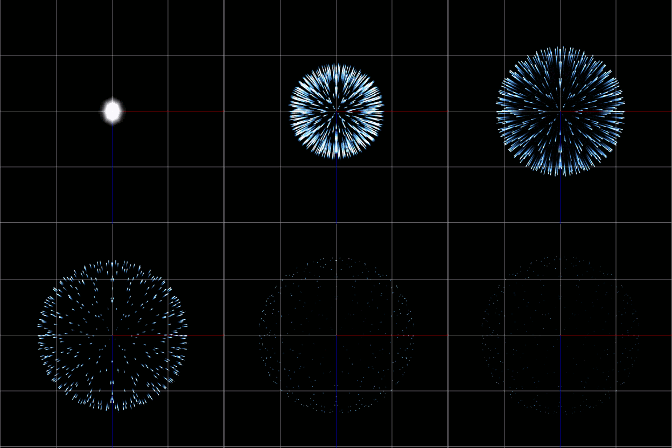
  • Chrysanthemums are lovely with the Fireworks effect!
    Using the Fireworks Effect In MikuMikuDance ARIZONA
  • Render your MMD Video in 1080p HD Using Windows Live Movie Maker HD Videos in MMD
  • Beamman’s MME SelfBurning Effect Sets your MMD models Ablaze! MME Effects Tutorials
  • ColorShift Effect Dances using VMDSpectrum Analyzer ColorShift 3D Effect
  • The MME files just need to be in the same folder as your MikuMikuDance.exe file. Download MMEffects v028 from LearnMMD.com and enjoy!
    Download MMEffects v037 on LearnMMD’s Downloads Page! MME Download MME MikuMikuEffects

More Related Articles

Chrysanthemums are lovely with the Fireworks effect! Using the Fireworks Effect In MikuMikuDance ARIZONA
Luka Loves the Rainbow Ring Use MME Rainbow Ring Effect in MikuMikuDance ARIZONA
Kaito and the SpotLight Effect. Using the SpotLight Effect in MikuMikuEffects ARIZONA
The SSAO effect adds depth of color and shadows for greater realism! MME MMD 7.39 Playing with MME – Using MORE cool MikuMikuEffects! Nuts & Bolts
Toon Shader modifies shadows and highlights! GloriaTheAnimator
Different MMEffects for different feelings Give MMD Pictures Different MMEffects For Different Feelings BigPerryman

Comments (2) on “How to use Beamman’s Bomb Effect in MMD 7.39 MME”

  1. Reggie Dentmore says:
    October 2, 2012 at 9:34 pm

    The “original” bomb effect worked “as advertised” … I couldn’t get the New Bomb effect to work. I see there’s a .PMX file AND a .x file … Do you load ’em both?? Maybe attach the bomb.x to the bomb.pmx? … I couldn’t get the NEW one to work.

    Reply
  2. Arizona says:
    September 19, 2012 at 7:12 pm

    I LOVE IT!!!
    Great piece! I’ll be having so much fun exploding things that I might not be able to write any articles (I’m kidding-Reg). We’ve missed ‘ya FicticiousAnimation.
    I’m sure our readers will love this too.

    Reply

Leave a Reply Cancel reply

Your email address will not be published. Required fields are marked *

Download the latest version of MikuMikuDance!
See the MMD Step-by-Step instructions page!
Learn how to make your own MMD motions!
LearnMMD.com
  • Make Wattpad covers using MikuMikuDance and Canva.com! Faris
  • MMD Animation Project Resource Ushimitsu Toki Animation Resource
  • New to MikuMikuDance? LearnMMD is The Instruction Manual for MMD! MMD Tutorials
  • modified MMD effects can yield NEW surprises!
    Modified MME Effects Files yield NEW Effects for MMD! Customize MME effects
  • Barbarians disregarding creative rights destroy MMD for all of us. Keep the Faith-MMD Credits/Sharing
  • New Interpolation Curve Video was fun to make! "the making of" my video
  • Everything is loaded and ready to "Play!" ... Happy Hands MMD Meme.
    Create an MMD Video using the “Happy Hands” Meme Making Videos - Rendering to AVI
  • Optimise computer assets by culling unseen MMD model parts Chestnutscoop

Copyright © 2022 Learn MikuMikuDance – MMD Tutorials – Free 3D Animation Software and Instructions..

Powered by PressBook Premium theme

Go to mobile version